
help
2
A Singapore Government Agency Website
Back to home
Updated by HELP
How to manage your site settings?
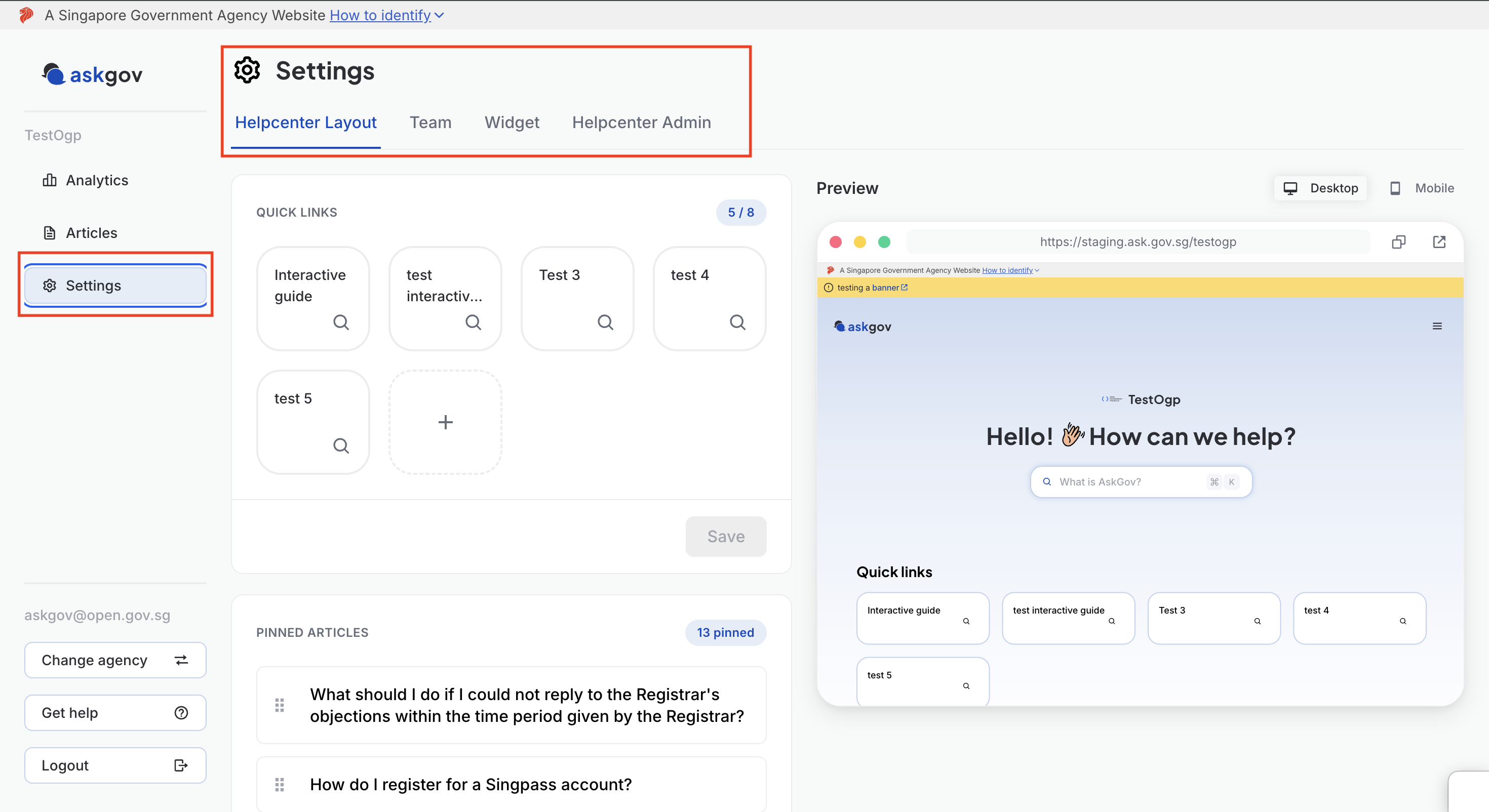
Site owners can now manage most of their AskGov site's setup directly, without needing to go through the AskGov team. This includes your branding, who can access your site, your homepage quick links and pinned articles, and your widget. Keep note that only site owners can make these changes.
All of this lives under Settings in Admin Studio, split across four tabs: Helpcenter Layout, Team, Widget, and Helpcenter Admin.
Helpcenter Admin tab: changing your logo and controlling your site access
Change your agency name and logo, or control who's allowed to view your help centre.
Homepage layout: quick links and pinned articles
Manage the quick link shortcuts and pinned articles shown on your help centre's homepage.
Widget
Set up the AskGov widget on your agency's website, or manage its settings if it's already installed.
💡 As you change settings on the Helpcenter Admin and Helpcenter Layout tabs, the Preview panel on the right updates live so you can check how your site looks before saving.
Topics:
Site SettingsRelated questions
Need more help?
Describe your issues to us.