
help
1
A Singapore Government Agency Website
Back to home
Updated by HELP
How to pin and reorder your pinned articles?
You can pin an individual article to have it appear on top of your help centre, then use your site settings to reorder and manage all your pinned articles together.
Please note that you can pin a question after publishing it.
To pin an individual help article, click into any help article and select the "Pinned?" toggle
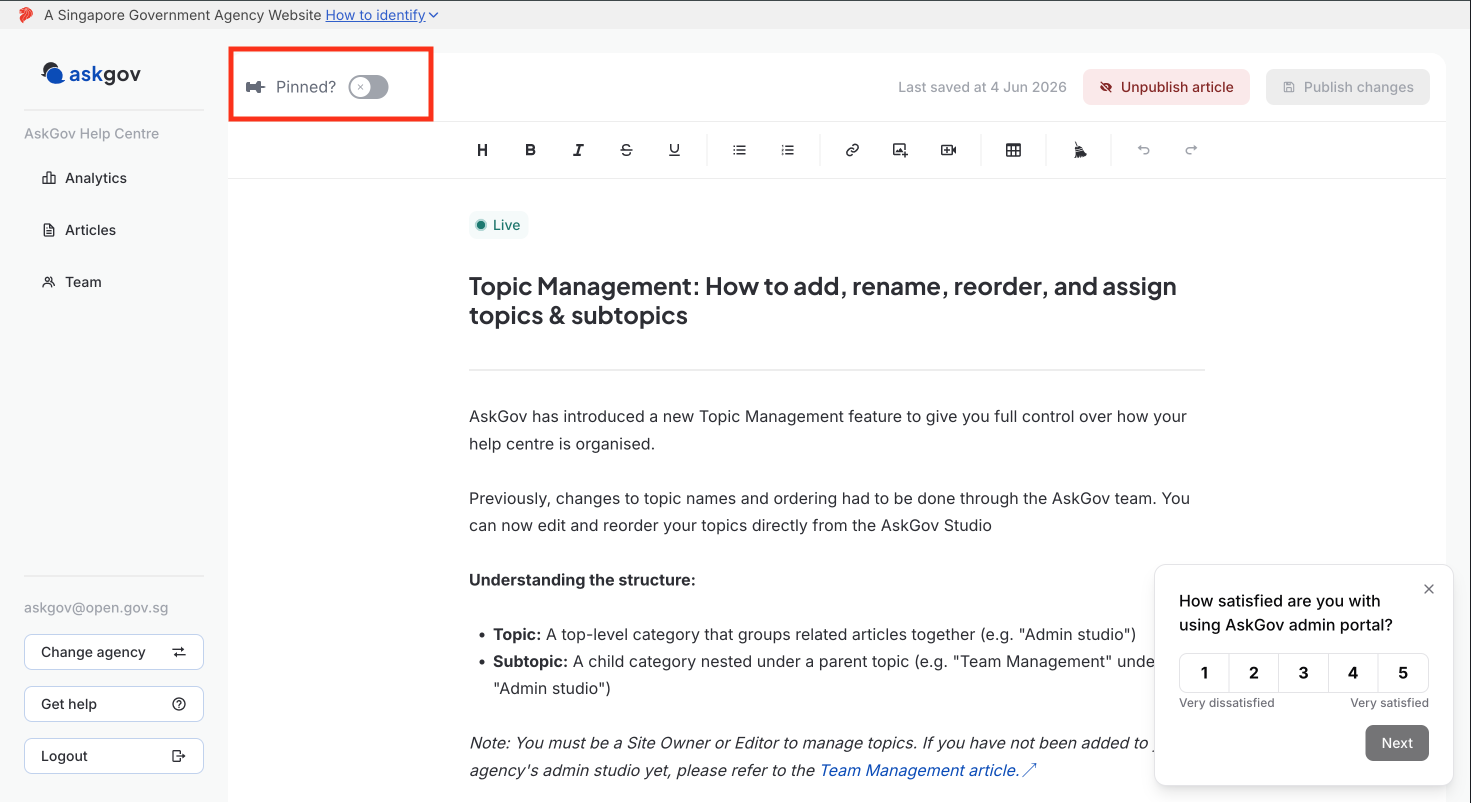
To reorder and manage your pinned articles
Keep note that only site owners can make these changes.
Step 1: Go to your Admin Studio and log in
Step 2: Go to Settings, Helpcenter Layout.
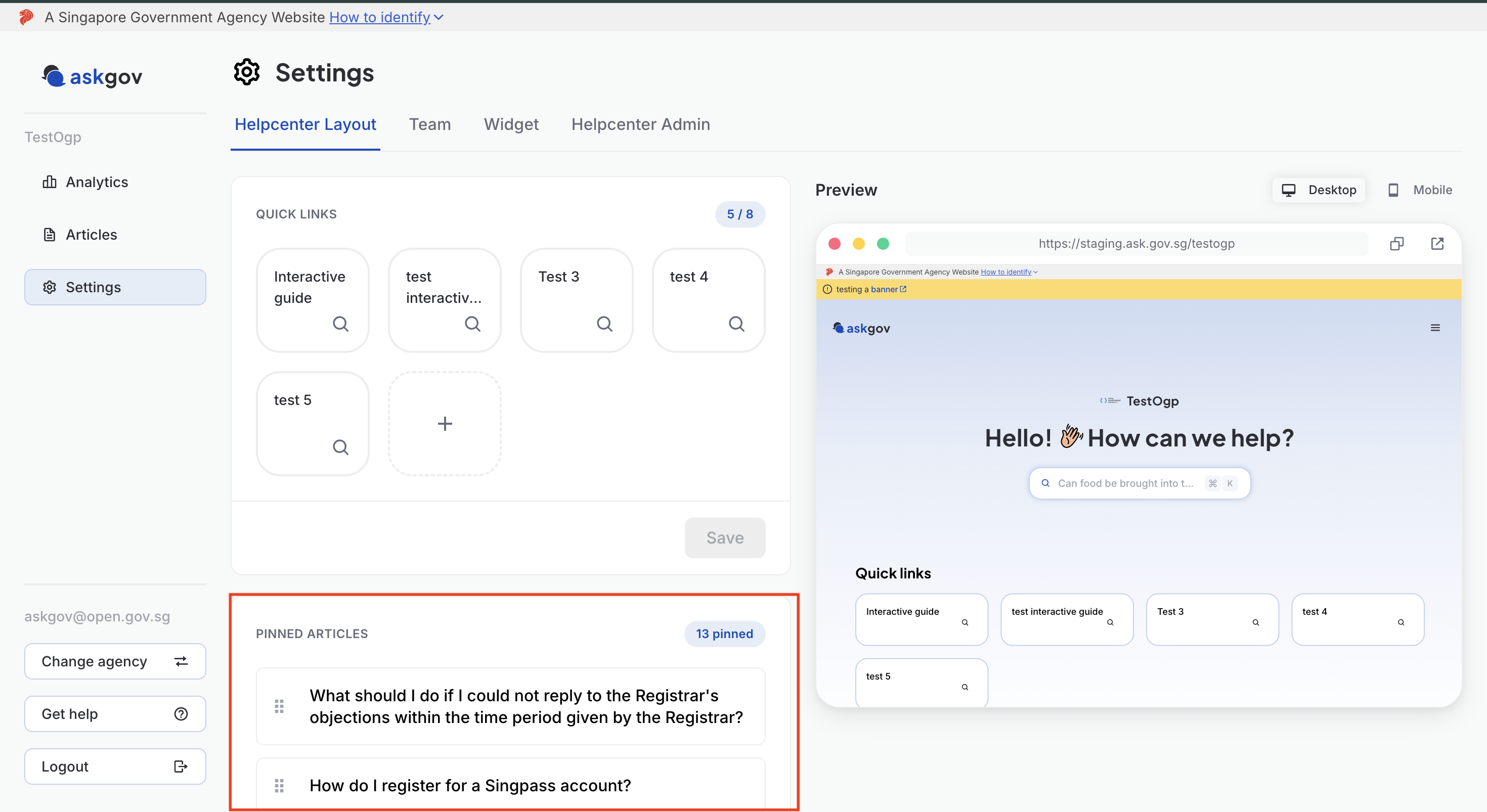
Step 3: Under Pinned Articles, click and drag the handle (⋮⋮) next to an article to move it up or down in the list.
Step 4: Press SAVE below
Topics:
Site SettingsRelated questions
Need more help?
Describe your issues to us.