
help
A Singapore Government Agency Website
Back to home
Updated by HELP
How to add a help article?
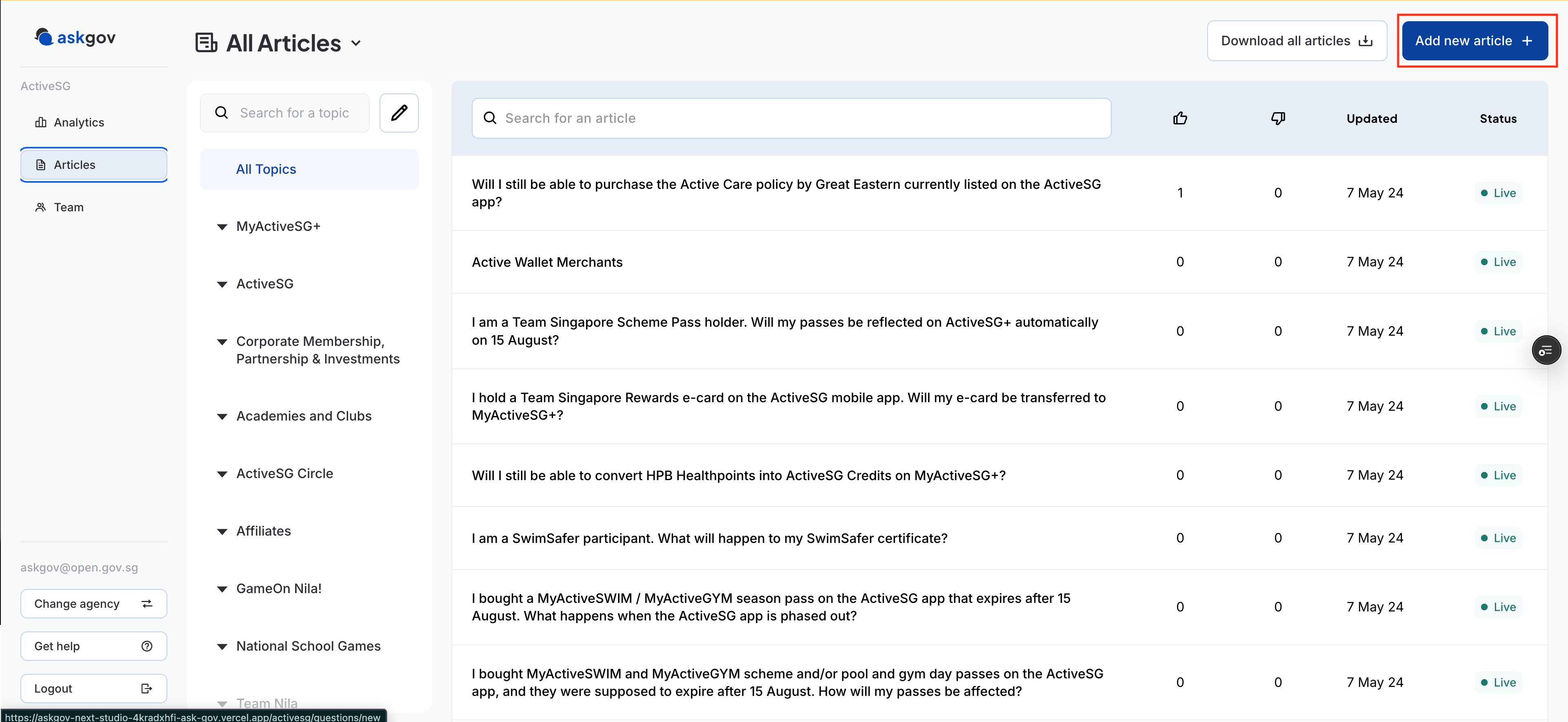
Click on "Add a new article" on the top right hand corner of the Admin Studio
Adding more than 20 articles? Use bulk upload instead of adding them one by one — it lets you import multiple articles at once from a CSV file. See here
Add title to your question and write your article
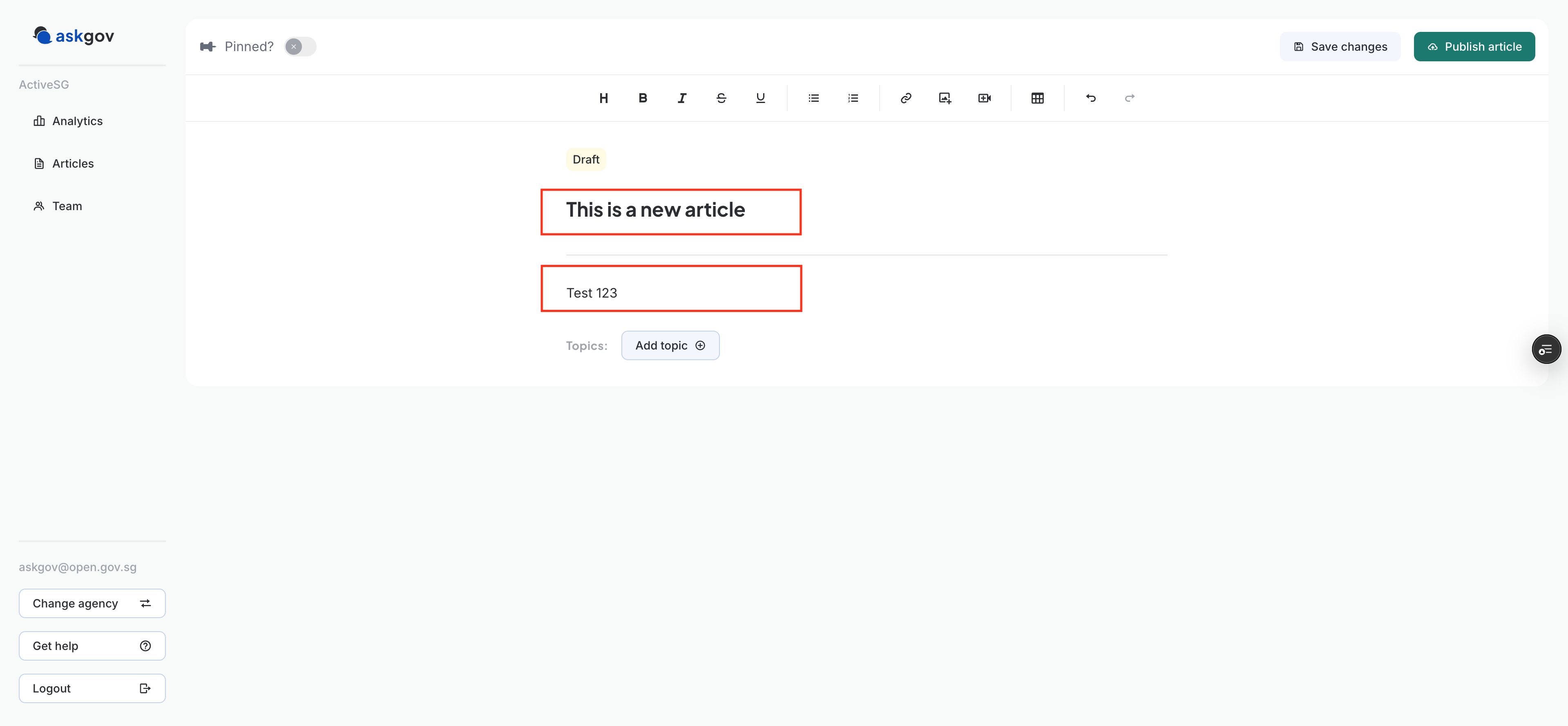
Format your answer. See here for the text editor examples. To insert images, please upload them to Go.gov.sg first and insert the links)
Add or assign Topics. Once you have your article ready, press "Add Topic"
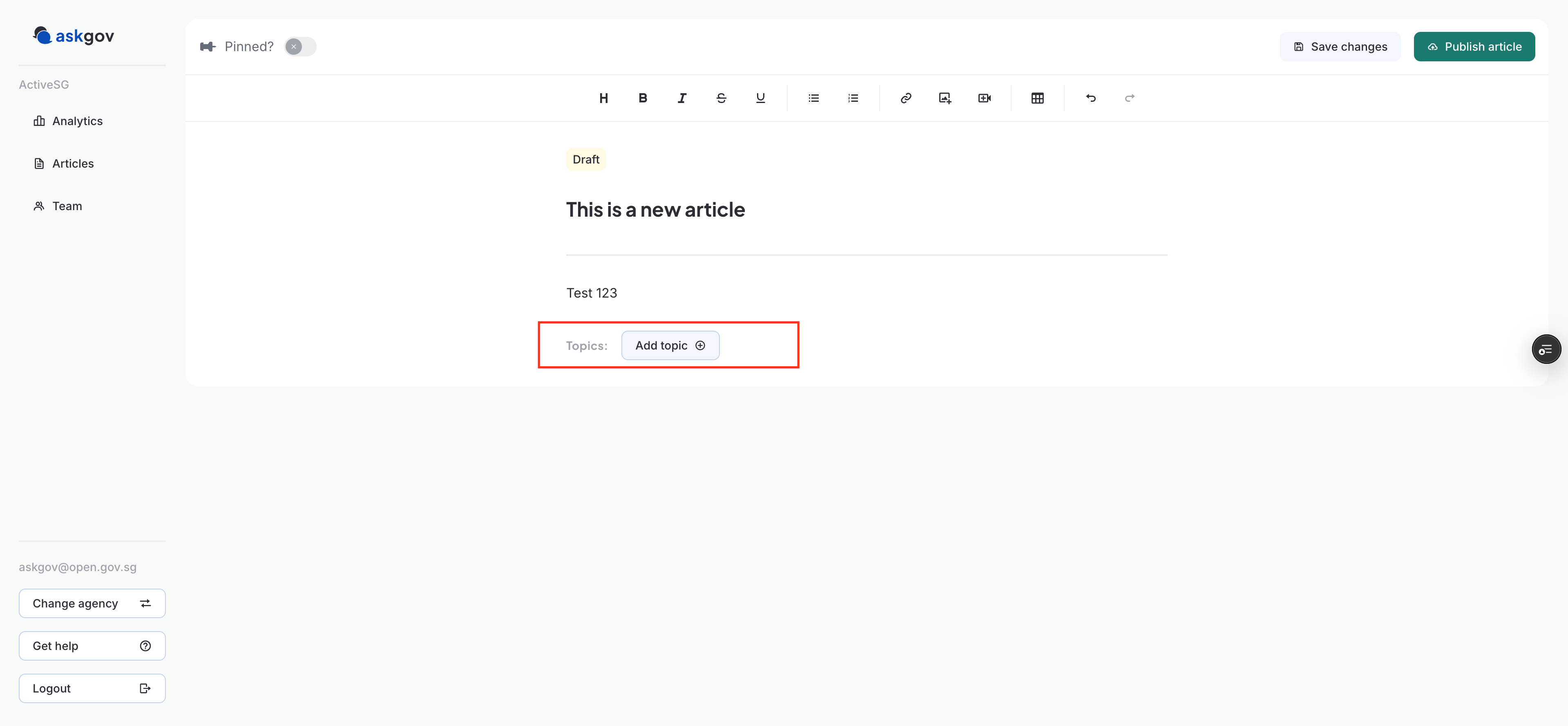
You can create a new Topic by typing in the name of the topic you want or you can select from your existing ones.
One you have selected the topic, you can go to your article by clicking outside of the white box. You can assign more than 1 topic or subtopic to an article. Your topic(s) and subtopic(s) will appear below your article
You can save your progress as a draft, or if you are ready to go live, press "Publish Article" in the top right-hand corner
The changes will be reflected immediately on your AskGov website.
Related questions
Need more help?
Describe your issues to us.