
singpass
107
A Singapore Government Agency Website
Back to home
Updated by SINGPASS 127 found this helpful
How do I create a passkey for Singpass?
You can create your passkey in the Singpass app on your mobile device.
If you are using iOS 17.4:
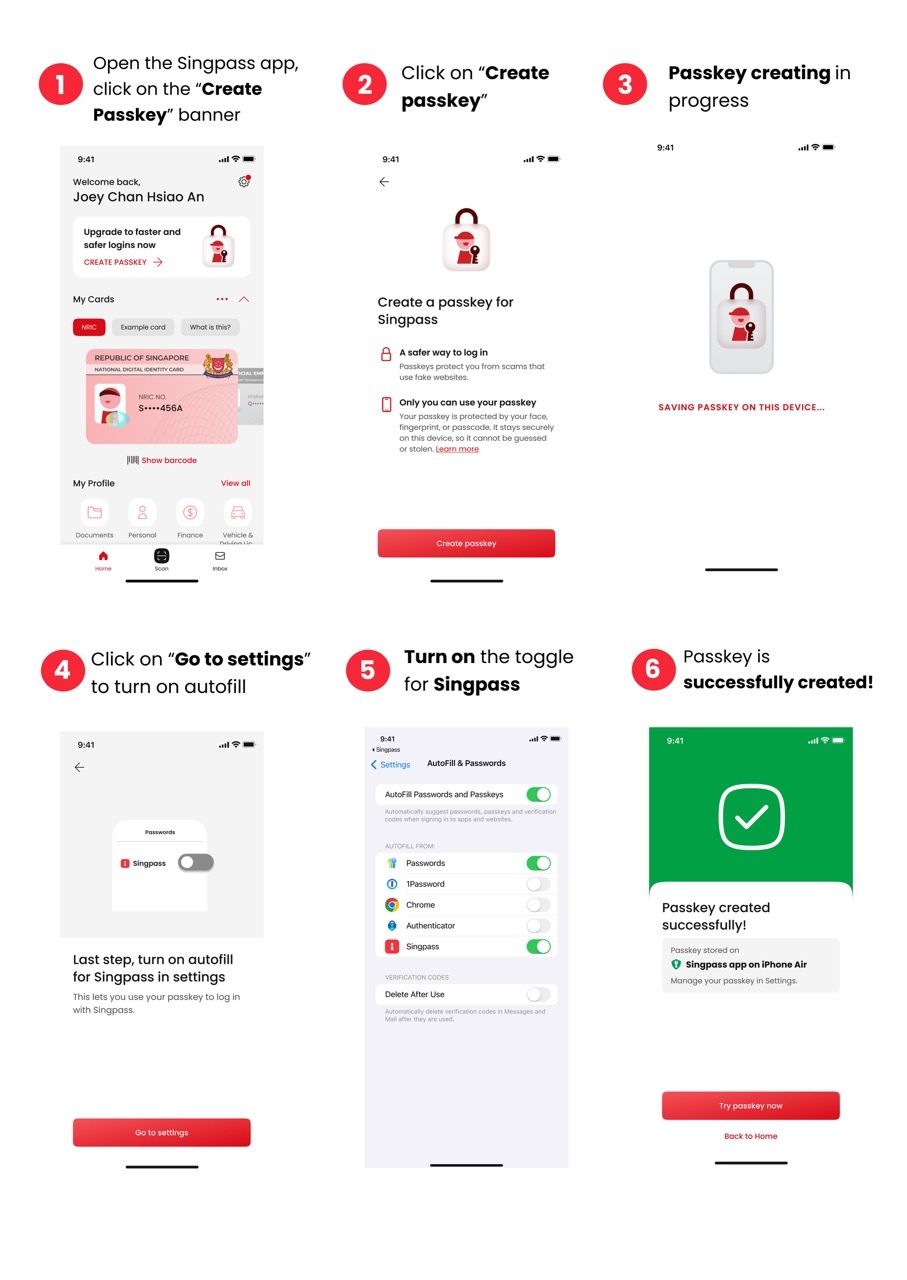 Follow the steps below:
Click on the Create passkey banner
Click on Create passkey
Click on Go to settings to turn on autofill
Turn on the toggle for Singpass and passkey is now successfully created
If you are using iOS 18 and above:
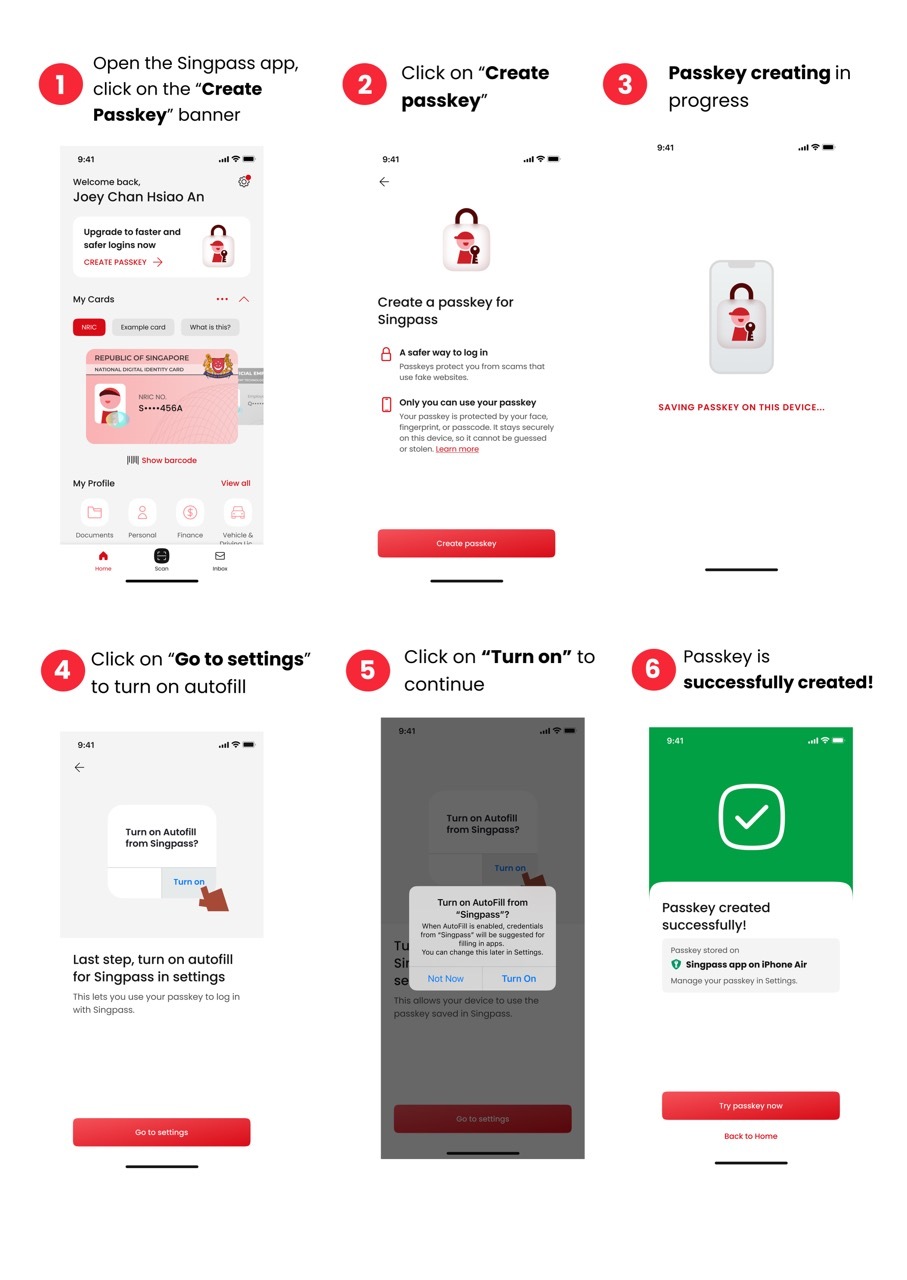 Follow the steps below:
Click on the Create passkey banner
Click on Create passkey
Click on Go to settings to turn on autofill
Click on Turn on and passkey is now successfully created
If you are using Android 14 and above:
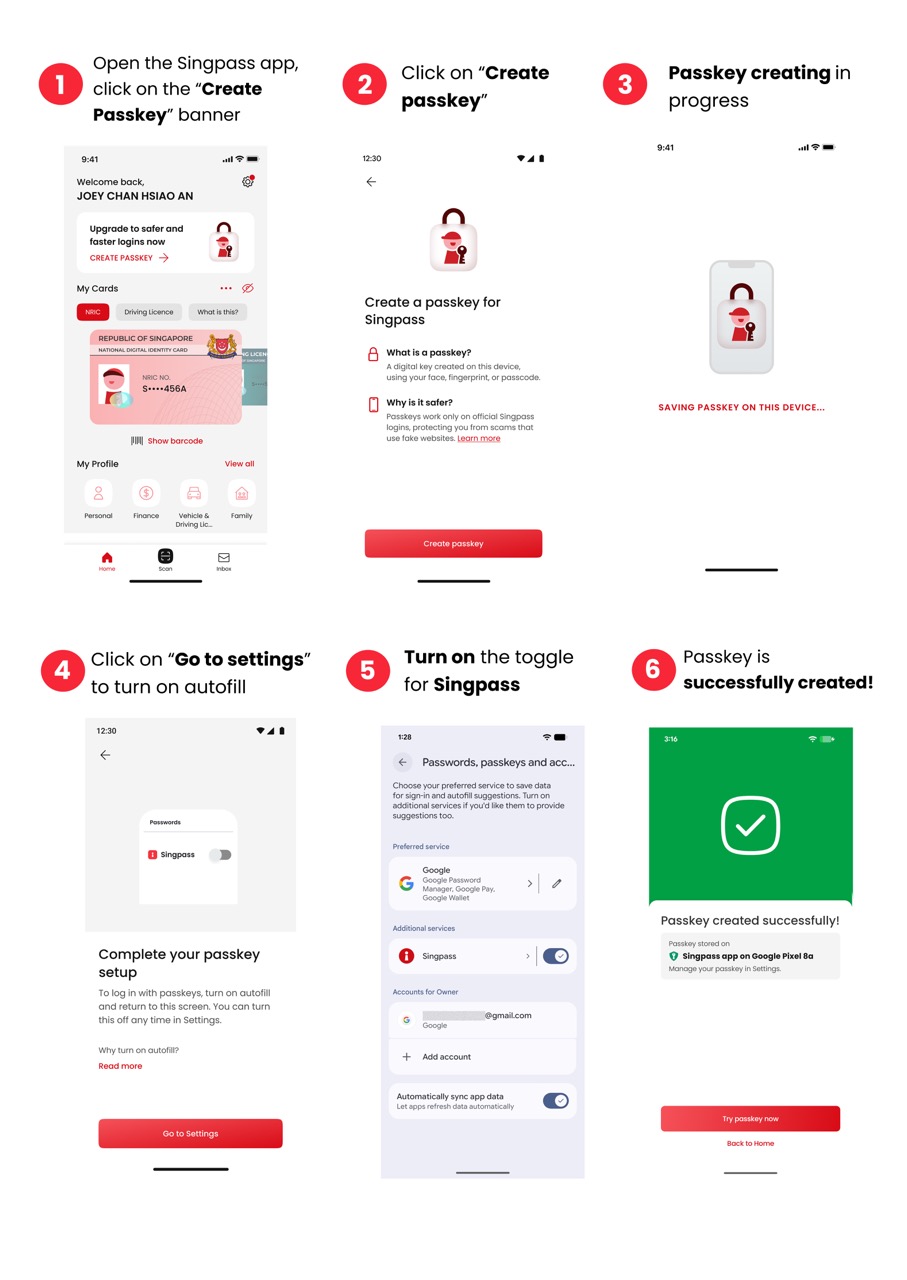 Follow the steps below:
Click on the Create passkey banner
Click on Create passkey
Click on Go to settings to turn on autofill
Turn on the toggle for Singpass and passkey is now successfully created
Related questions
Need more help?
Describe your issues to us.