
singpass
108
A Singapore Government Agency Website
Back to home
Updated by SINGPASS
I tried to log in using passkey on my iOS device but the message tells me to connect to the device. What should I do?
When logging in with a passkey on Apple devices, you may see a screen guiding you to “connect to device" after scanning the QR code with your Singpass app.
This is a new step introduced in the latest iOS update.
Follow the steps below to log in using passkey:
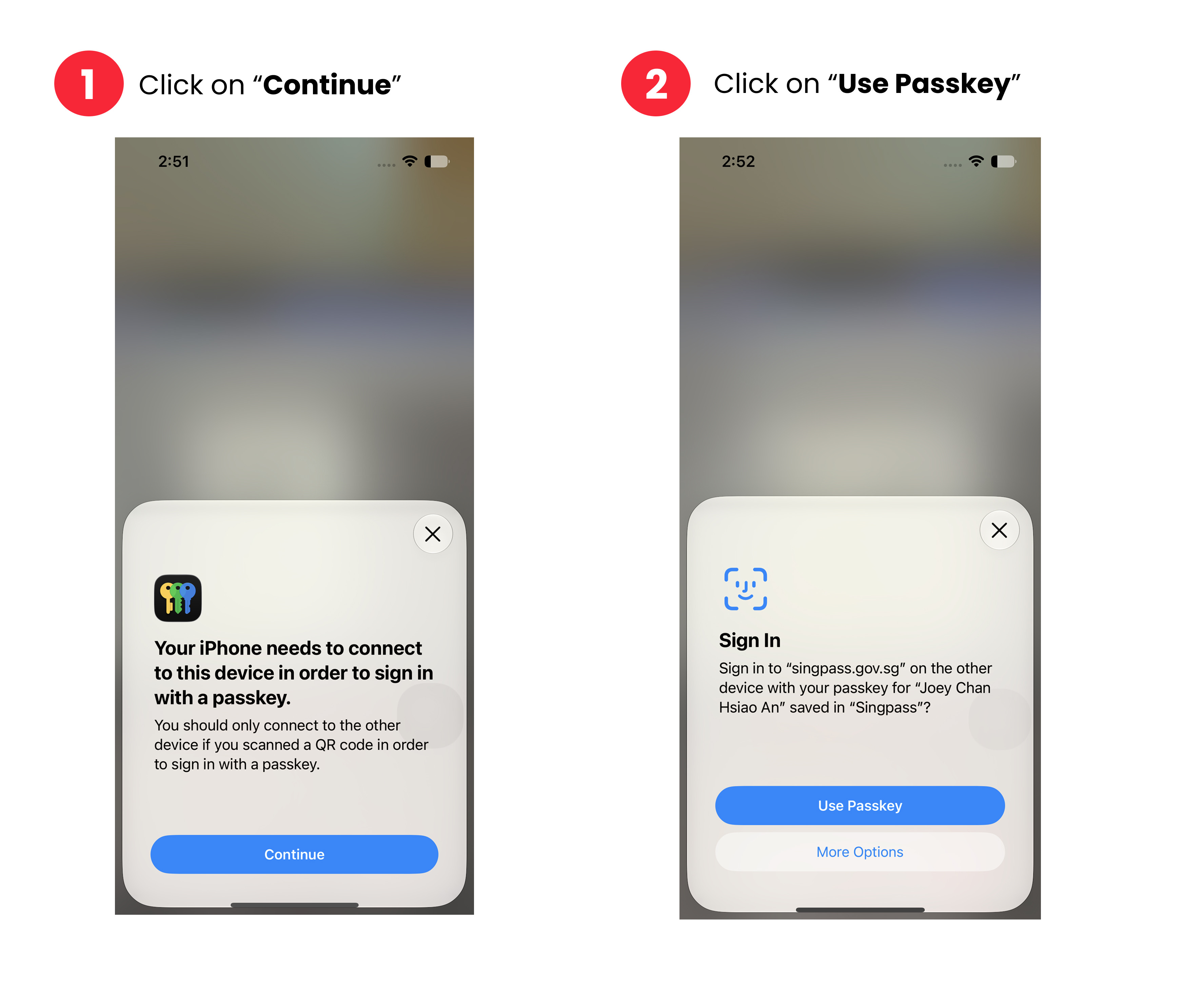
Step 1: Tap "Continue" to proceed with your passkey login.
Step 2: After you click on the “Continue” button, you will be prompted to use passkey to continue with the login.
You will be logged in to Singpass or your e-service once the steps are completed.
Related questions
Need more help?
Describe your issues to us.