
singpass
46
A Singapore Government Agency Website
Back to home
Updated by SINGPASS 464 found this helpful
What should I do if my Singpass app is blocked by error T-D?
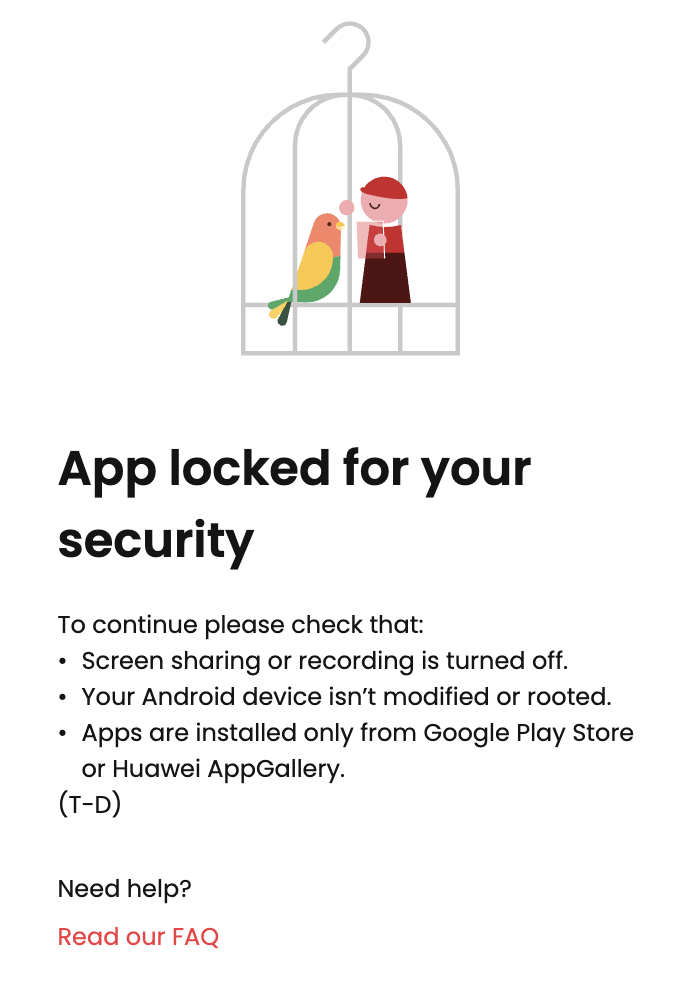 If you've seen this message on the Singpass app, it means you've been temporarily blocked because we detected screen sharing or device monitoring on your device.
This is for your security. If your screen is being shared, mirrored, or monitored by another app, it could expose sensitive information that should not be seen. That's why we block access in moments like this — to protect your account.
This is often caused by an app running in the background that you may not realise is open, such as:
Gaming apps
Screen recording apps
Screen mirroring/casting
Remote access tools
Customer support apps that read screen content
File recovery tools
Note: This list is not exhaustive. Other apps not listed here may also trigger this security block.
How to fix this:
Close all background apps and relaunch the Singpass app
Close any apps you have open,especially gaming, screen recording, remote access, cleanup, or translation apps. Restart your device and relaunch the Singpass app.
Check Accessibility permissions
Go to Settings → "Accessibility" → "Installed/Downloaded apps" → Disable accessibility permissions for any apps you don't recognise or did not personally install.
Review and uninstall unfamiliar apps
Look through your installed apps for anything unfamiliar, especially in these categories:
Modified games: Any games with built-in recording or broadcasting
Screen tools: Screen recorders, mirroring, or translation overlays
Utility tools: Storage cleaners or file recovery
Apps not downloaded from an official app store (Google Play, App Store, Huawei AppGallery)
Once removed, restart your device and try using the Singpass app again.
Still not resolved? If the issue persists after trying the above steps, contact Singpass Helpdesk and mention error code T-D so our agents can assist you more quickly.
Related questions


Need more help?
Describe your issues to us.