
scamshield
125
A Singapore Government Agency Website
Back to home
Updated by SCAMSHIELD
How do I stop getting scam or spam calls on WhatsApp?
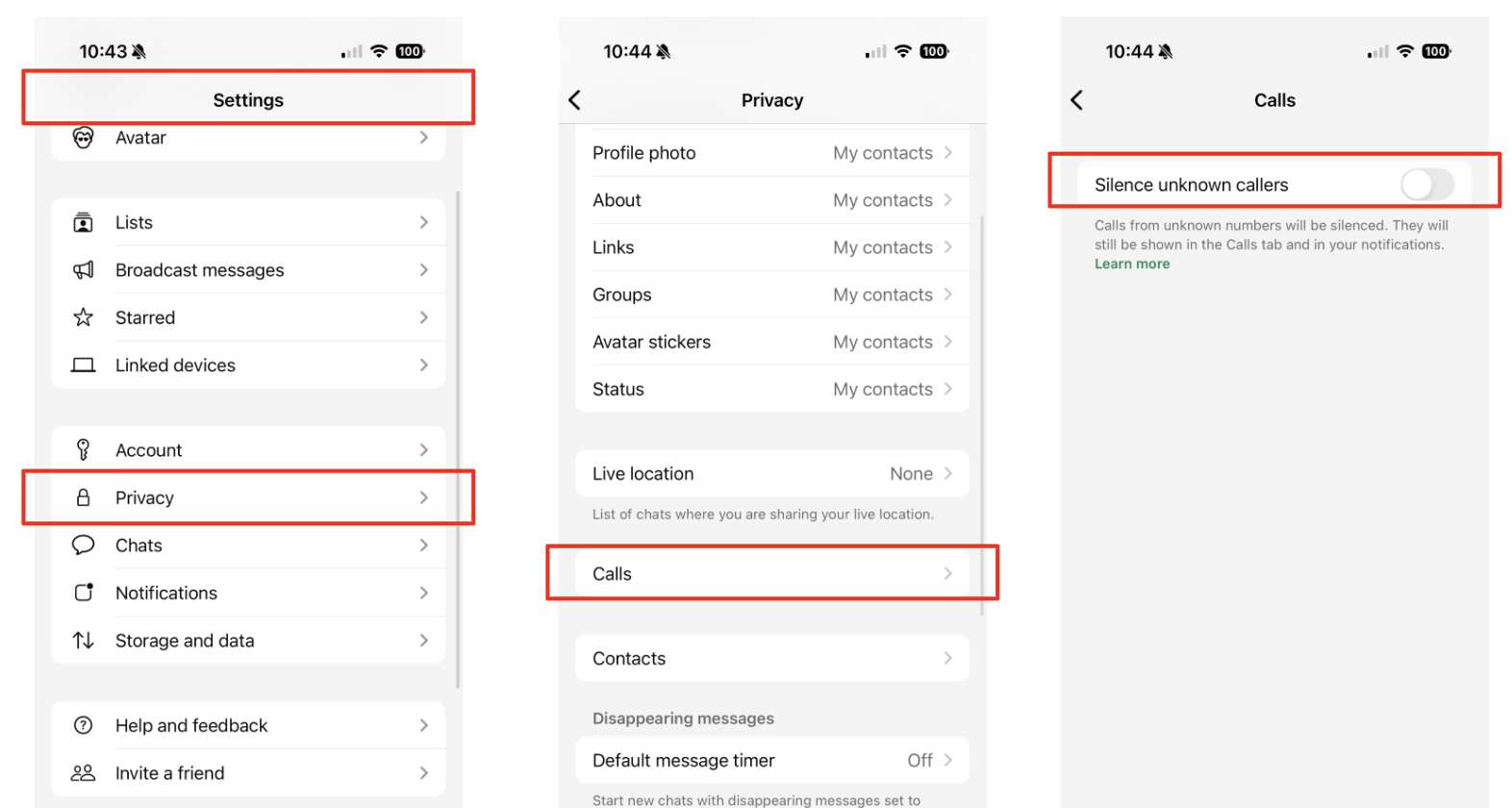
To reduce the number of scam or spam calls to your WhatsApp mobile, you may choose to toggle on "Silence Unknown Callers" within your WhatsApp settings.
Here's how you can do that:
Open WhatsApp
Go to "Settings" -> "Privacy"
Click on "Calls"
Toggle on "Silence Unknown Callers"
You may also refer to instructions from the official WhatsApp guide here.
We also encourage you to enable your call blocking permissions on the ScamShield app to allow ScamShield to block known scam callers from contacting you on your mobile phone.
Topics:
Call BlockingRelated questions
Need more help?
Describe your issues to us.