
scamshield
16
A Singapore Government Agency Website
Back to home
Updated by SCAMSHIELD 28 found this helpful
Why is ScamShield labelling my incoming calls as “suspected spam caller” or “scam or fraud” on my Android device?
Do you see these labels when you receive a call on your Android device?
Suspected Spam Caller (Google)
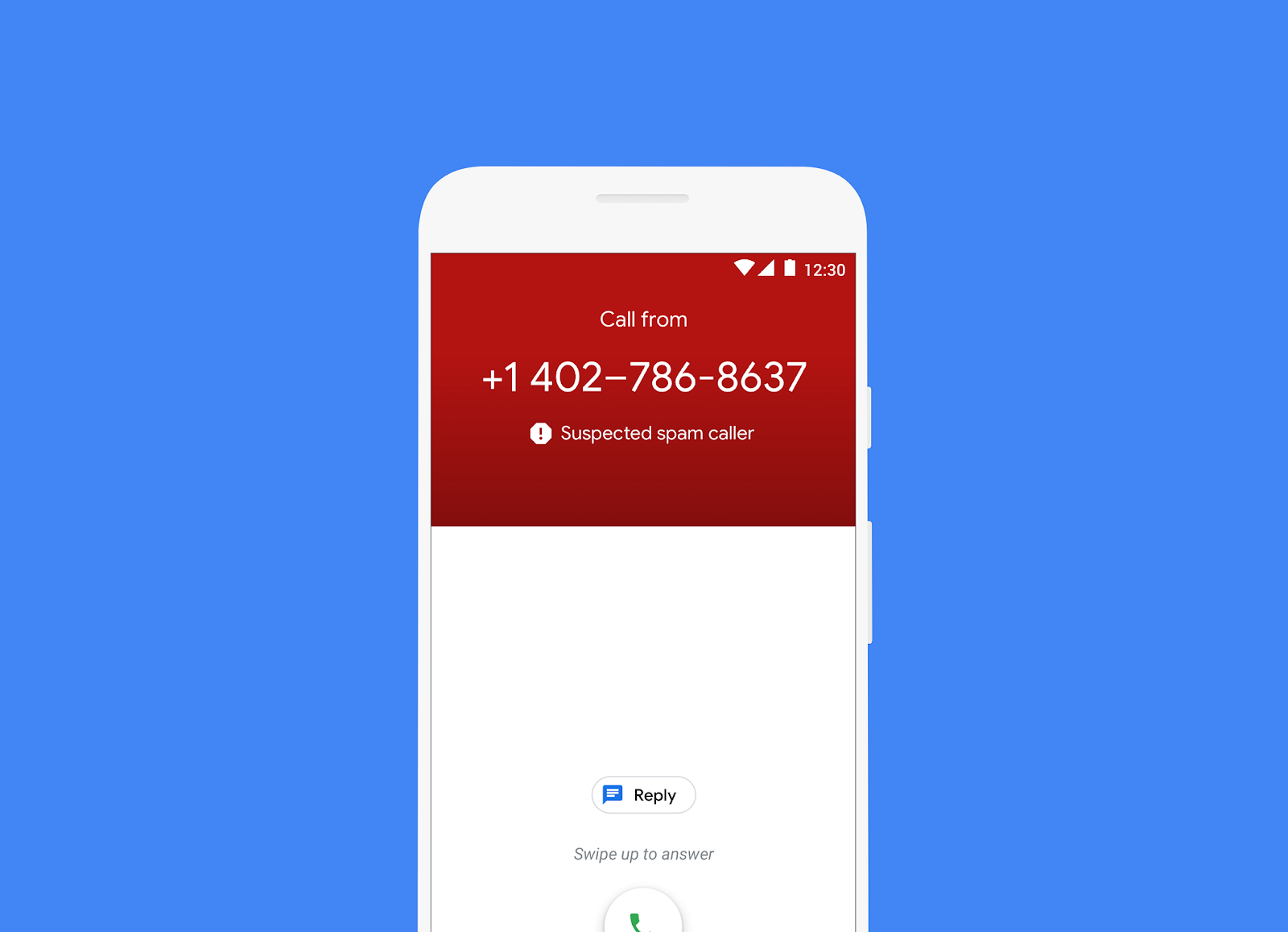
This call detection and labelling is not done by the ScamShield app ❌. This is the in-built caller ID & spam protection by Google. To turn this off, please follow these steps: Open the Phone app > Tap More options (three dots) > Settings > Caller ID and spam > Turn See caller ID & spam on or off.
Scam or Fraud or Suspected spam (Samsung)
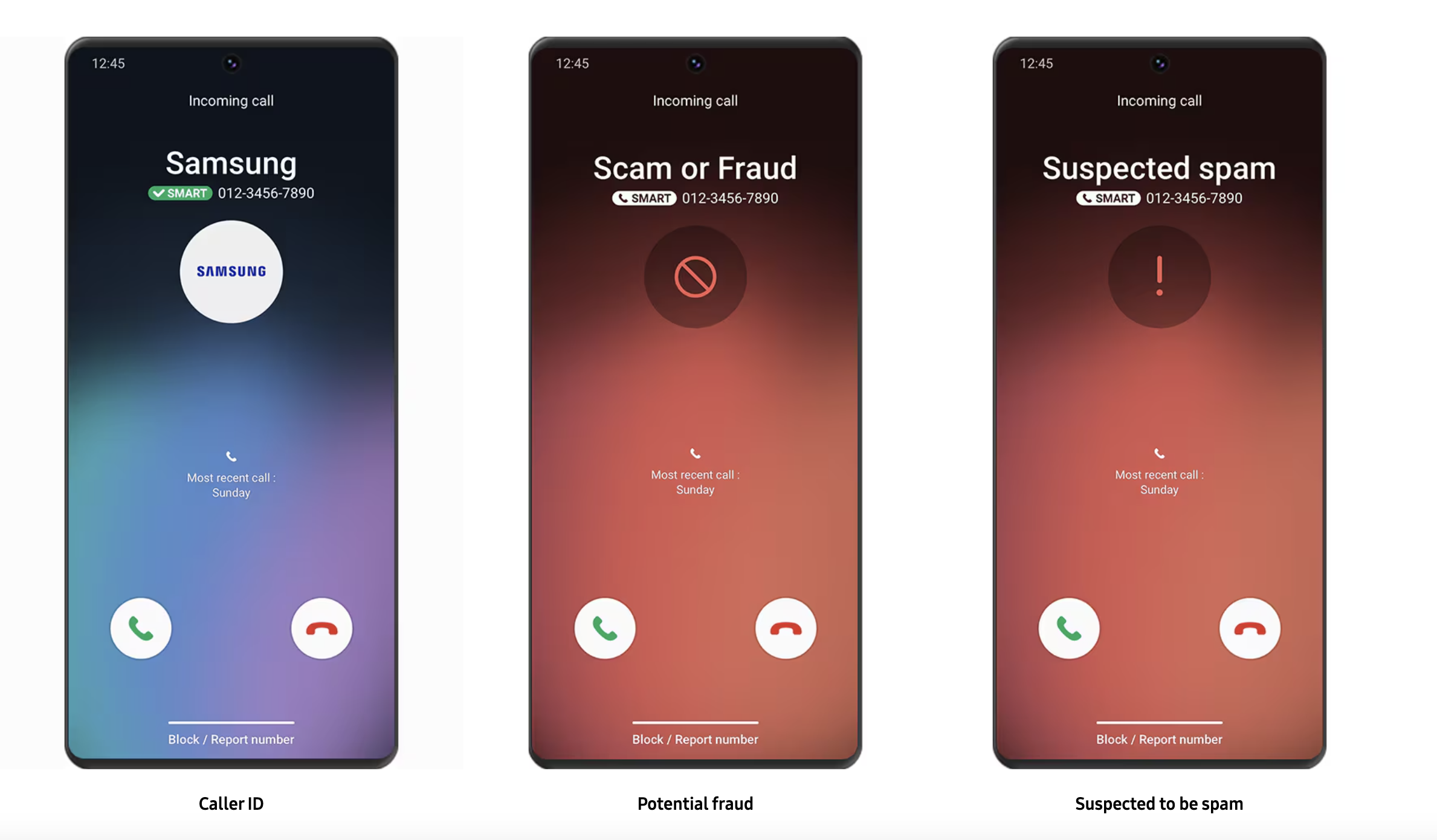
This call detection and labelling is not done by the ScamShield app ❌. This is the Samsung Smart Call function. To turn this off, please refer to: https://www.samsung.com/sg/apps/smart-call/
Then how does ScamShield block calls?
ScamShield blocks calls silently. This means that if a phone number is blocked in the ScamShield database, calls from this phone number will not reach you. Phone numbers are blocked when -
ScamShield users submit scam call reports > authorities review such scam call reports > the caller is deemed suspicious and blocked.
To report a suspicious call, please follow the instructions in our guide.
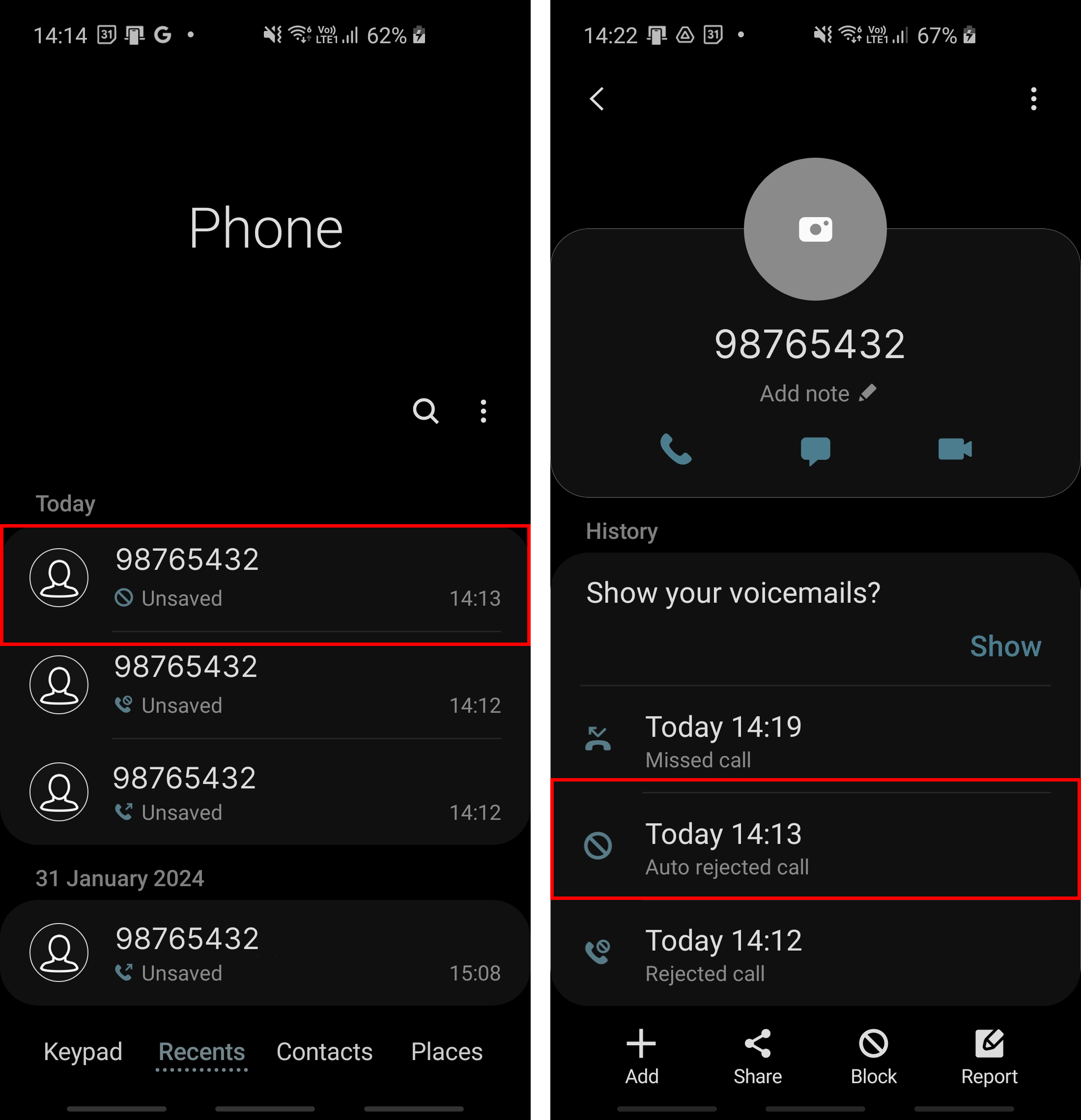
How do I know if a call is blocked by the ScamShield app on my Android device?
To check if a call is blocked by the ScamShield app, go to your call log > look for a blocked call 🚫 > click on info ℹ️ > it should say “auto rejected call”. Please refer to the following image:
Topics:
Call BlockingRelated questions
Need more help?
Describe your issues to us.