
kampungspirit
A Singapore Government Agency Website
Back to home
Updated by KAMPUNGSPIRIT
How do I donate my CDC Vouchers 2026 (January) or SG60 Vouchers?
Before you start
You need Singpass.
Only the person who claimed the Vouchers can donate them. For CDC Vouchers 2026 (January), that is the household member who claimed them. If that is not you, ask that person to donate. See Why am I seeing the message "You do not have vouchers in this campaign"?
Donations close on 31 December 2026, 11.59pm.
How to donate
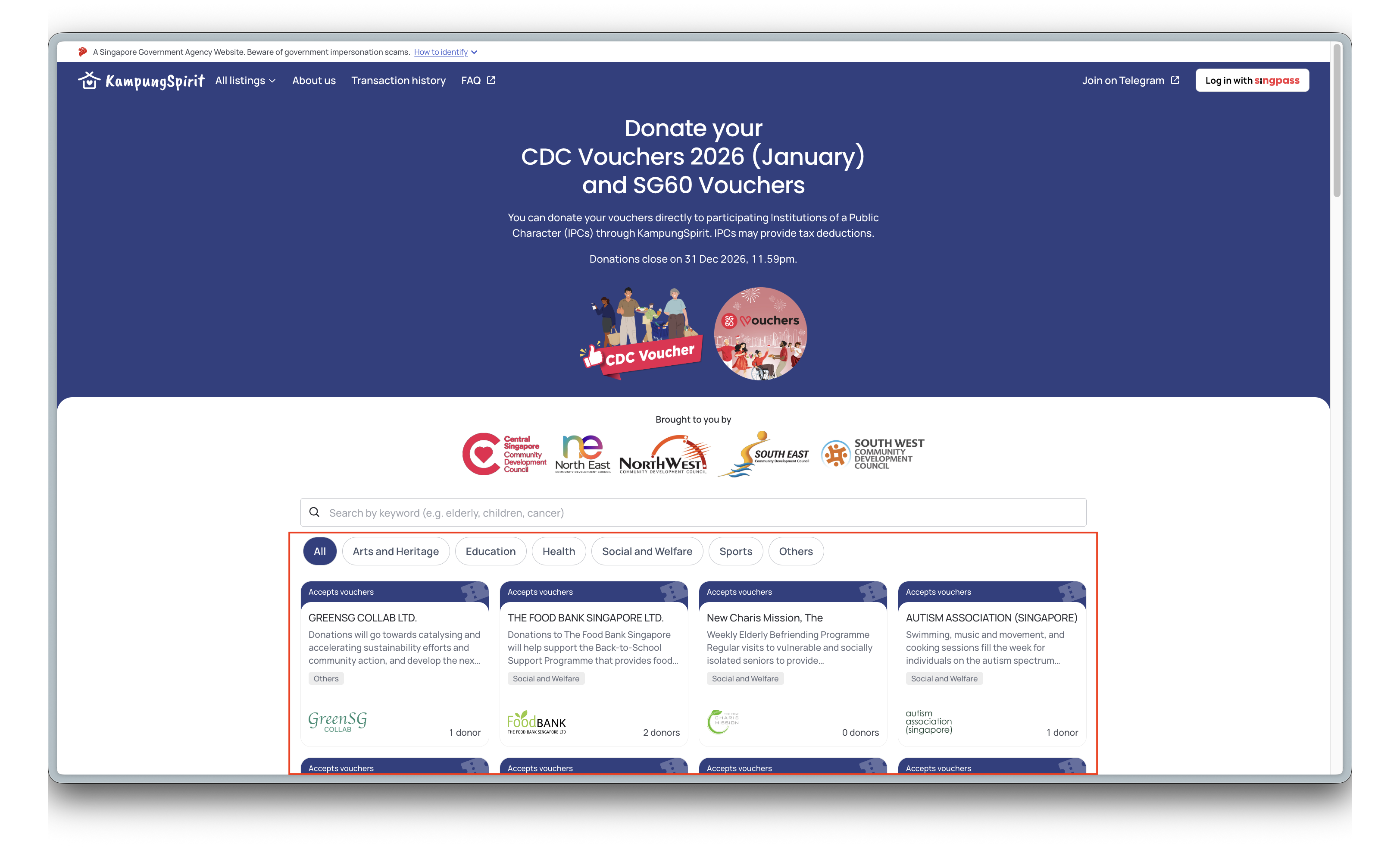
Go to go.gov.sg/kampungspirit-cdcv .
Select a charity with IPC (Institution of a Public Character) status from the list. Use the category filters or search bar to find one.
Login with SingPass.
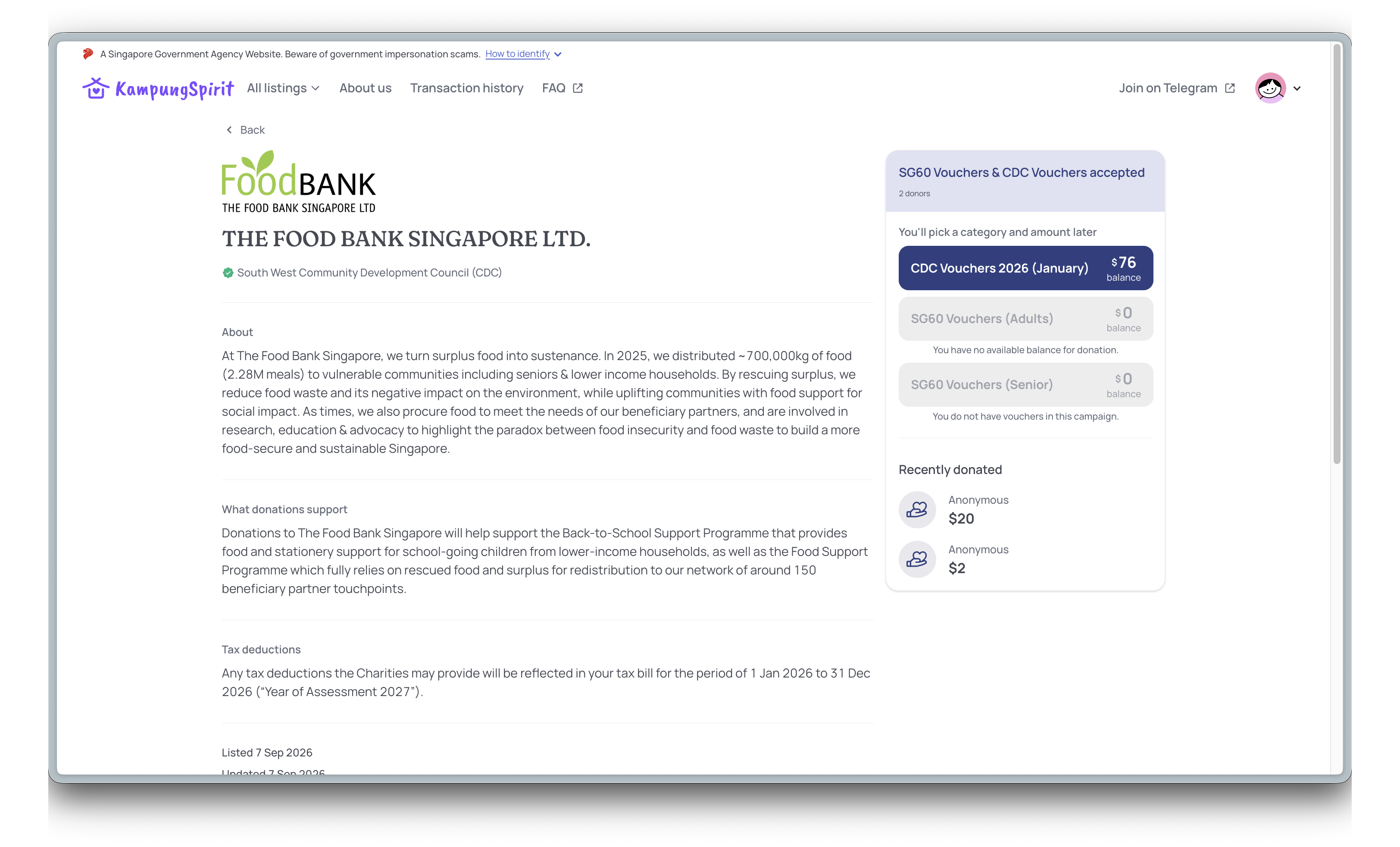
Select a voucher campaign, then a voucher category (example: CDC Vouchers 2026 (January) or SG60 Vouchers). Your balance is shown next to each.
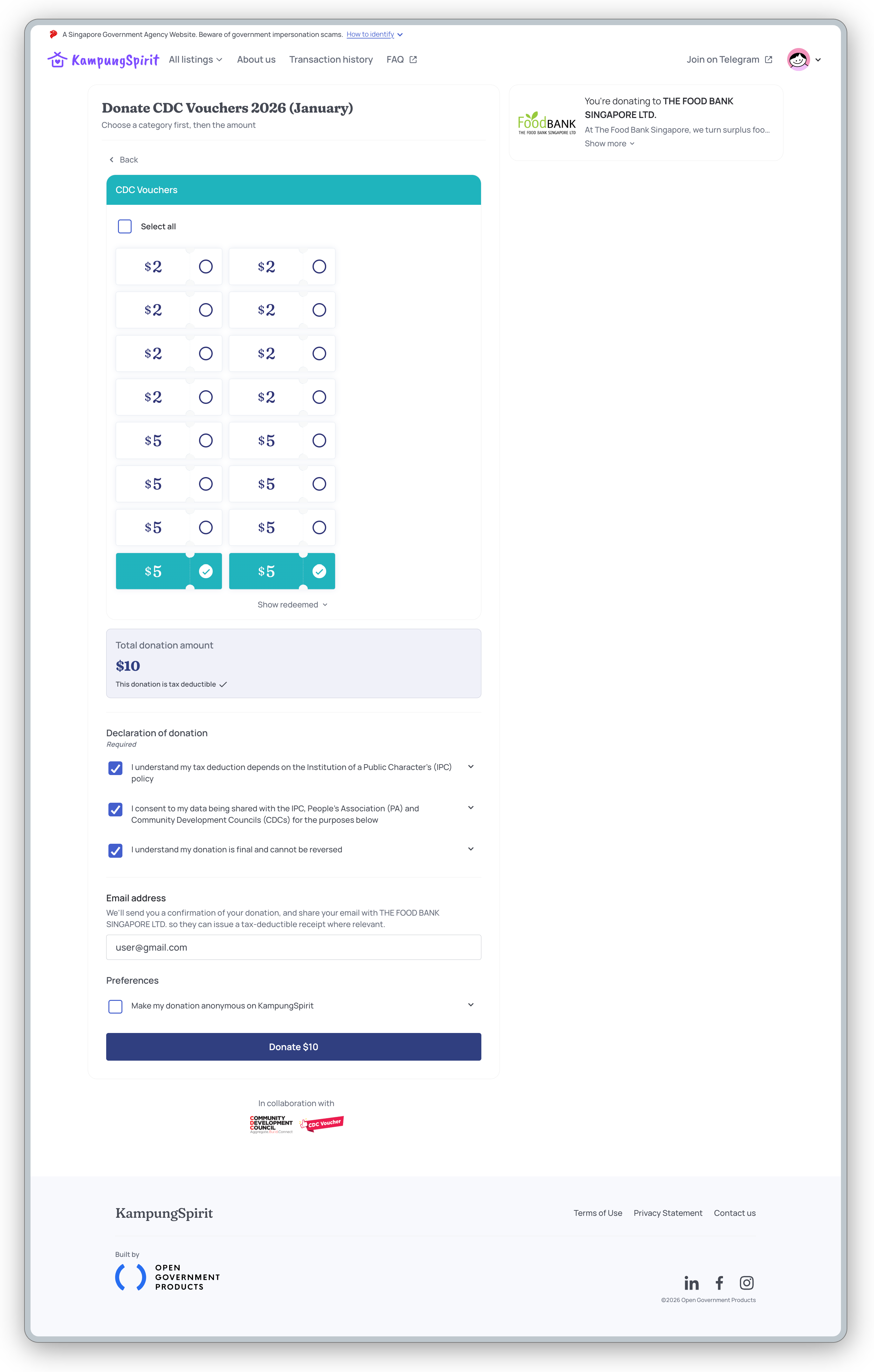
Select the Vouchers you want to donate. Each voucher is a fixed amount, for example $2, $5 or $10.
Read and tick the declaration boxes. Add your email if you want a confirmation email and a tax deductible receipt from the IPC where relevant. Tick "Make my donation anonymous on KampungSpirit" if you do not want your name shown. See What does donating anonymously hide, and from whom?
Select Donate.
What happens next
You will see "Your donation is in!". If you gave an email address, you will also get a confirmation email.
Each donation covers one campaign and one category. To donate another, select "Donate again" on the success page.
If you see "Your donation is being confirmed", do not repeat it. You can still donate your other Vouchers to other IPCs while it is being resolved. Check your Impact page for the status.
Related questions
Need more help?
Describe your issues to us.