
help
A Singapore Government Agency Website
Back to home
Updated by HELP 
How to add PDFs to your articles?
You can now attach PDF files directly in your articles from the AskGov Studio.
How to attach a PDF:
Go to your Articles in your Admin Studio
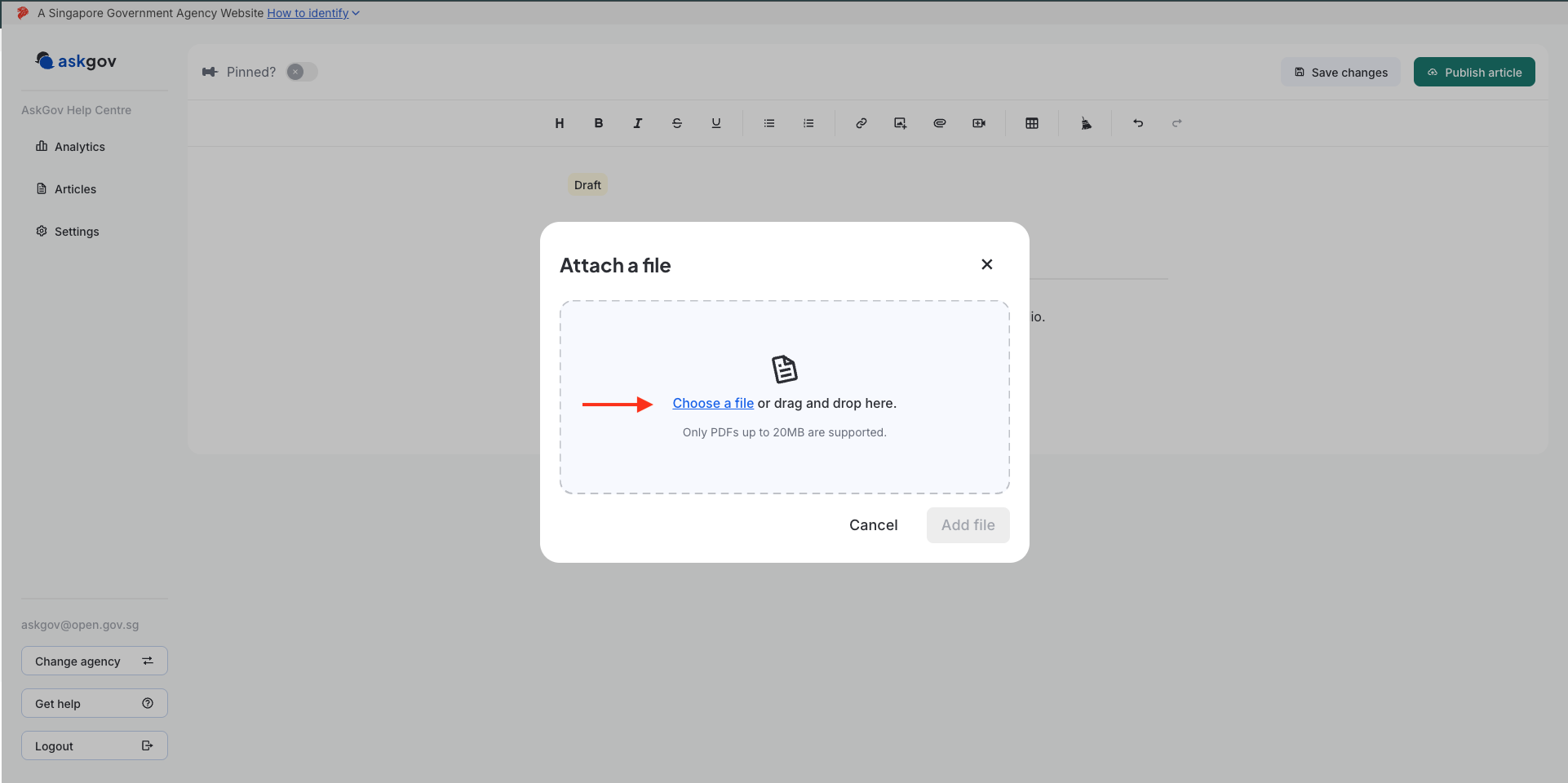
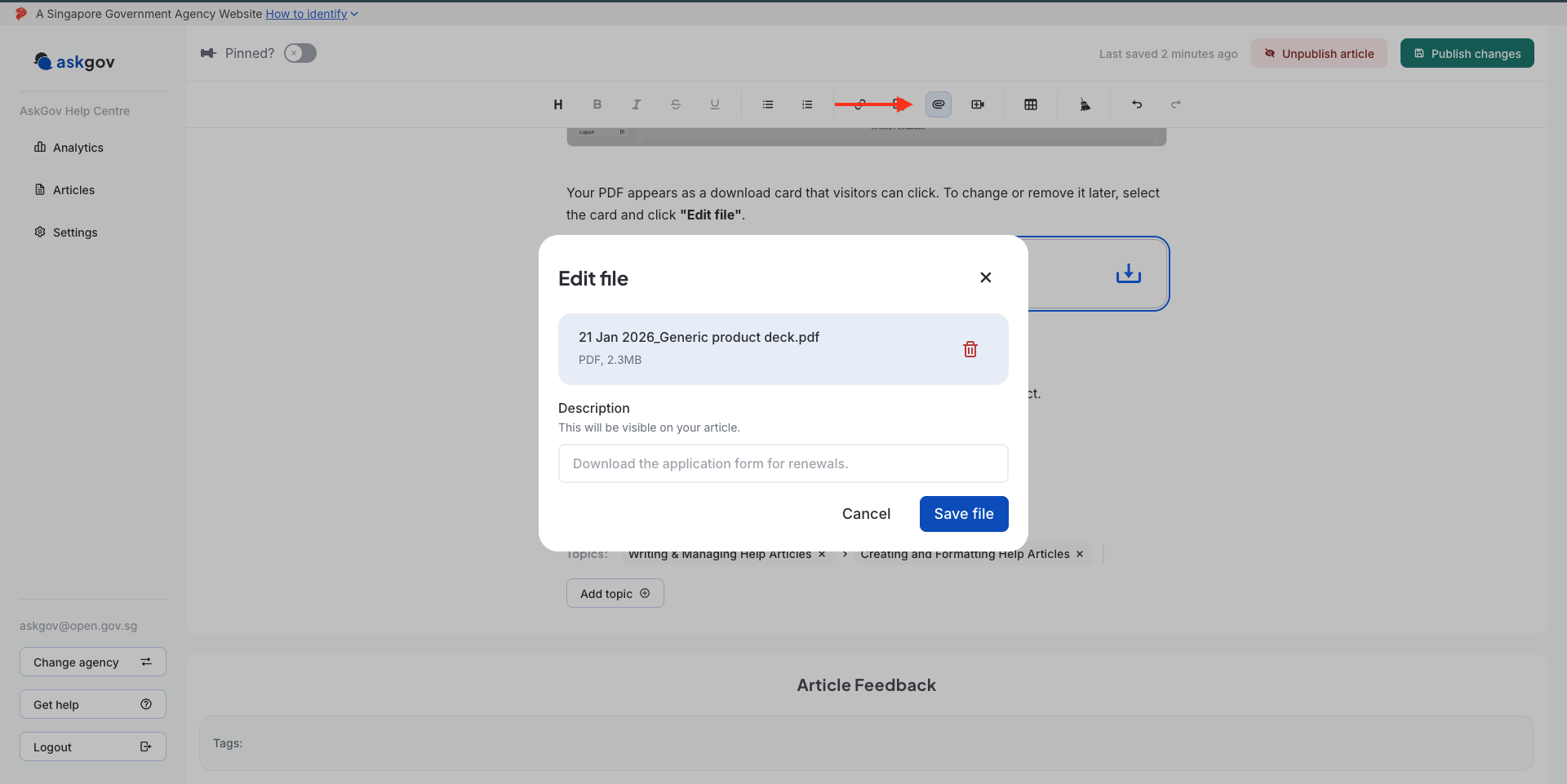
In the toolbar, click "Insert file" (the paperclip icon).
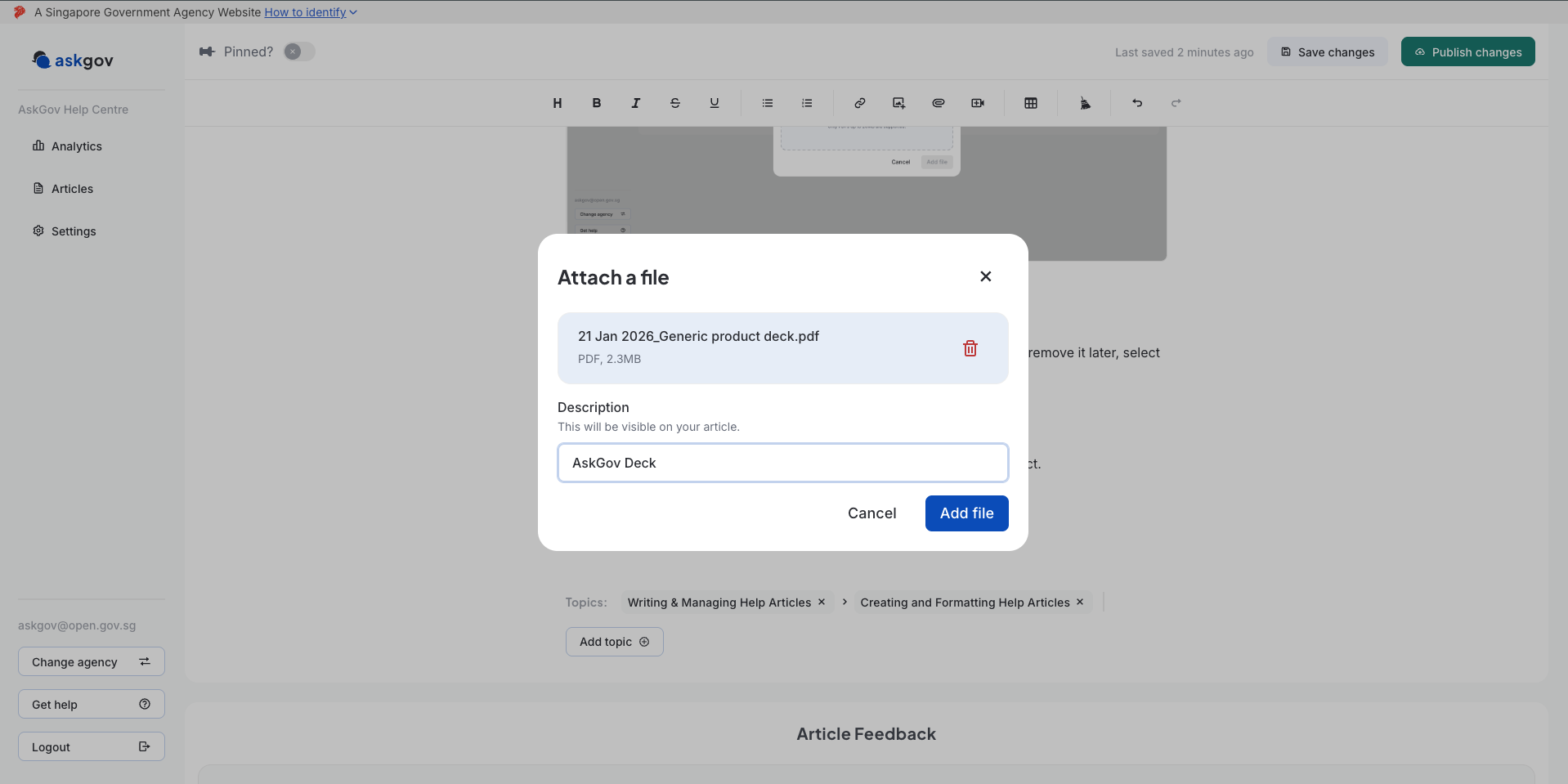
Upload your PDF
Click "Choose a file", or drag your PDF into the window. You can attach PDFs up to 20 MB.
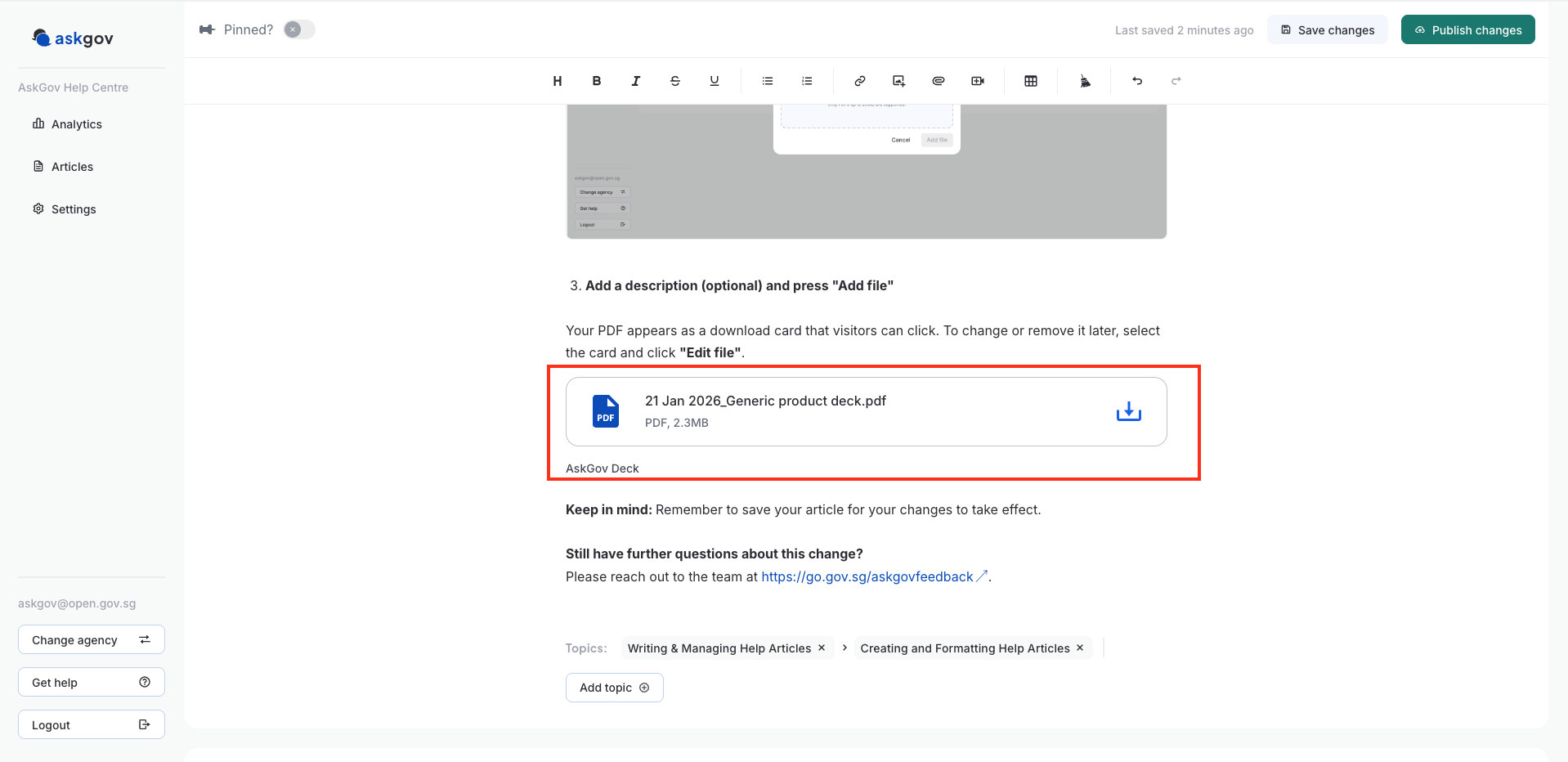
Add a description (optional) and press "Add file"
Your PDF appears as a download card that visitors can click.
To change or replace it later, select the card and click "Edit file".
Keep in mind: Remember to save your article for your changes to take effect.
Still have further questions about this change?
Please reach out to the team at https://go.gov.sg/askgovfeedback.
Related questions
Need more help?
Describe your issues to us.