
bright
2
A Singapore Government Agency Website
Back to home
Updated by BRIGHT
Can I notify others by email when I add a progress note?
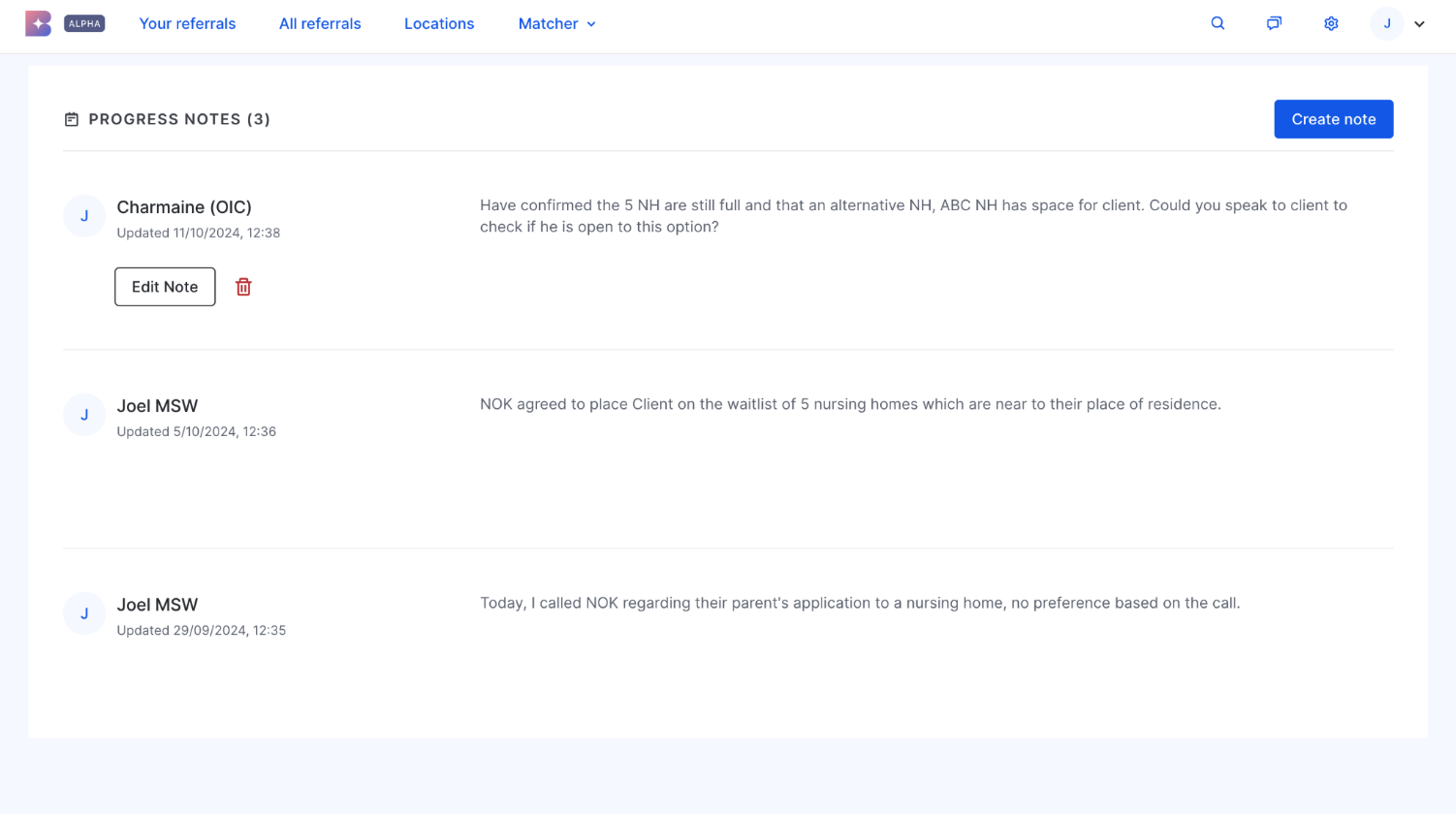
Yes. When creating a note, tick the boxes under "Send email to notify" for whichever groups you want informed: Referral creator, Assigned OIC, All contributors, and/or Service providers.
Email Notification Sample
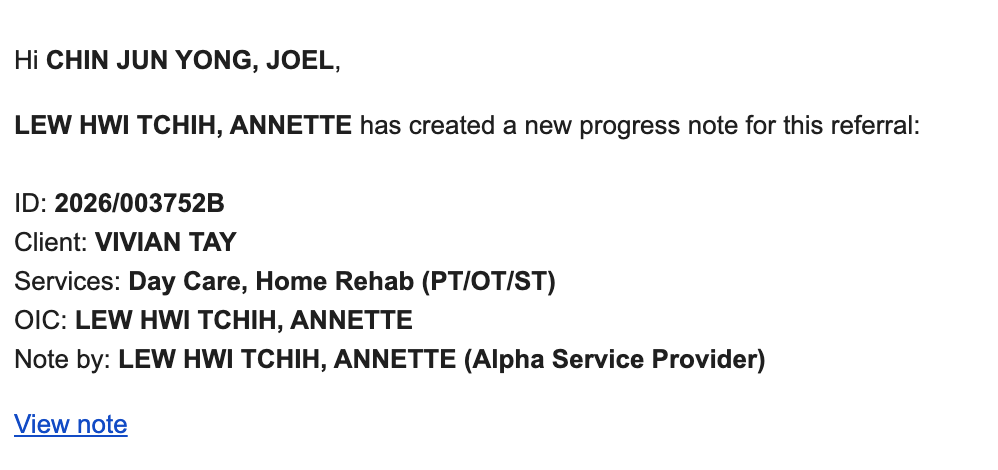 A sample of a progress note email notification can be seen here. Do note that the email notification will not contain the actual contents of the progress notes, and you will need to view the note directly on BRIGHT.
A few things to note:
Notifying anyone is optional — you can save a note without triggering email notifications.
The Service provider option only applies once an SP has been assigned to the referral
You will not receive an email for your own note, even if you fall within a group you selected (e.g. you're a contributor and you tick "All contributors").
Edits and deletions to a note don't trigger any email notification.
(SP users) Progress note emails sent to "Service provider" follow your notification settings — make sure the relevant service and location are both toggled on under Notification settings, or you may not receive them. See I am not receiving email notifications correctly? How can I manage my email notifications? for details.
Topics:
NotificationsRelated questions
I am not receiving email notifications correctly. How can I manage my email notifications?
Will I receive email notifications when we receive referrals from AIC?
bright
1
1
[PHI and AIC users] Does BRIGHT notify us through email notifications?
bright
What are progress notes and who can view progress notes within a referral?
bright
Need more help?
Describe your issues to us.