
bright
1
A Singapore Government Agency Website
Back to home
Updated by BRIGHT
I am not receiving email notifications correctly. How can I manage my email notifications?
Manage notifications via the dropdown menu under your profile → Manage notifications
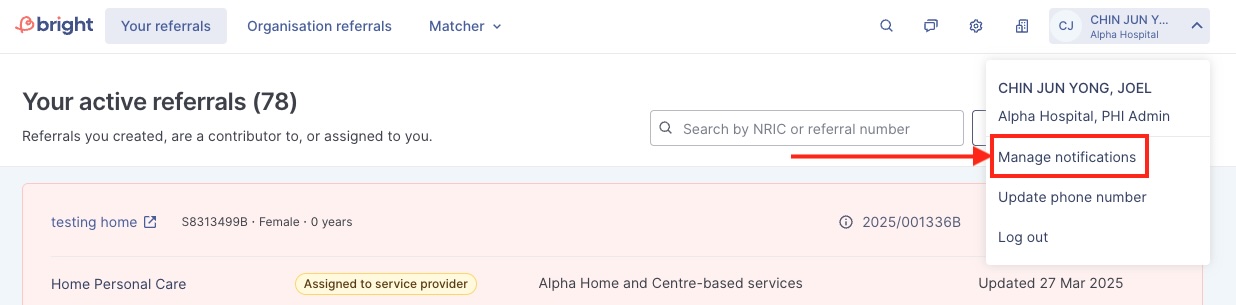
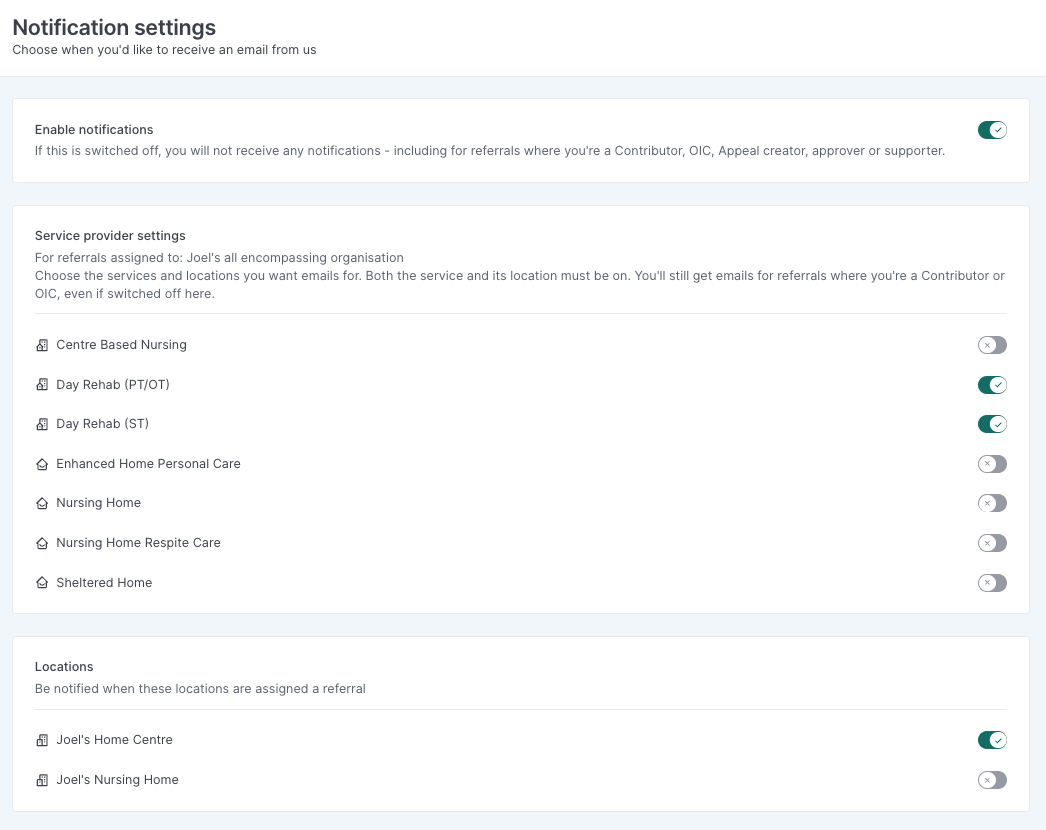
Enable notifications: master toggle for all email notifications. If switched off, you will not receive any notifications at all — including for referrals where you're a Contributor, OIC, Appeal creator, approver, or supporter.
(SP users) Service provider settings: choose which services you want emails for, for referrals assigned to your organisation. Both the service and its location must be switched on for you to be notified. Even if switched off here, you'll still get emails for referrals where you're a Contributor or OIC.
(SP users) Locations: choose which locations you want to be notified for when they're assigned a referral.
In the example below: To only receive emails for Day Rehab (PT/OT) and Day Rehab (ST) referrals assigned to Joel's Home Centre, toggle on Day Rehab (PT/OT) and Day Rehab (ST) under Service provider settings, and toggle on only Joel's Home Centre under Locations (leaving other locations like Joel's Nursing Home off). You'll then only get notified for those two services when assigned to that location — plus any referrals you're already a Contributor/OIC on.
Related questions
Can I notify others by email when I add a progress note?
Will I receive email notifications when we receive referrals from AIC?
bright
1
1
[PHI and AIC users] Does BRIGHT notify us through email notifications?
bright
What are the essential steps an SP admin / staff will need to take on the day of BRIGHT's launch on 13 Jan for residential referrals?
bright
Need more help?
Describe your issues to us.