
kampungspirit
A Singapore Government Agency Website
Back to home
Updated by KAMPUNGSPIRIT
How much Vouchers balance do I have left?
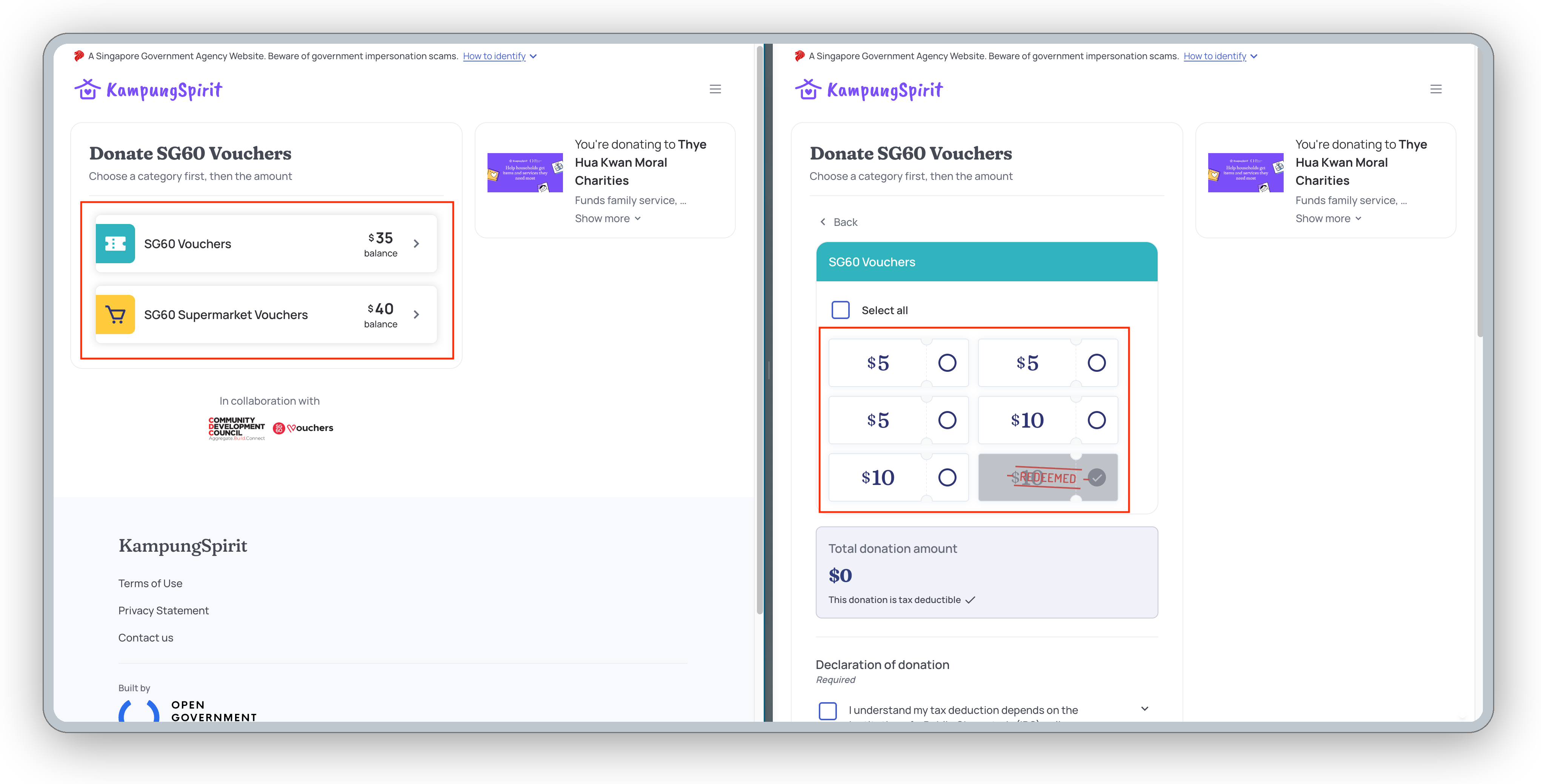
KampungSpirit shows your balance for each voucher campaign before and after you donate. You do not need to donate to see it.
Go to go.gov.sg/kampungspirit-cdcv and log in with Singpass.
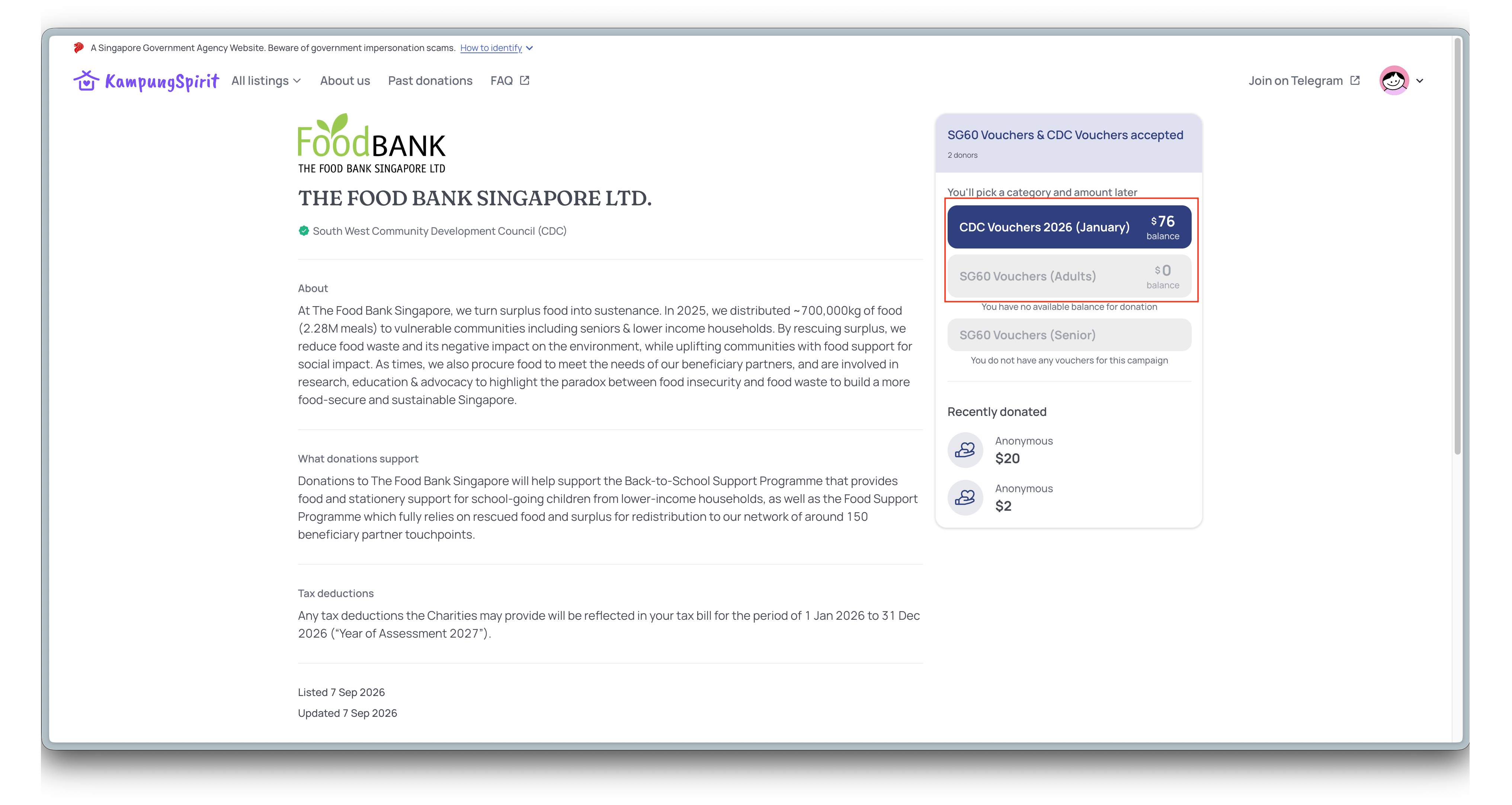
Open the page of any IPC (Institution of a Public Character). Your balance for each campaign is shown under "SG60 Vouchers & CDC Vouchers accepted".
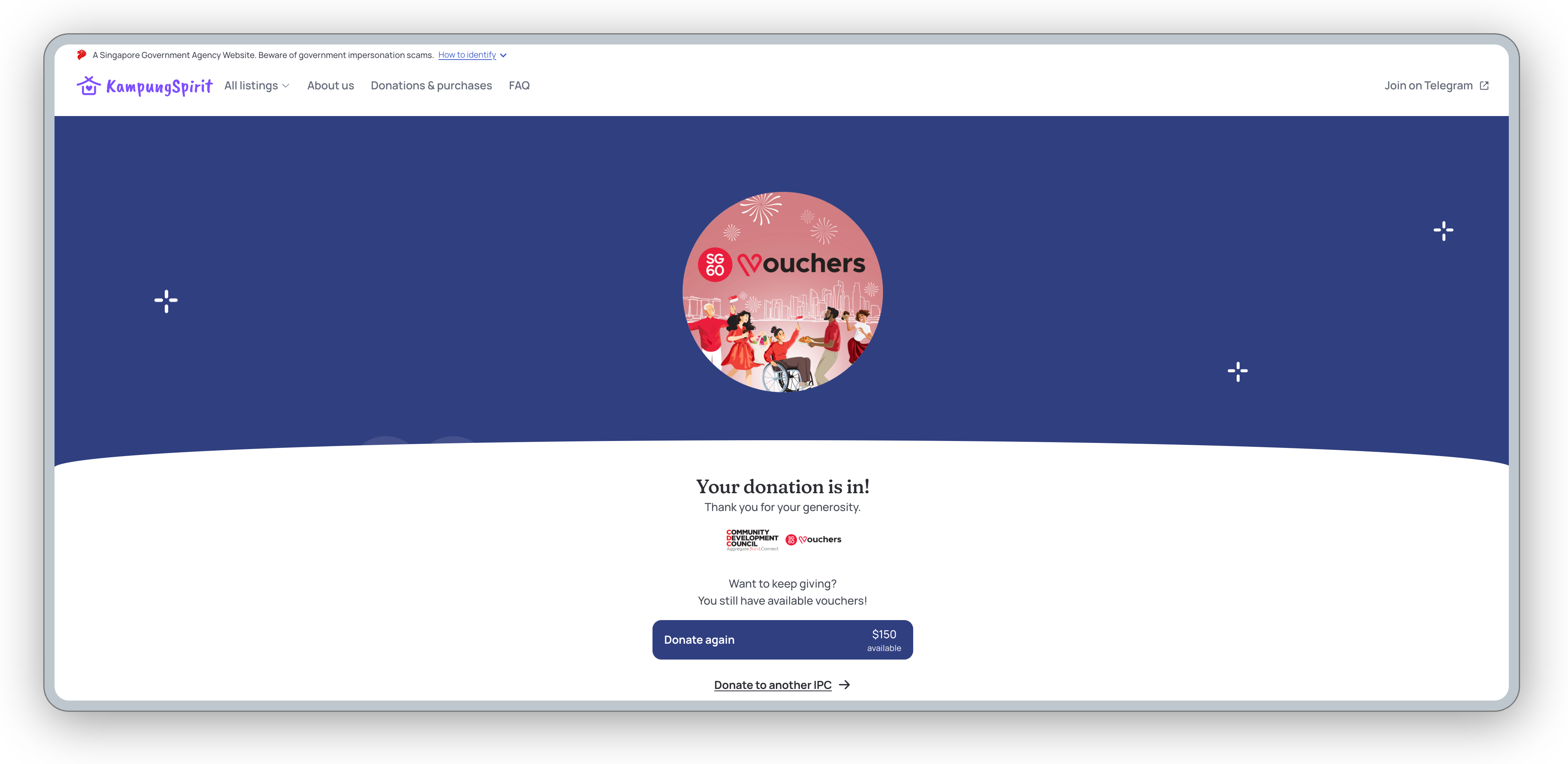
After you donate, the success page shows how much you have left.
If your balance shows $0, you have either donated or spent all the Vouchers in that campaign. See Why am I seeing the message "You have no available balance for donation
Related questions
Can I donate my Vouchers to more than one IPC?
I have no more CDC and SG60 Vouchers left, how can I still support those in need?
kampungspirit
Why am I seeing the message "You have no available balance for donation"?
kampungspirit
My voucher balance dropped, but KampungSpirit shows no donation. What happened?
kampungspirit
Need more help?
Describe your issues to us.