
help
1
A Singapore Government Agency Website
Back to home
Updated by HELP
How to view an article's edit history?
Steps
Step 1: Go to your Admin Studio and log in
Step 2: Go to Articles
Step 3: Click into the article you want to review
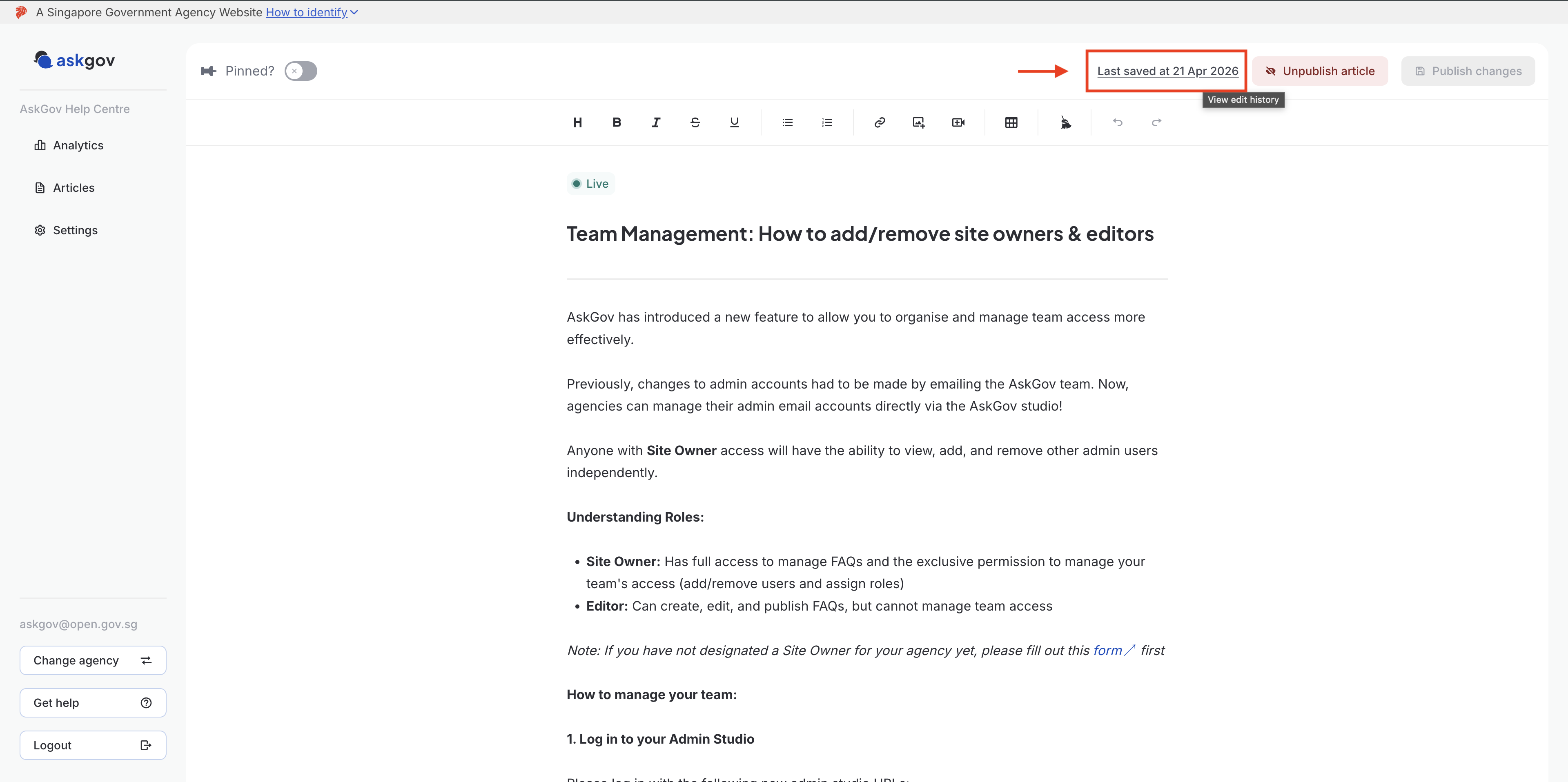
Step 4: In the top right corner, click Last saved at [date].
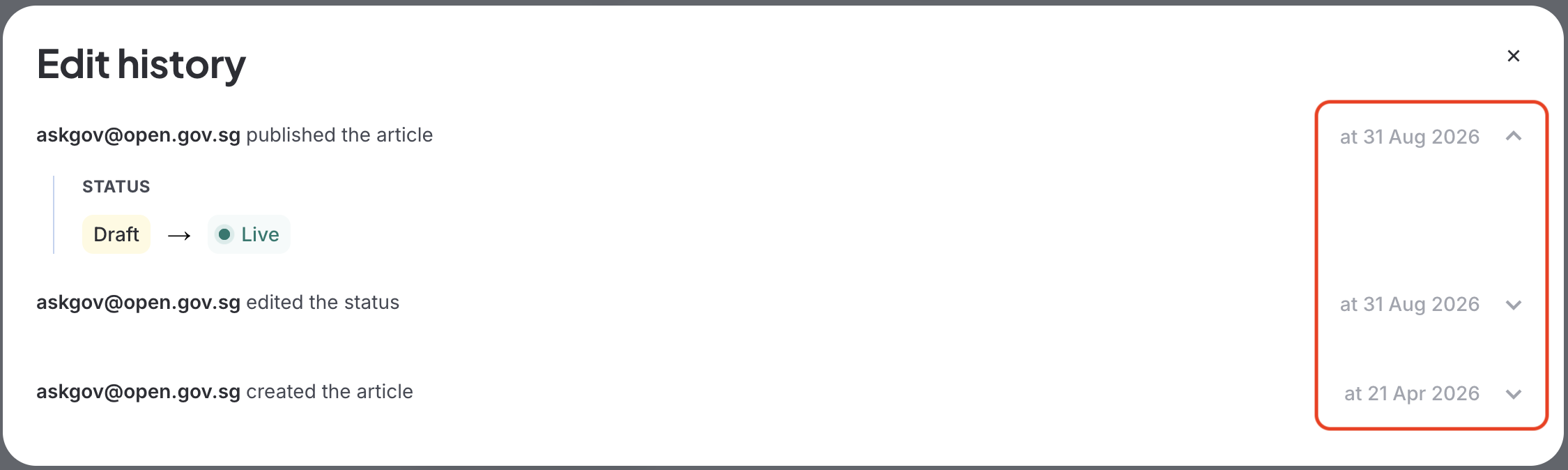
Step 5: A pop-up will appear showing the article's edit history including when it was created, and each time its status changed (draft to live, or unpublished).
Click on any entry's date on the right hand to expand it and see more detail
Related questions
Need more help?
Describe your issues to us.