
help
1
A Singapore Government Agency Website
Back to home
Updated by HELP
How to control who can access your site?
You can choose whether your help centre is open to the public or restricted to particular domains. Keep note that only site owners can make these changes.
Step 1: Go to your Admin Studio and log in.
Step 2: Go to Settings, Helpcenter Admin.
Step 3: Under Site access, choose who can access your site:
Everyone — your help centre is publicly accessible
All public officers — restricted to officers with an official Singapore government email domain
Specific domains — only visitors signing in with an email address from an allowed domain can access your site
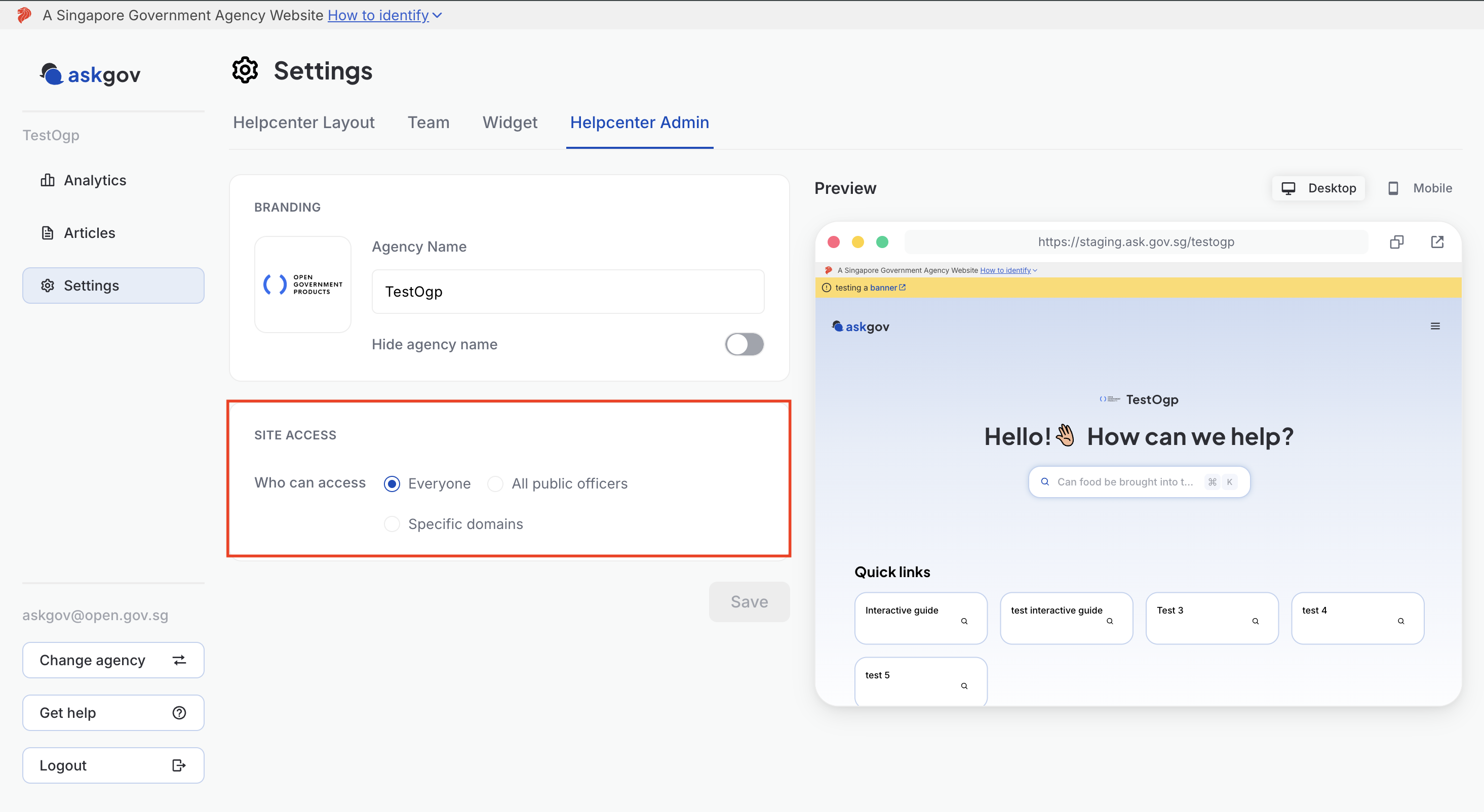
Step 4: If you chose Specific domains, add each allowed domain (e.g. open.gov.sg) in the
Domains field. You can add more than one.
Step 5: Click Save.
💡 Tip: The Preview panel on the right doesn't simulate different visitors, but you can use it alongside these settings to confirm your branding still looks right before saving.
Topics:
Site SettingsRelated questions
Need more help?
Describe your issues to us.