
help
A Singapore Government Agency Website
Back to home
Updated by HELP
What is draft mode?
Draft mode is a new feature on the admin studio, which allows admins to create and work on articles without needing to publish them immediately.
This gives you the flexibility to start writing, save your progress, and return to refine your content when you're ready.
Previously, you might have drafted articles in external applications like Word before copying them into AskGov for publication. With draft mode, you can now write directly in AskGov platform, and publish only when your article is complete.
To create a new draft article:
On the homepage, go to the articles tab
Click on "Add a help article" in the top right

Fill up the article title, article body and topic
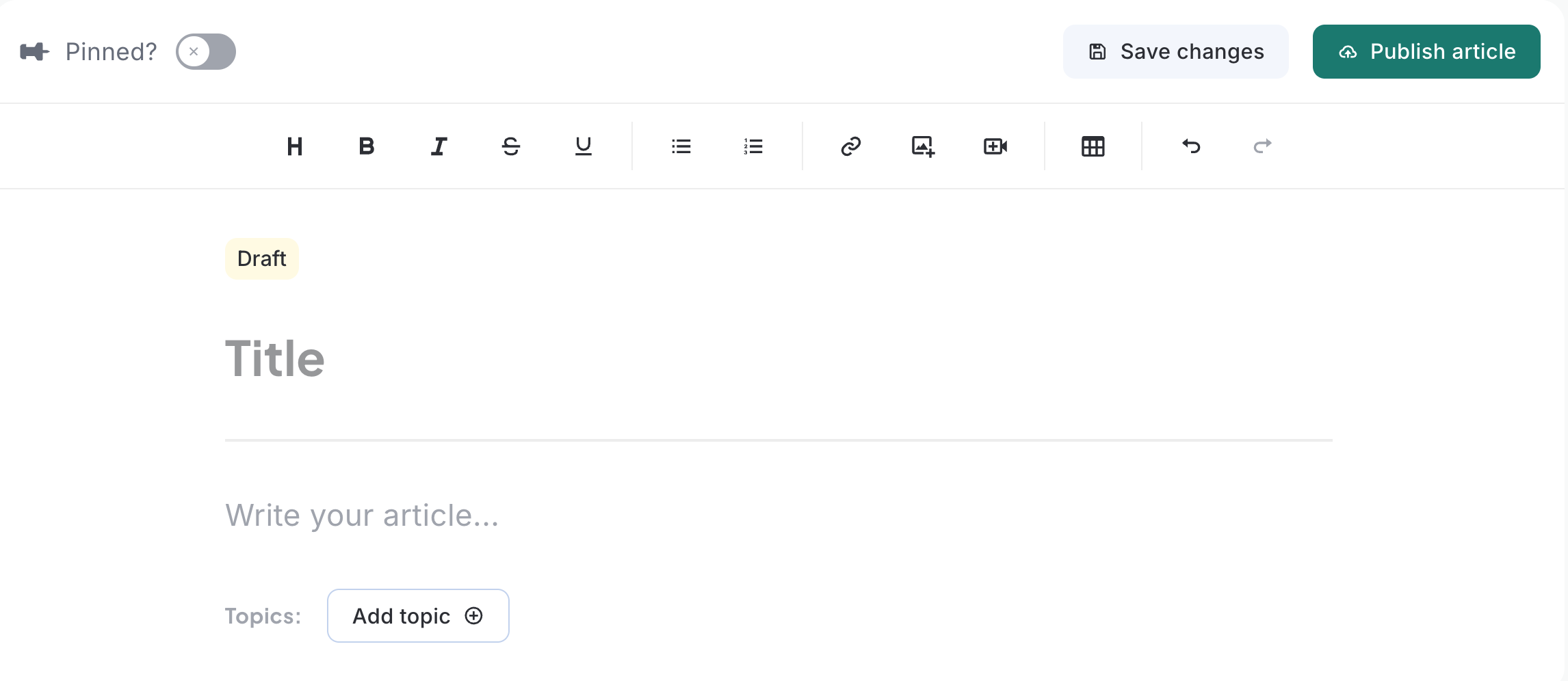 Click "Save changes" in the top right.
Your article is now saved as a draft and is not shown publicly
When the article is ready to go live, click "Publish changes"

----------
For published articles
Unpublishing an article reverts it back to draft mode and removes it from public view. You can then make edits and save changes to your article, and it will remain as a draft until you choose to publish it again.
Related questions
Need more help?
Describe your issues to us.