
govsg
28
A Singapore Government Agency Website
Back to home
Updated by GOVSG 22 found this helpful
I can't find my gov.sg OTPs on iOS, what can I do?
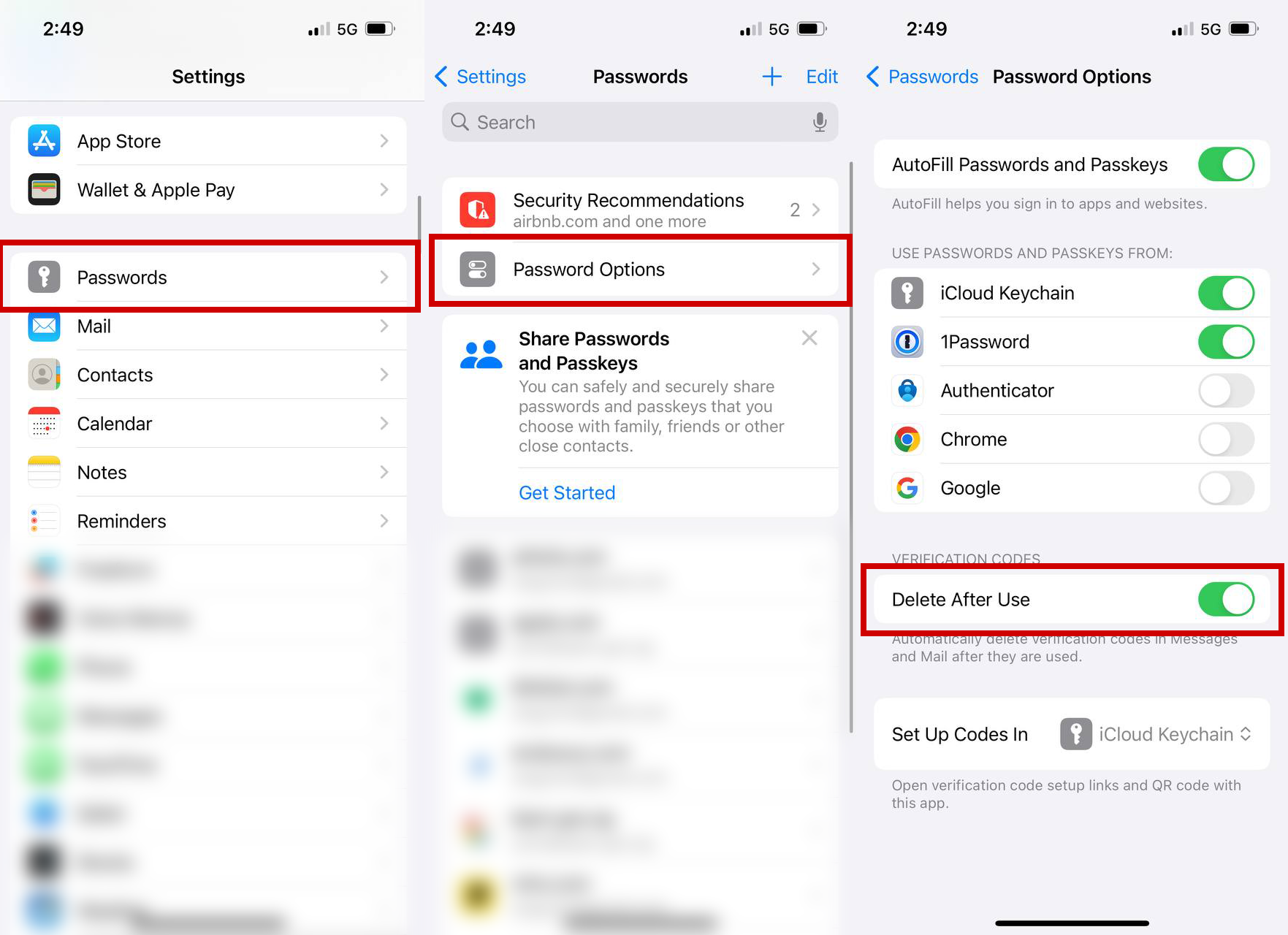
If you are receiving other gov.sg SMSes but can't find the OTPs on iOS 17 or 18, go to Settings/System Settings > Passwords > Password Options and turn off Delete After Use.
Related questions


Need more help?
Describe your issues to us.