
cpf
2
A Singapore Government Agency Website
Back to home
Updated by CPF
Where can I view the CPF contributions made by my platform operator?
You can view details of your platform work CPF contributions within the last 15 months by following the steps below:
- Log in to my cpf digital services via your Singpass
- Go to “View transactions” → “View past 15 months”
- Select “Filter” → “Employment and platform contributions”
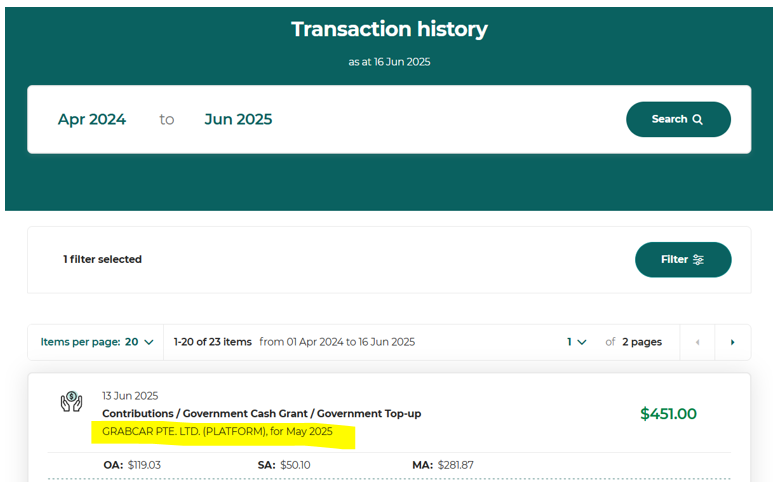
- Your platform worker CPF contributions will be indicated as “[Platform operator name] (Platform)”. The results page should look like this:
This information is sourced from CPF.
Related questions
How do I view, save or download my Transaction History or my CPF contribution details, including records beyond 15 months?
How can I view my submission history in CPF EZPay as a platform operator?
cpf
How do I check which platform workers have opted in for increased CPF contributions?
cpf
How do I determine the CPF contribution rates as a platform operator?
cpf
Need more help?
Describe your issues to us.