
bright
3
A Singapore Government Agency Website
Back to home
Updated by BRIGHT
What are the essential steps an SP admin will need to take on the day of BRIGHT's launch on 18 August?
SP admins should ensure that their respective locations and services have been set up correctly.
Select 'Manage location' from the settings dropdown
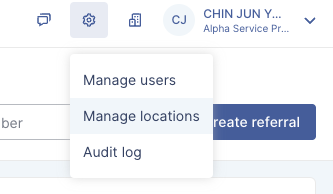
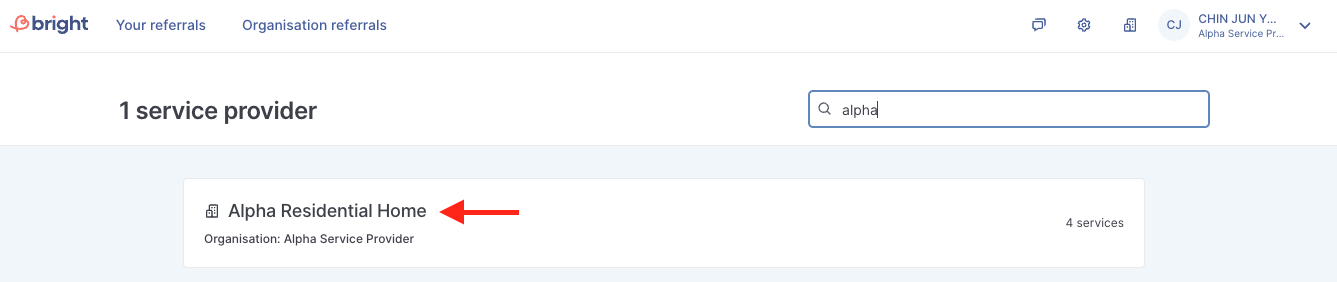
Check the list of locations within your organisation and ensure that all locations are listed. Once done, click on each location to view the services that the location provides.
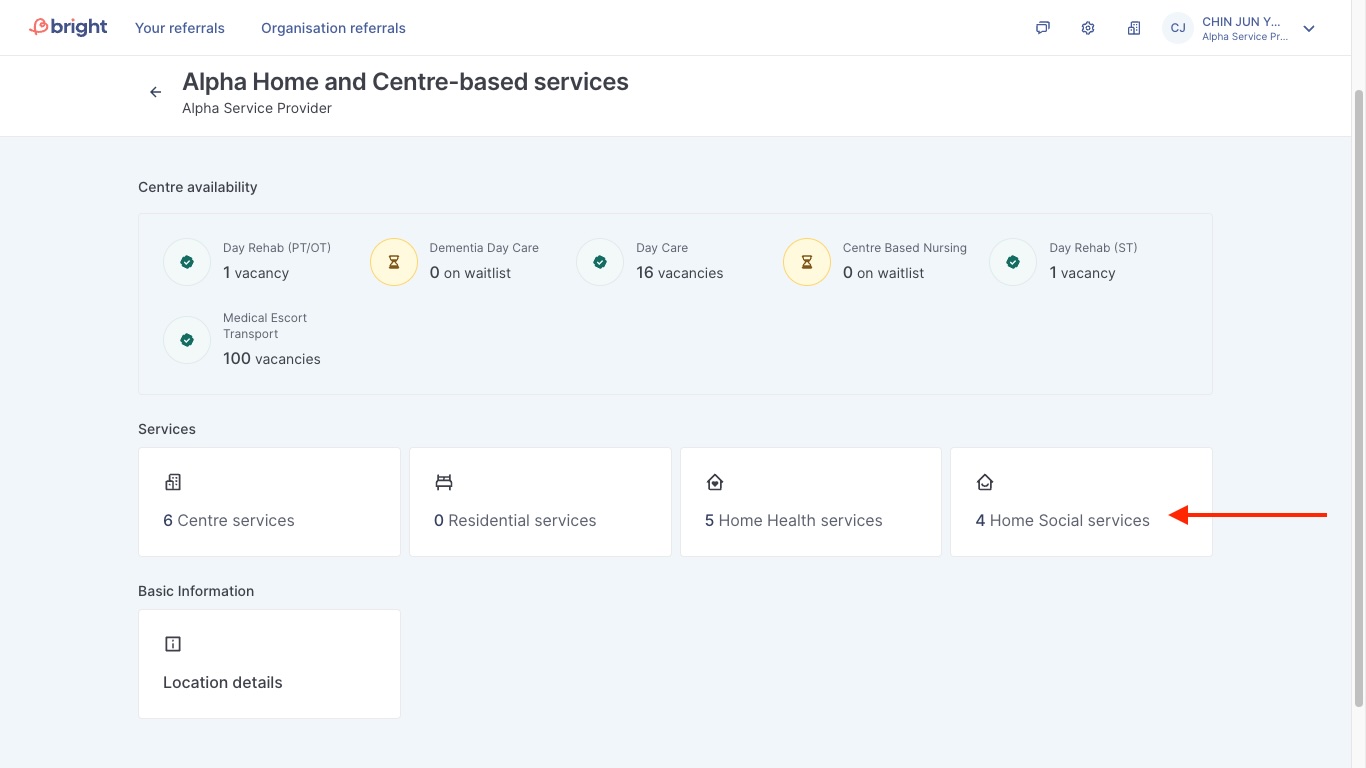
On this page, you will see the various services that the location currently provides. You can click into each service type to view if the services have been set up. If there are any missing service(s), please contact AIC so that they can turn on the services accordingly.
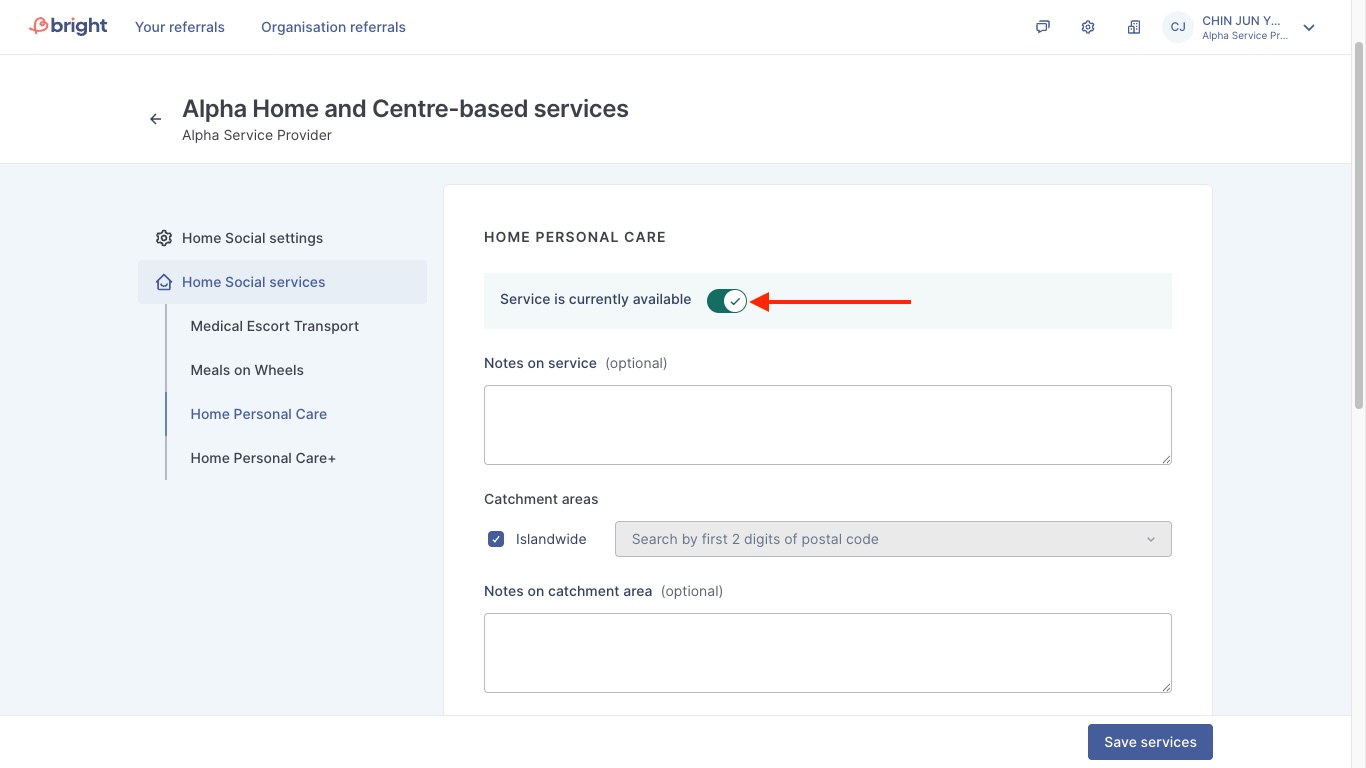
You will see in greater details the different types of services currently provided. Admins can toggle the service availability on/off here.
Topics:
Admin GuidesRelated questions
I managed to login via Corppass but I received a message stating that “Corppass user does not exist in Bright. Contact your organisation’s administrators if this is an error.”
[SP Admins] Step by step guide to updating centre and home vacancies
bright
What are the essential steps an SP admin / staff will need to take on the day of BRIGHT's launch on 13 Jan for residential referrals?
bright
[SP admins] how do I manage vacancies for my locations?
bright
Need more help?
Describe your issues to us.