
bright
2
A Singapore Government Agency Website
Back to home
Updated by BRIGHT
[Client's profile page] I would like to know what referrals (past and existing) have been raised for my patient/client. How do I do so?
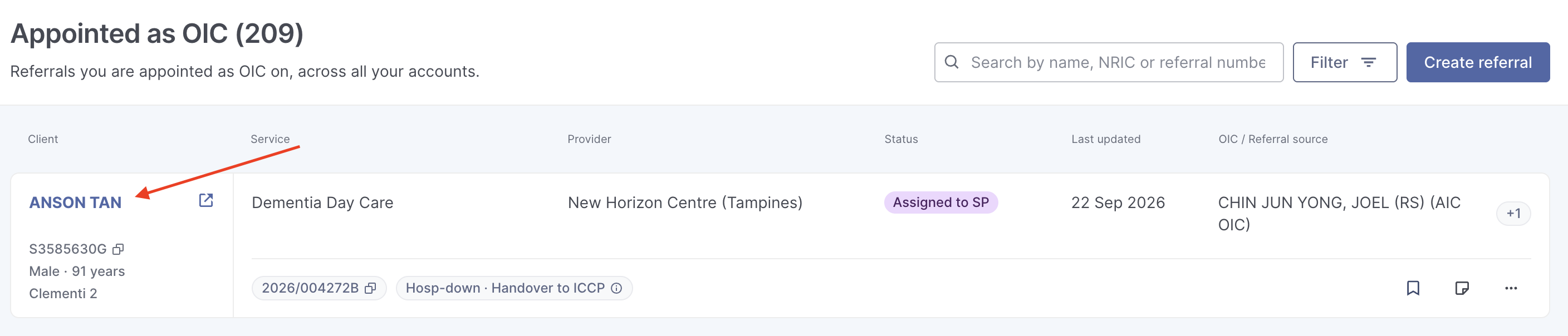
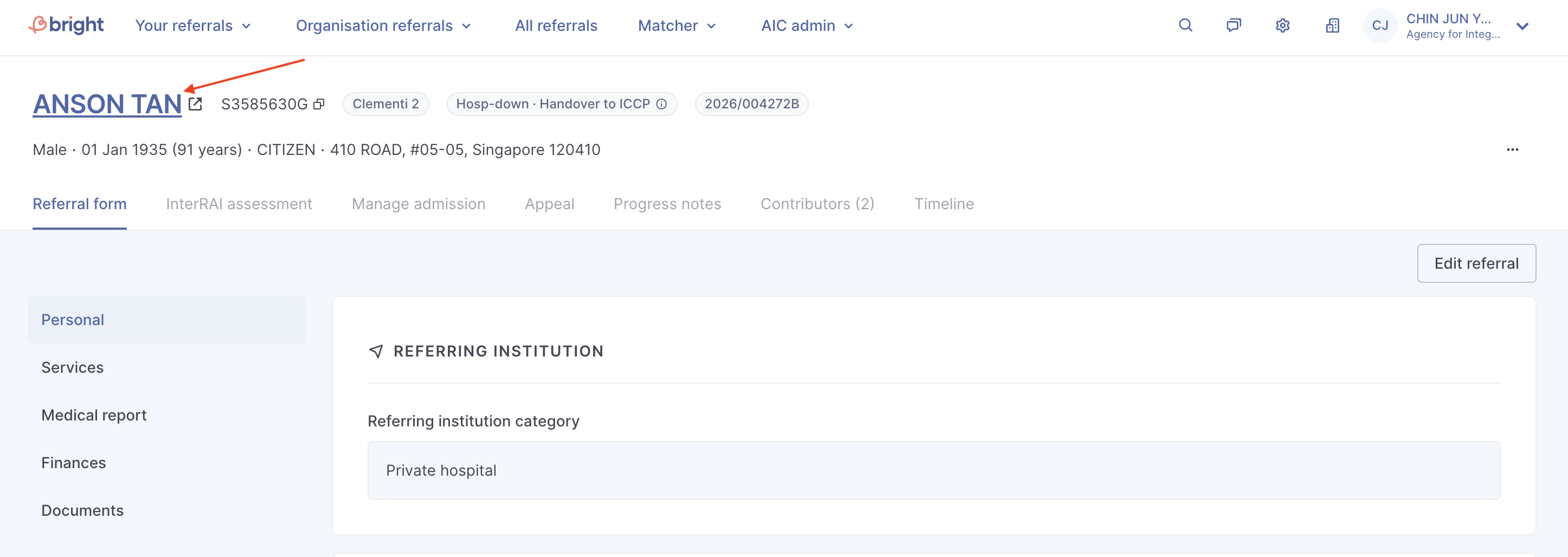
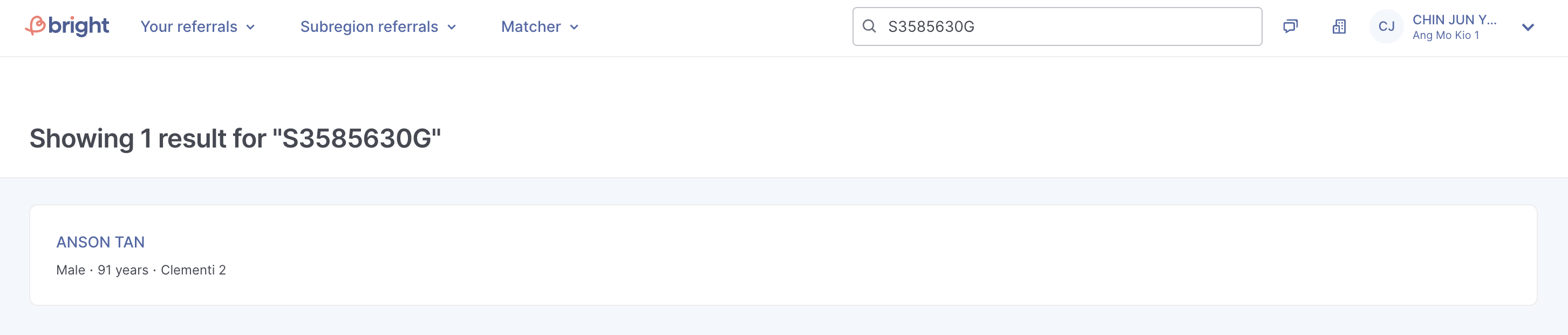
You may view all referrals currently tagged to a patient/client under the client's profile page. You can access the client's profile page through:
Clicking on the client's name in your dashboard
Clicking on the client's name when accessing a referral
[SP / ICCP Users] Using NRIC/FIN to search for the client through global search
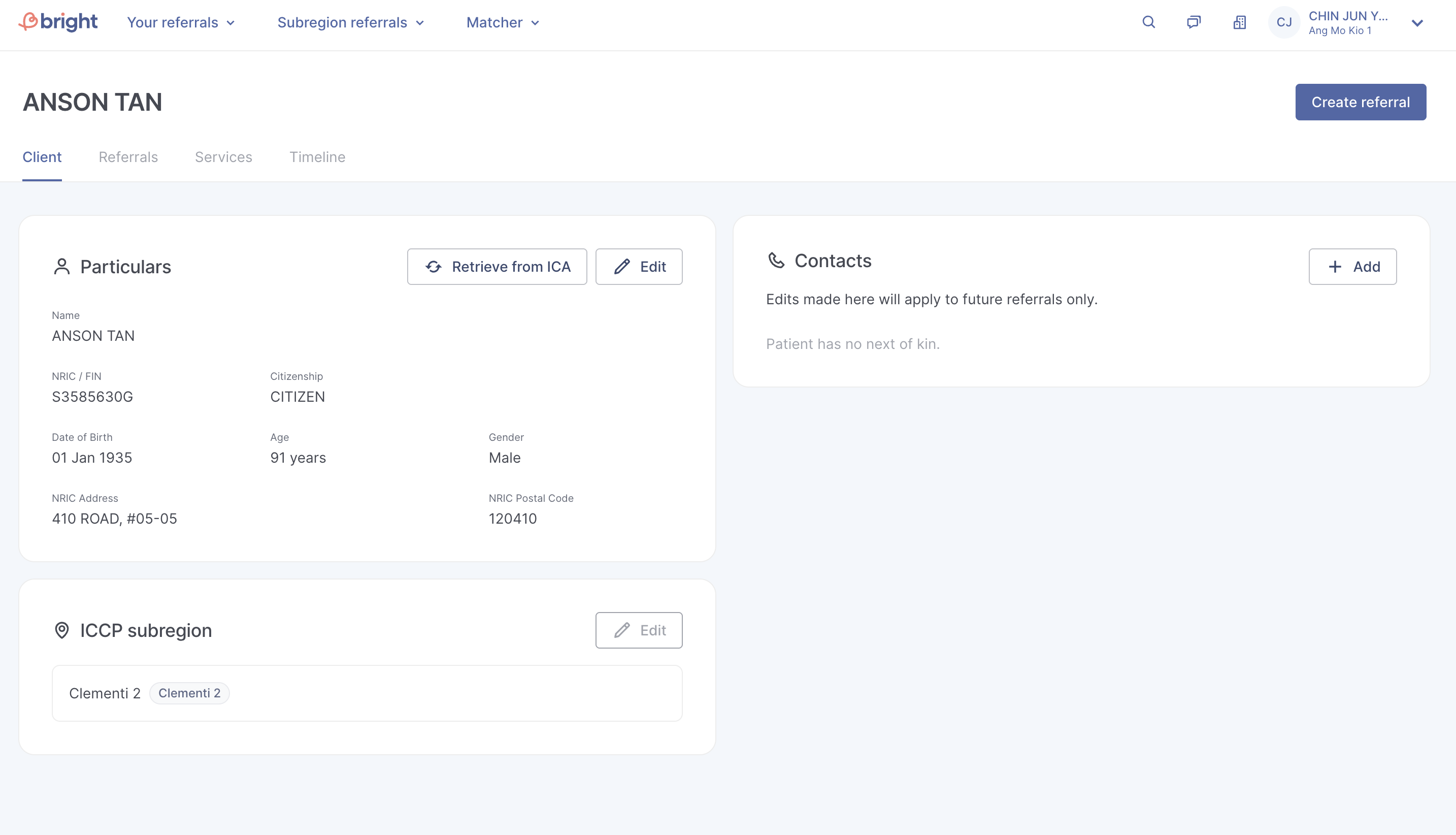
The client's profile page has 4 separate tabs:
Client - Here you will find the client's particulars, ICCP subregion and contacts. You will be able to update the client's biodata either by retrieving the data from ICA, or you can manually edit the biodata. Selected users may also update the client's subregion.
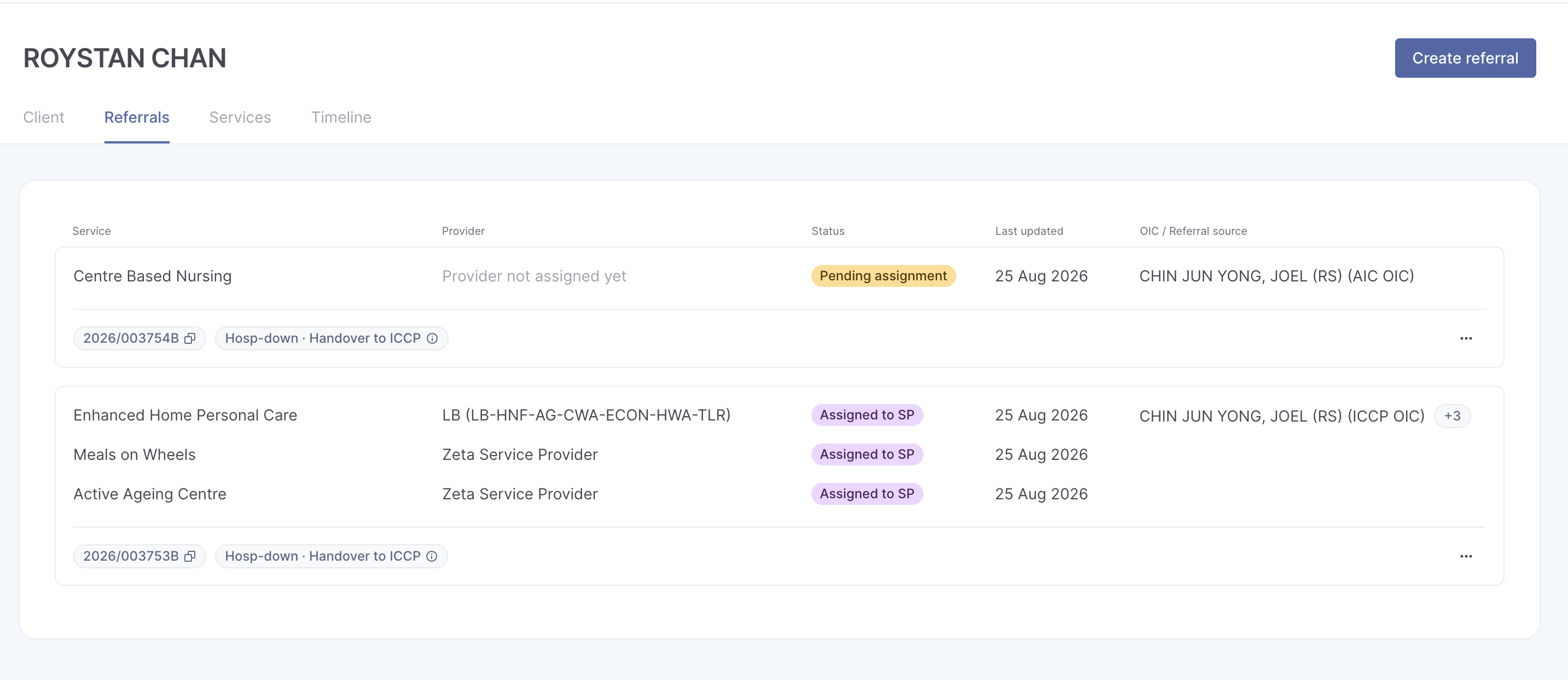
Referrals – A list of all referrals raised for the client, sorted by “Last Updated.”
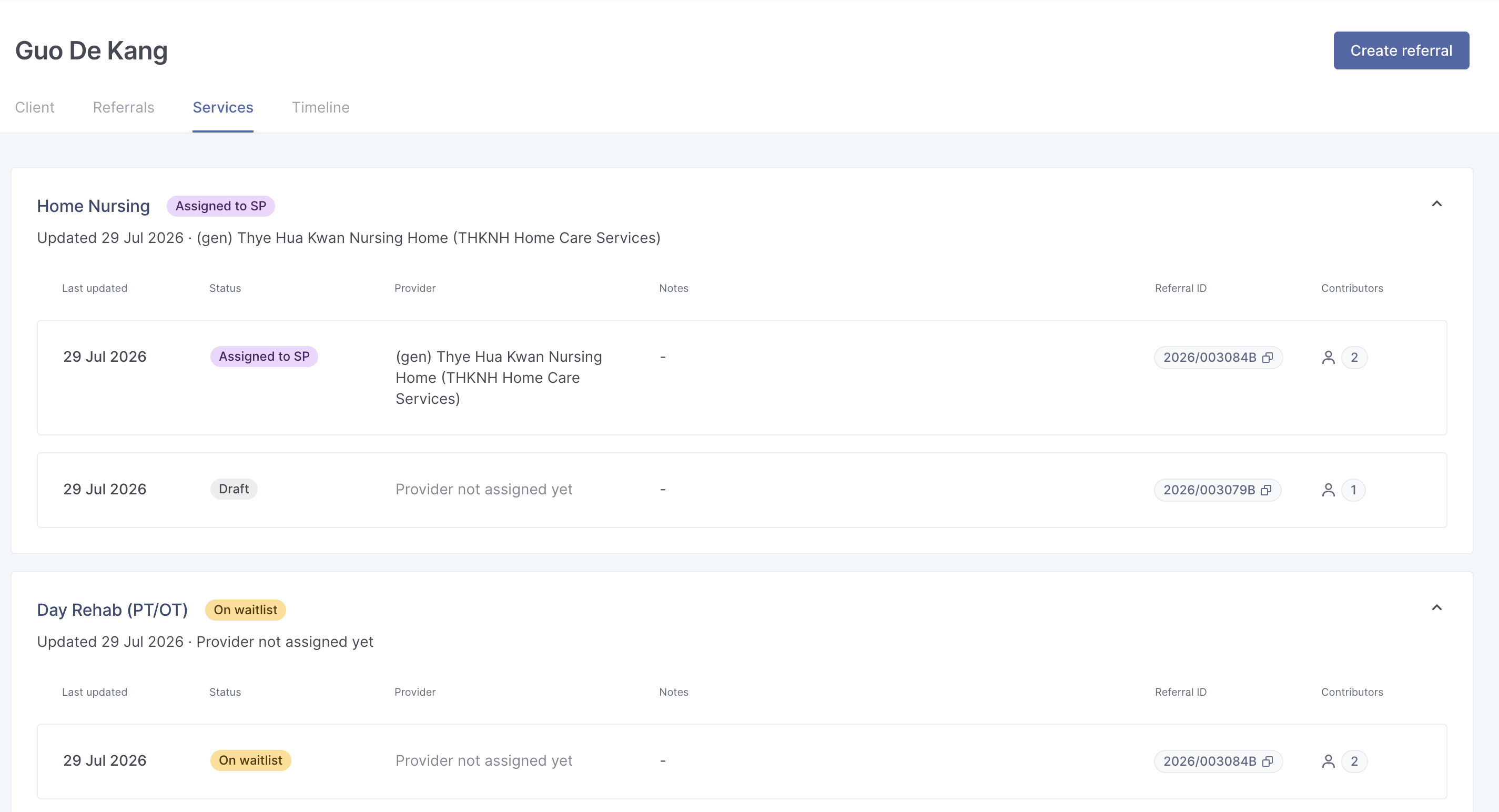
Services - A list of all services associated with the client, grouped by service type. In the example below, you can see all the ' Home Nursing' referrals that have been raised for the client, their statuses and the provider the referral was assigned to.
Do note that under the Referrals and Services tab, only PHI / AIC users can access the referrals directly. SP / ICCP users will not be able to do so.
Related questions
How do I update my client's biodata with the latest information from ICA?
I am a community service provider and want to know more about a walk-in client and the services he is receiving but the client is not known to me. Can I search for this client on Bright?
bright
Can I search for a referral using the client's name instead? I can't remember his/her NRIC nor referral number!
bright
If my existing clients do not have a subregion reflected on BRIGHT, how should I update their subregion?
bright
Need more help?
Describe your issues to us.