
bright
2
A Singapore Government Agency Website
Back to home
Updated by BRIGHT 5 found this helpful
I created a draft but I no longer need it. How do I delete / withdraw the draft?
If you are had created a referral but no longer require it, you can either withdraw the draft or delete the draft completely.
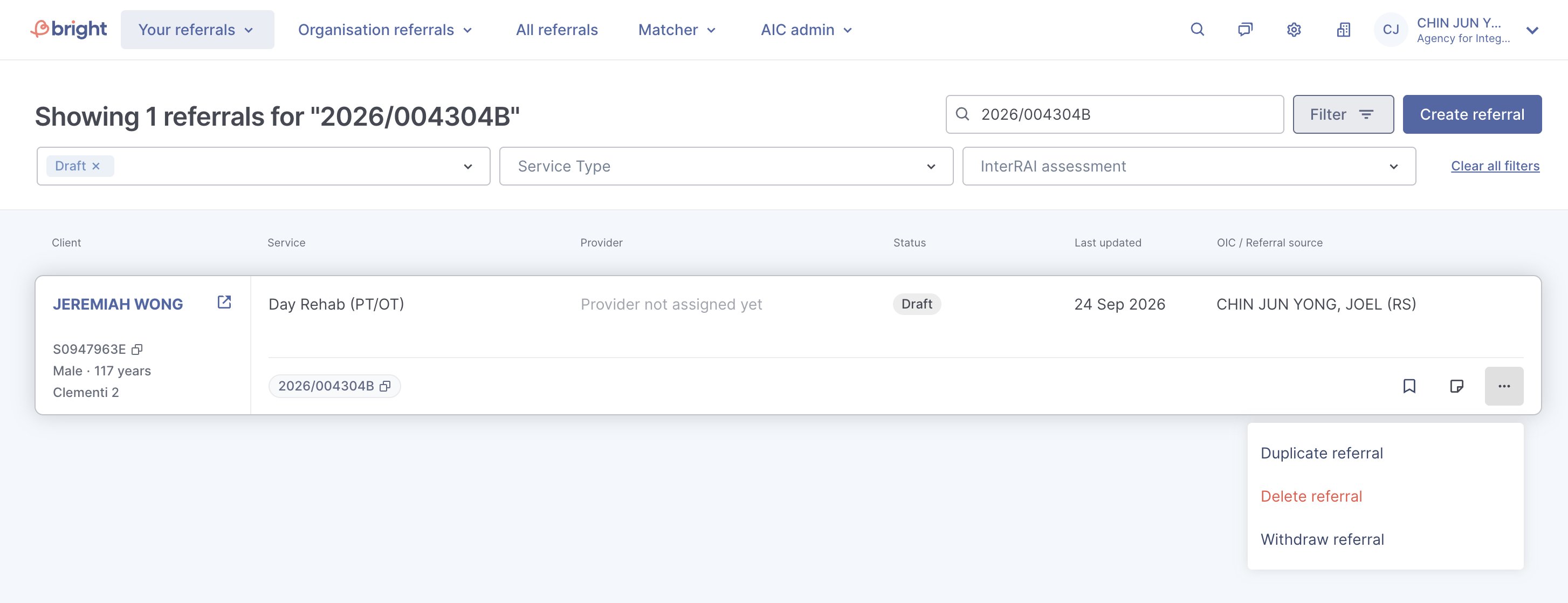
On your referrals dashboard, click on 'additional options' on the right of the referral and you will see the option to delete or withdraw the referral.
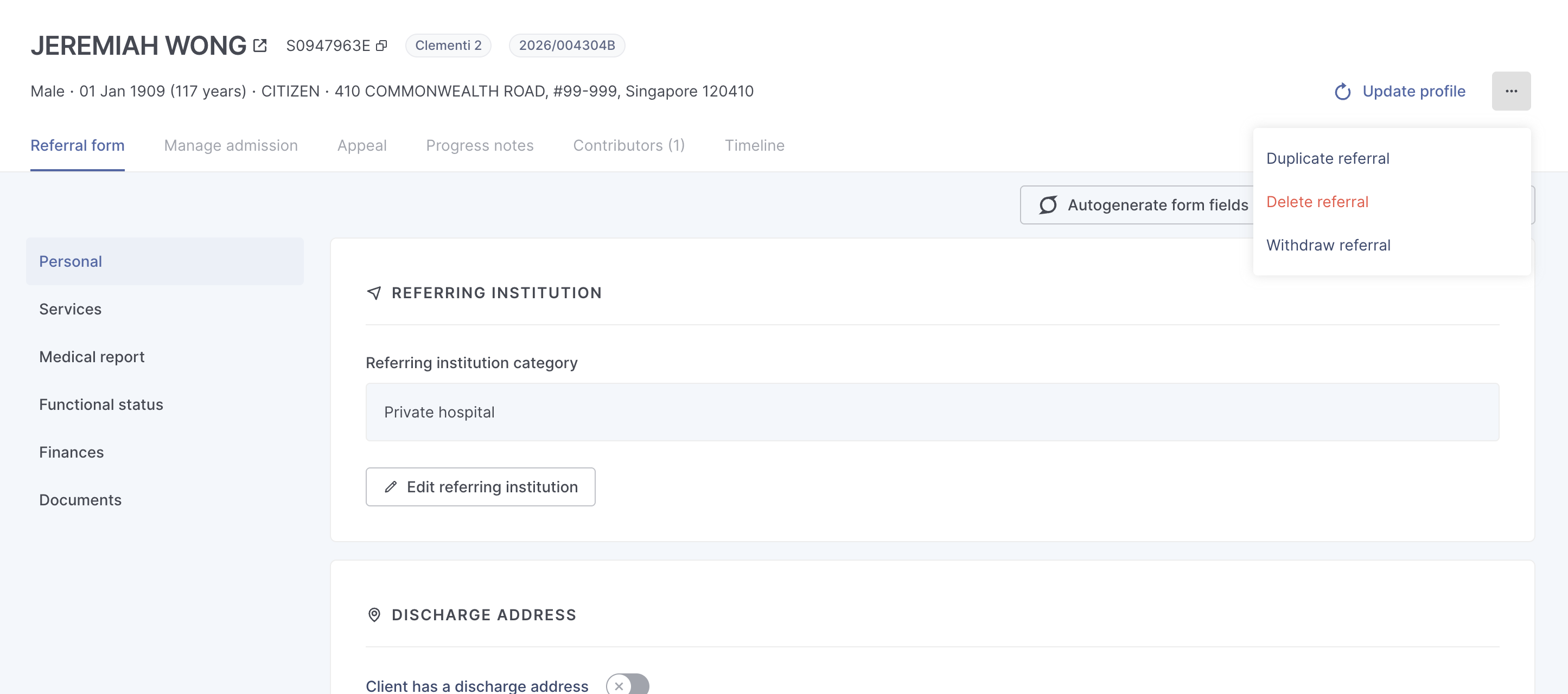
Within the referral form, you can also delete /withdraw the referral. Click on "additional options" at the top-right of the referral and you will see the options to do so.
Withdraw Draft
Withdrawing the draft will update the referral status to "closed". You will importantly, retain all information on the referral, and can refer back to the referral at any point should you require the information previously filled in.
When withdrawing a draft, you will need to select 1 of the following reasons for withdrawal and provide any elaboration as needed:
Client did not consent to data sharing
Client refused service / not yet discharged
Others
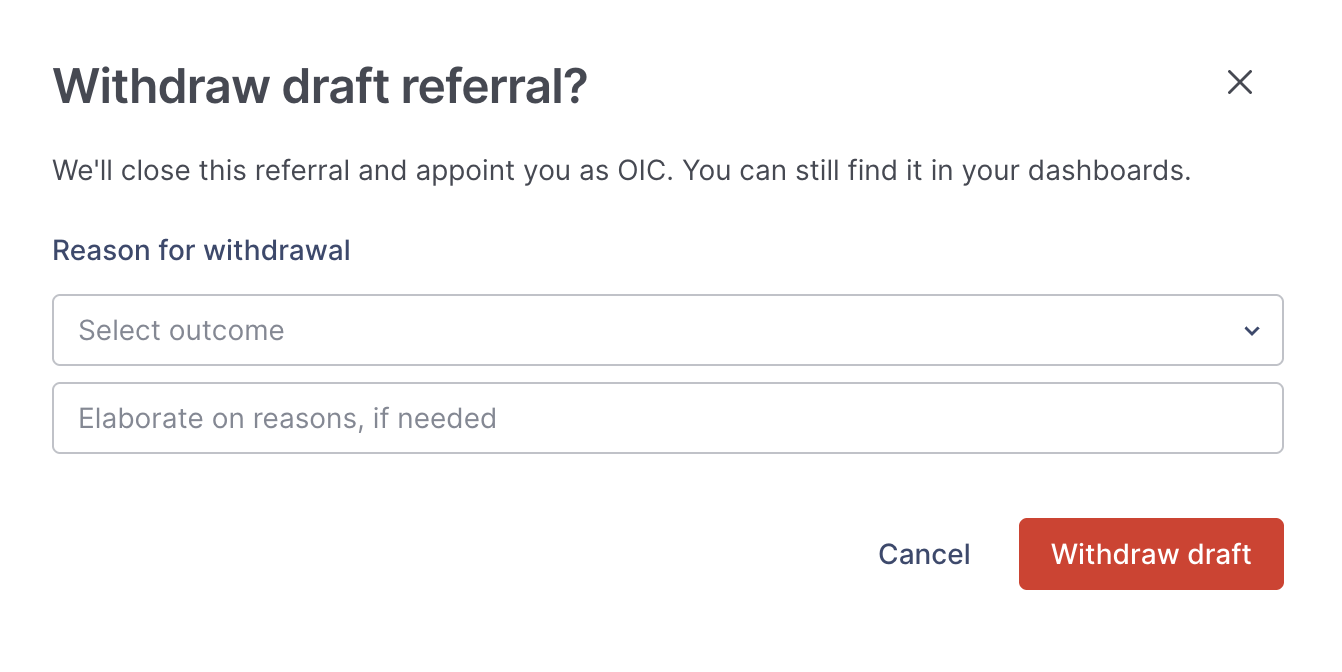 If you are an AIC or ICCP user, we will appoint you as the OIC on the referral when it has been withdrawn. Otherwise, we will close the referral without an OIC if you are a PHI / SP user.
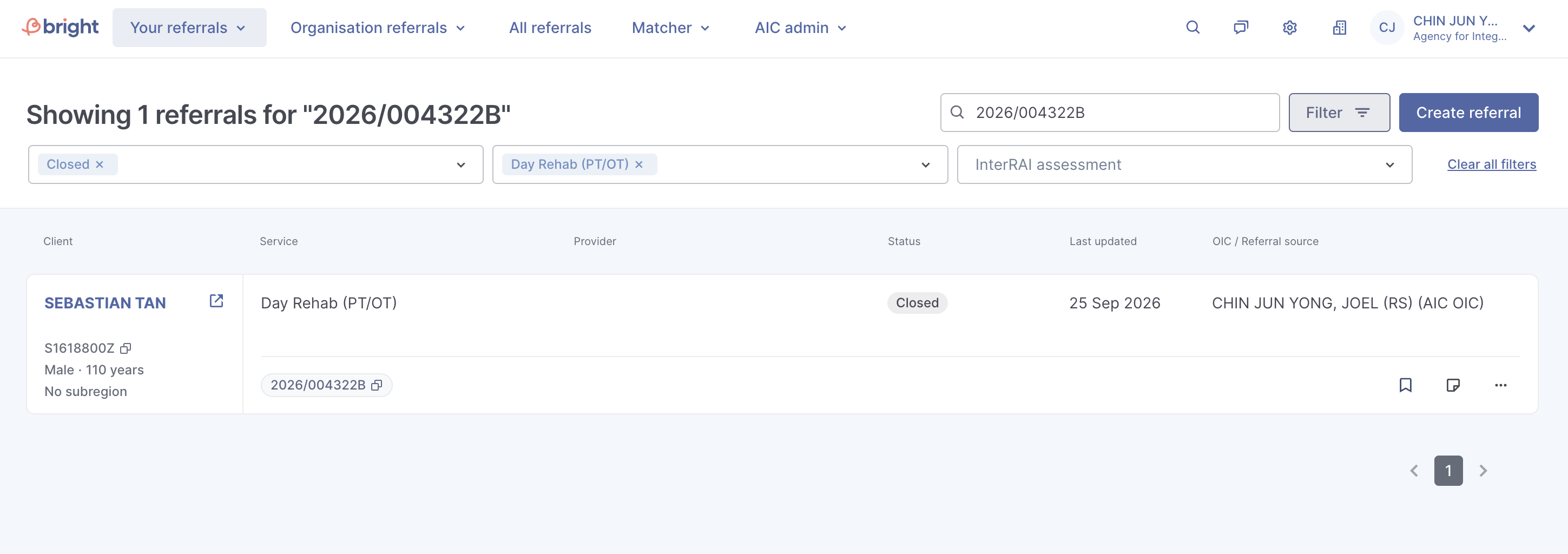
The referral is now "Closed", and is now indicated with the reason for draft withdrawal.
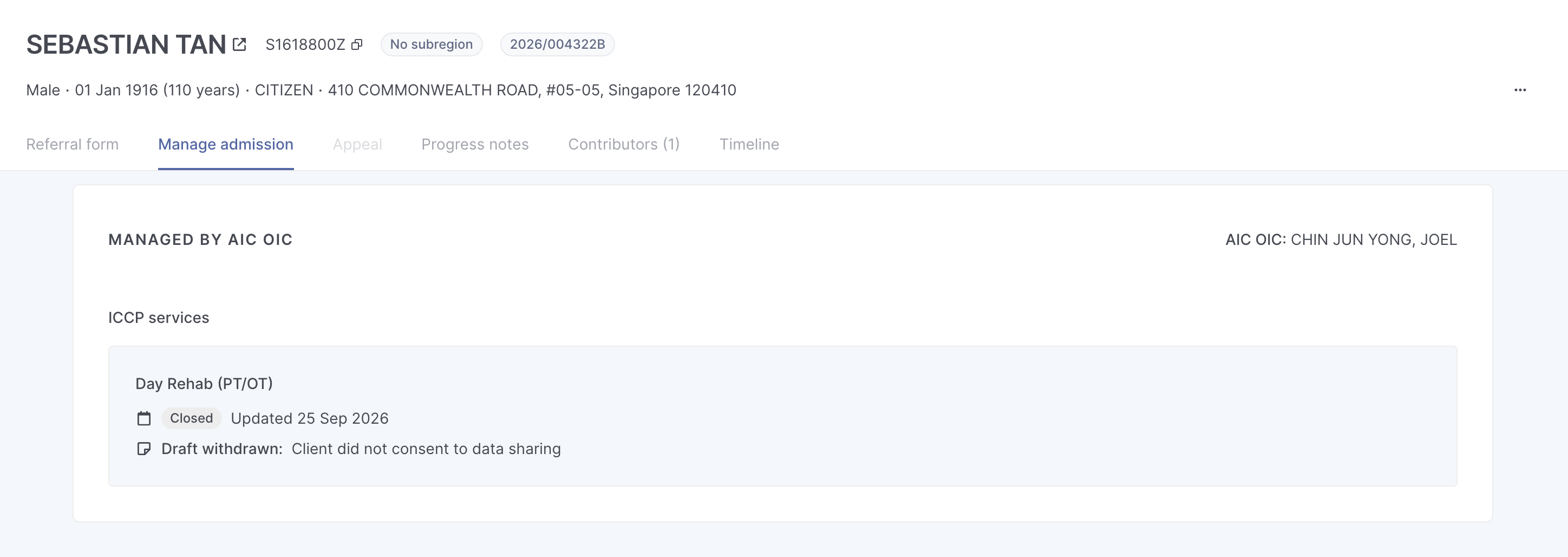
When filtering for "Closed" referrals on your dashboard, you will be able to view this referral accordingly.
Delete Draft
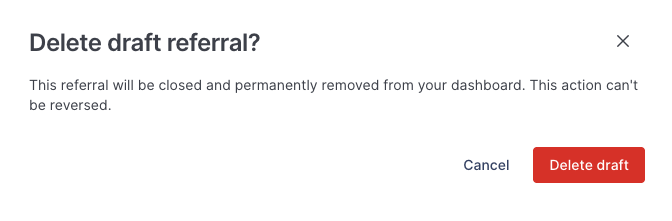
When choosing to delete a draft, do note that the draft will be permanently removed from your dashboard. You will lose all information in the referral and will not be able to reverse this action.
Topics:
ReferralsRelated questions
Need more help?
Describe your issues to us.