
singpass
111
A Singapore Government Agency Website
Back to home
Updated by SINGPASS 5 found this helpful
How do I verify that the digital signature belongs to the designated signee?
Open the document in Adobe Acrobat Reader (ensure you have the latest version installed) > click on the signature you wish to verify > click on the “Details” tab in the Certificate Viewer dialog box. The signer’s full name and last four NRIC characters will be displayed in the “Subject Field”.
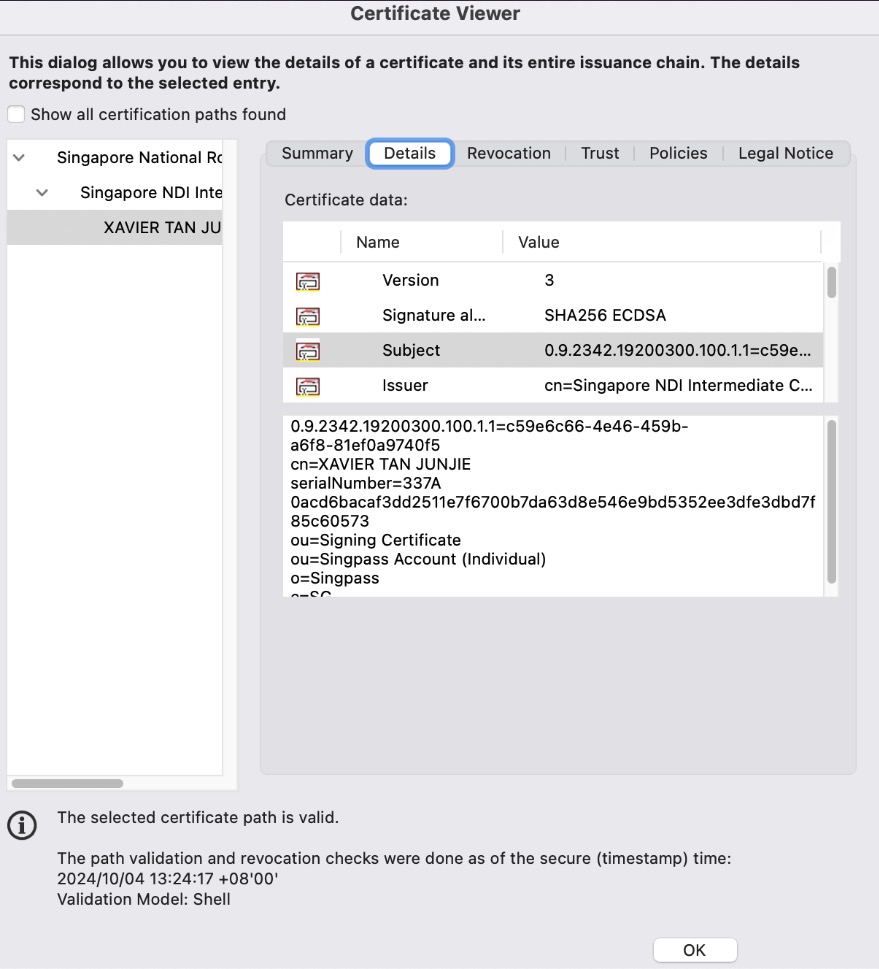
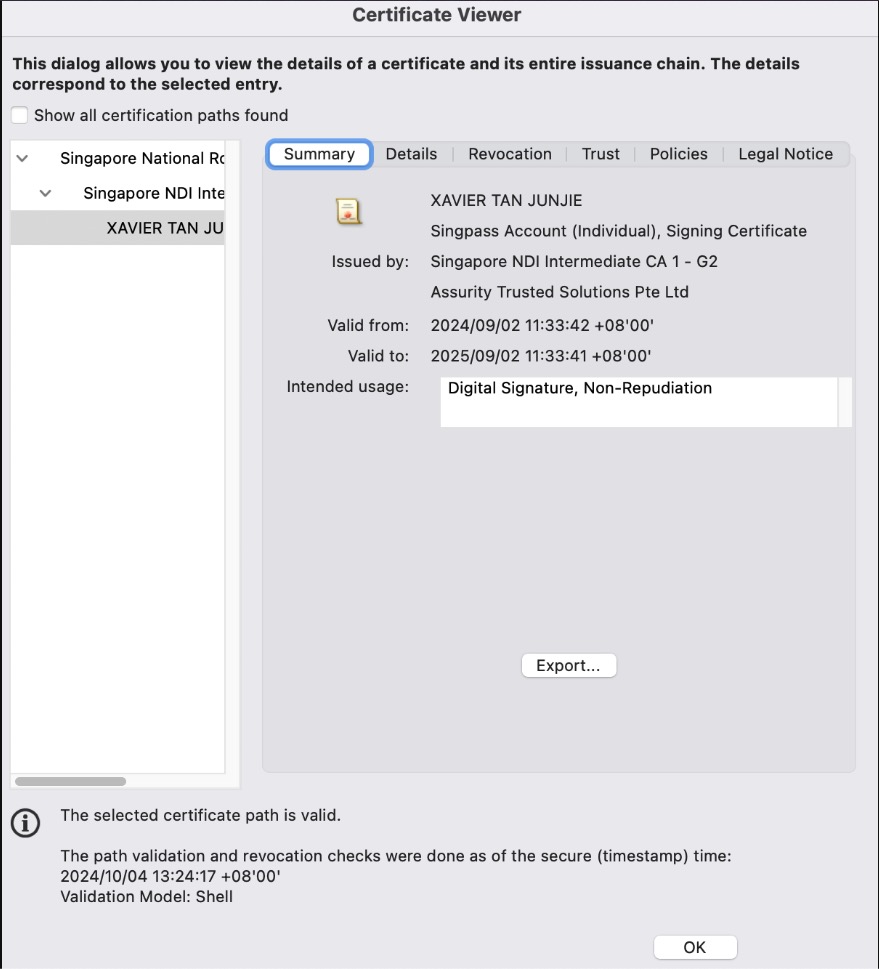
Additionally, you should check that the “Issuer” is listed as “Singapore NDI Intermediate CA” and “Assurity Trusted Solutions Pte Ltd or Government Technology Agency”.
Related questions

Need more help?
Describe your issues to us.