
parkingsg
16
A Singapore Government Agency Website
Back to home
Updated by PARKINGSG
Why don't I receive any parking notifications?
To enable push notifications on your device, please follow the specific instruction based on your device type.
Do note that push notifications may not appear if:
Time setting not being set to Automatic for network
Push notifications being disabled; or
The app being disallowed from running in the background
Android
Tap on Settings icon on the main screen
In the Search bar, type "Notifications" and tap on it
Scroll down to find the Parking app and tap on it
Select "Allow Notifications" and set notification settings
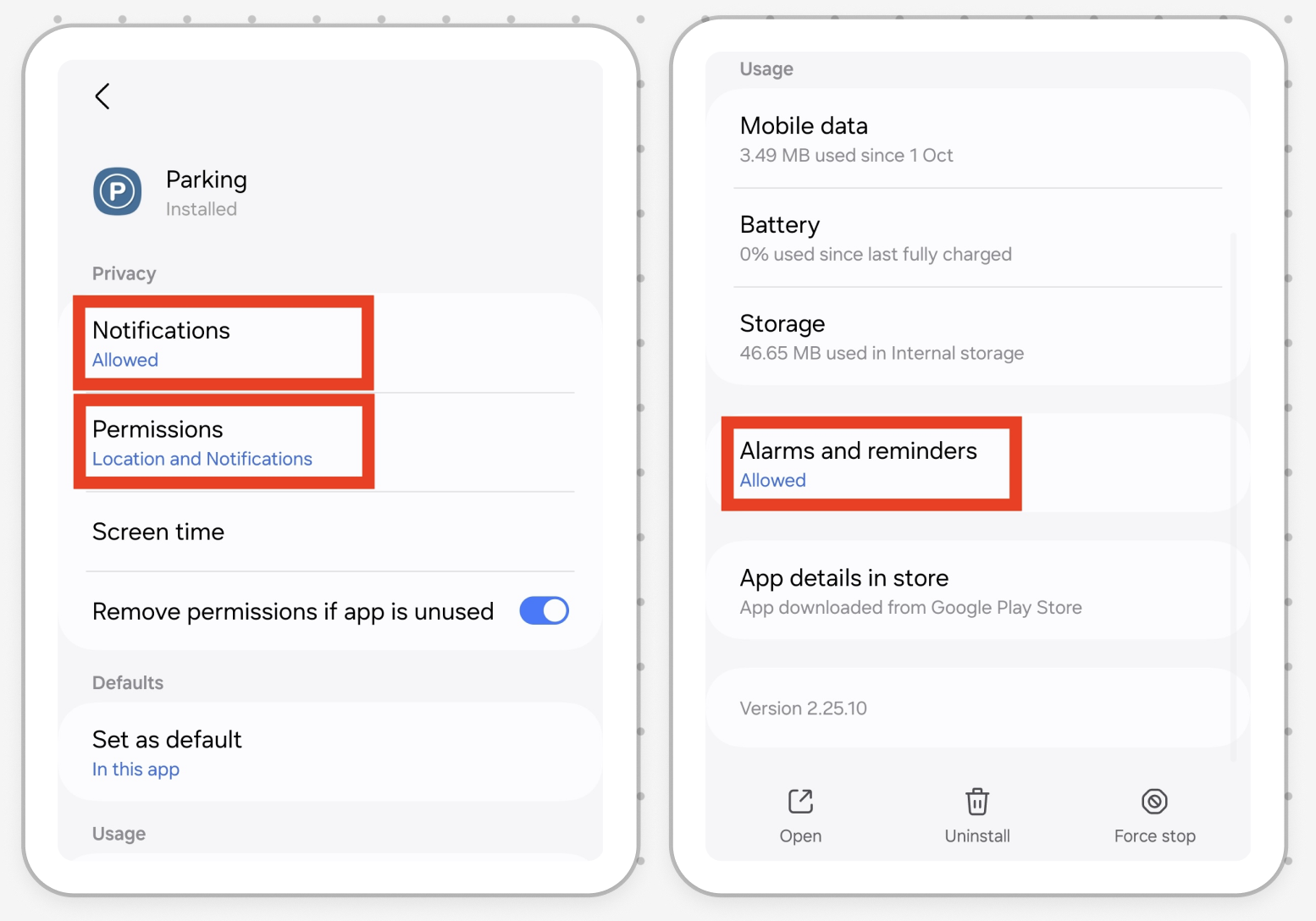
If you're using Android 14, 15 or 16, you also need to manually turn on"Alarms and Reminders" in your app settings.
Please see the image below for more information.
iPhone
Tap on Settings icon on the main screen
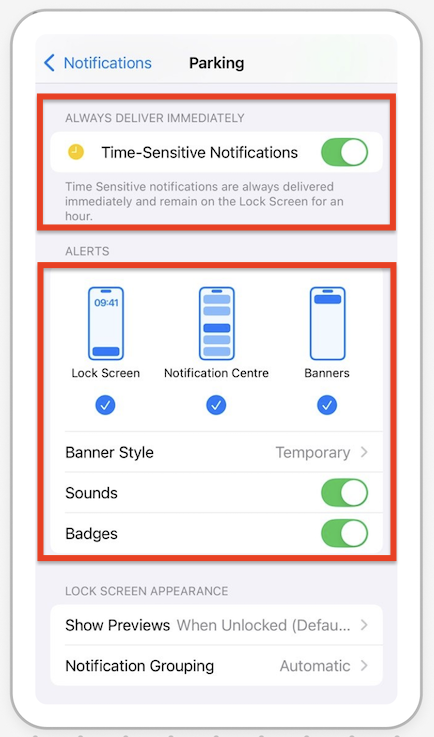
From the "Settings" menu, tap"Notifications"
Find the Parking.sg app and tap on it
Tap "Allow Notifications" and choose your preferred options
Related questions
Need more help?
Describe your issues to us.