

pa
3
A Singapore Government Agency Website
Back to home
Updated by PA
How do I verify that the merchant has successfully deducted my vouchers?
Merchants will receive a transaction successful confirmation on either their RedeemSG Merchant mobile application or Point-of-Sales interface.
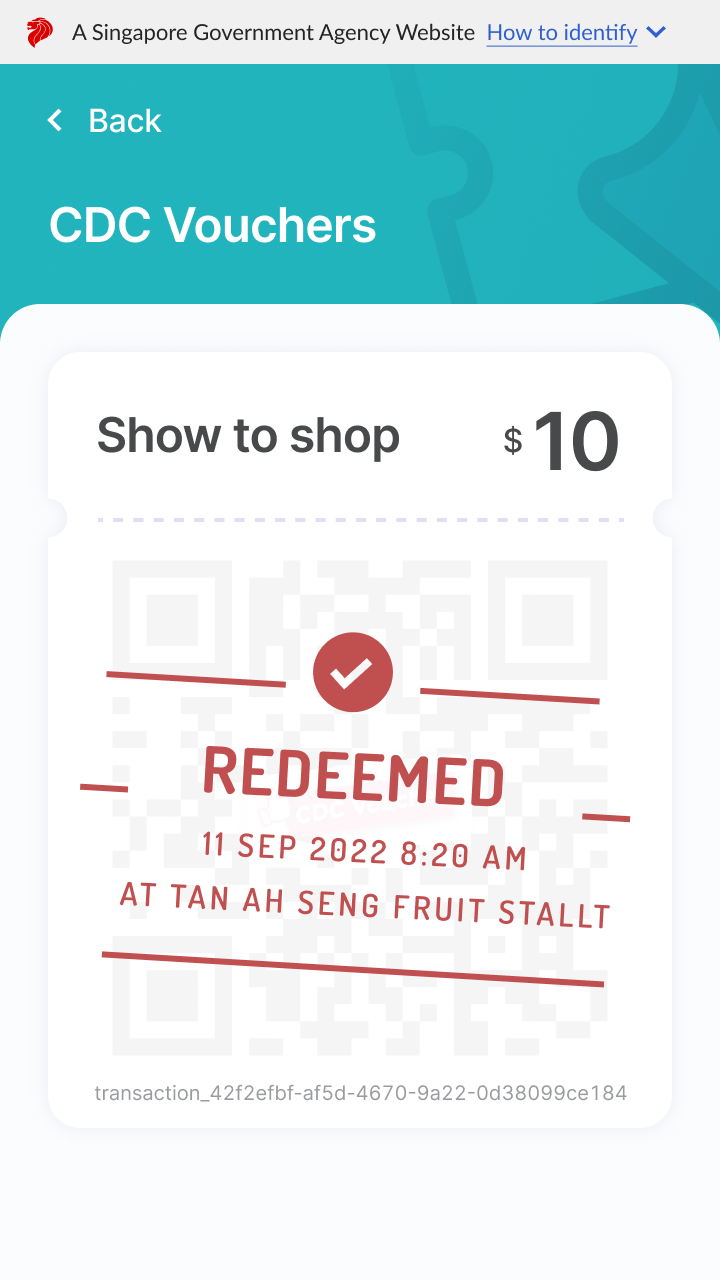
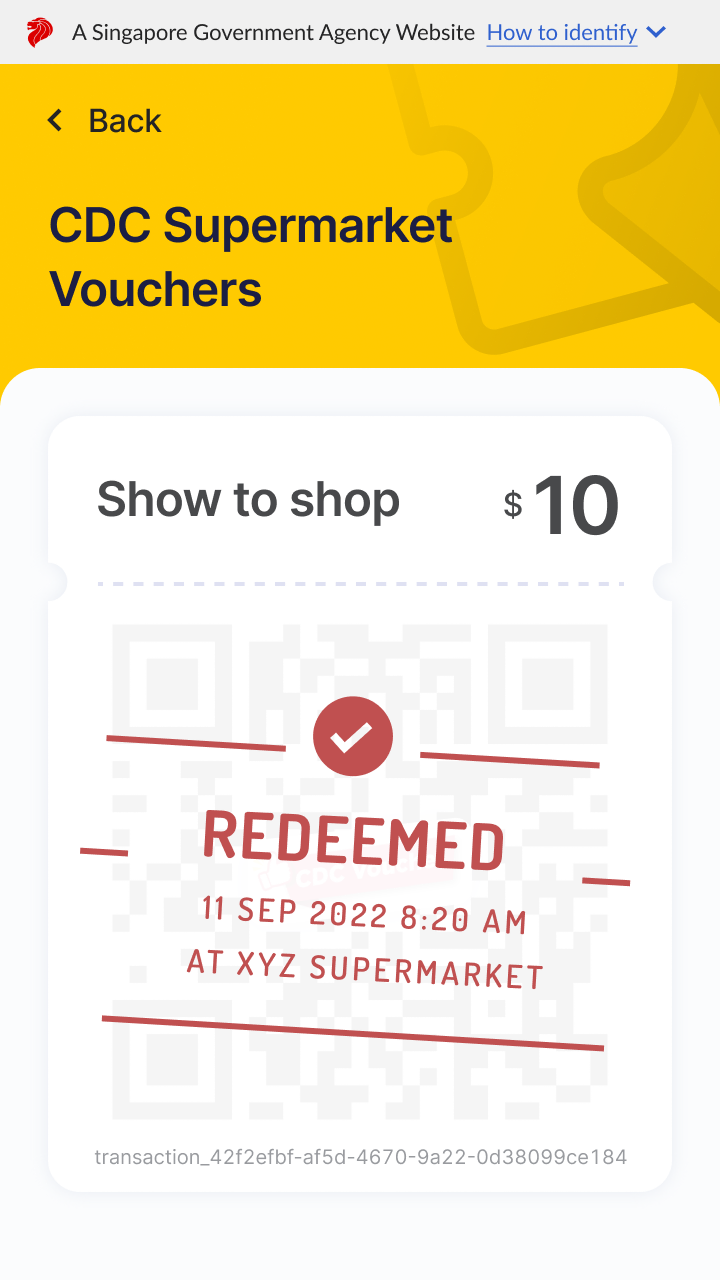
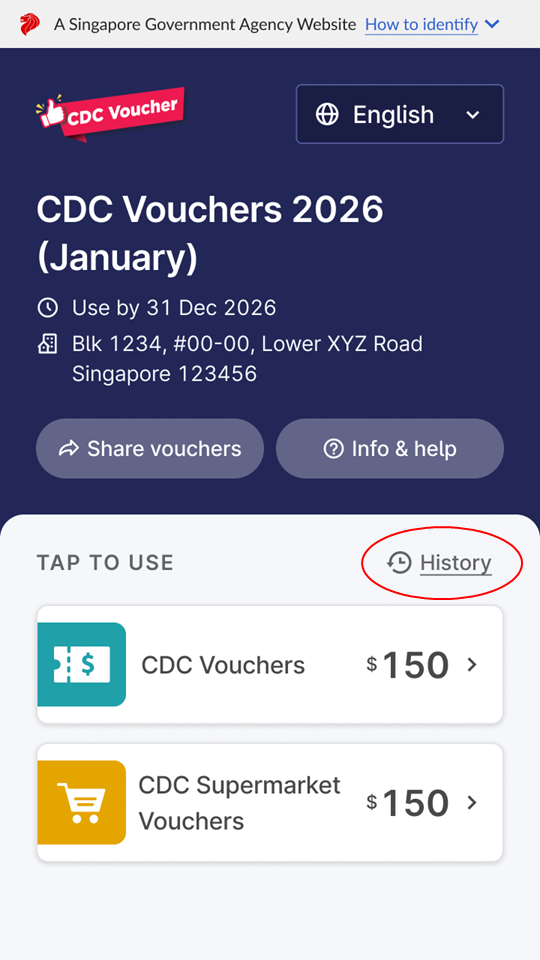
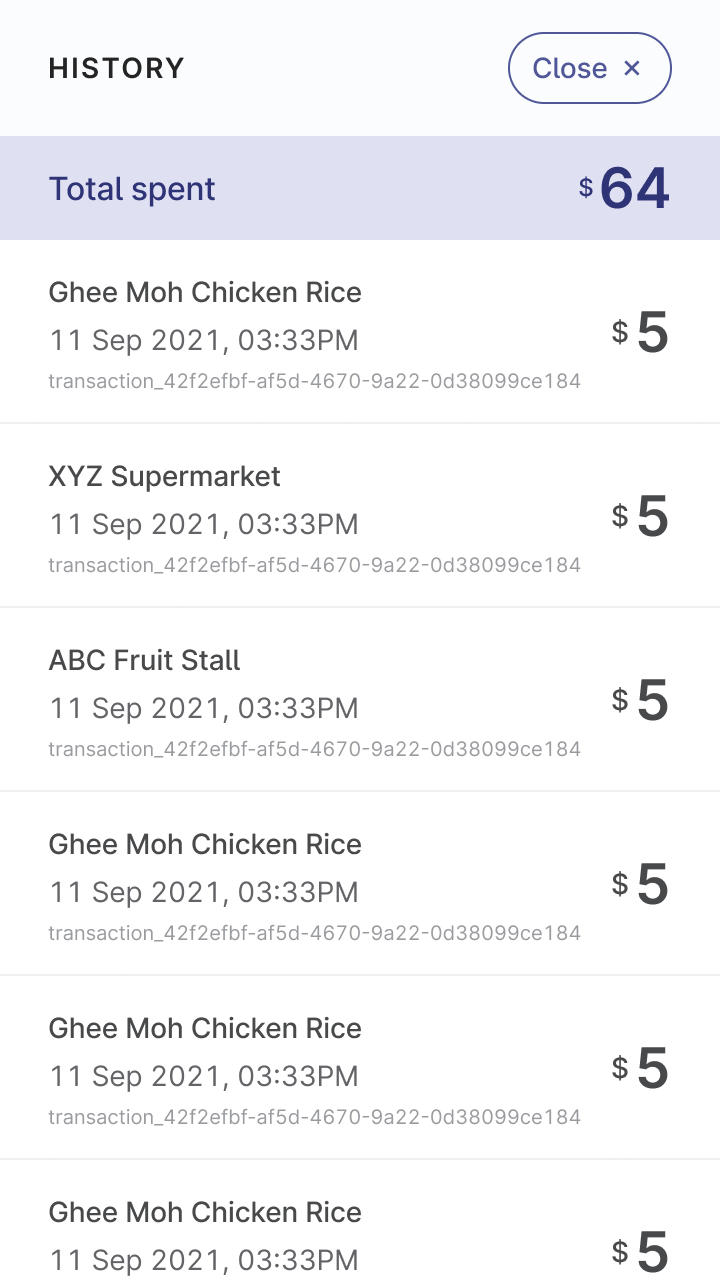
At the same time, your QR code will be updated to “Redeemed” along with the merchant’s name and time of transaction. If you have exited that page, you can view your transaction history on the main vouchers page instead.
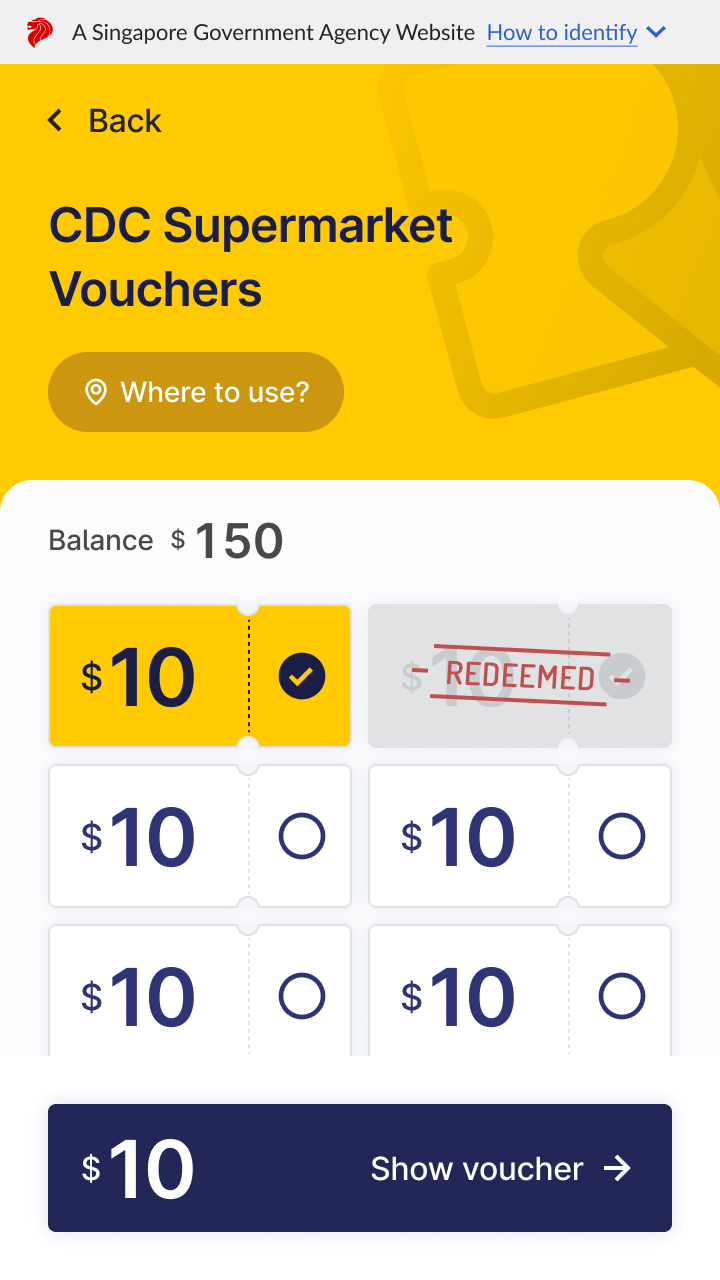
All spent vouchers will no longer be clickable and will be marked as redeemed.
Merchants will receive a transaction successful confirmation on either their RedeemSG Merchant mobile application or Point-of-Sales interface. At the same time, your QR code will be updated to “Redeemed” along with the merchant’s name and time of transaction. If you have exited that page, you can view your transaction history on the main vouchers page instead. All spent vouchers will no longer be clickable and will be marked as redeemed.
QR code will be updated to “Redeemed” status |
|
|
Spent vouchers marked as “Redeemed” status |
|
|
View Transaction History |
|
|
Related questions

Need more help?
Describe your issues to us.