🚀 This feature is in Beta, please let us know if you would like access to it
A help centre is a collection of articles for a particular audience or purpose, such as staff onboarding, internal SOPs or public enquiries. You can create multiple help centres from one shared article library.
Setting up a help centre
Step 1: Create your help centre
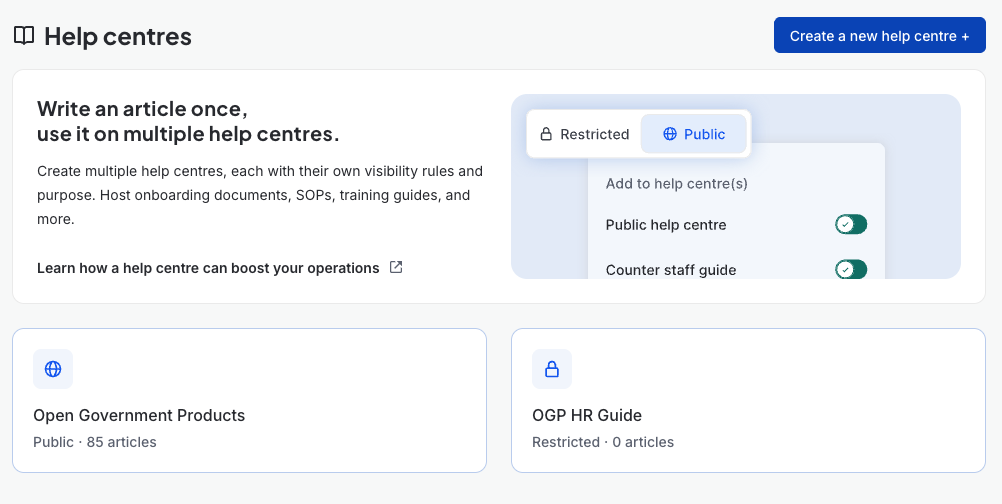
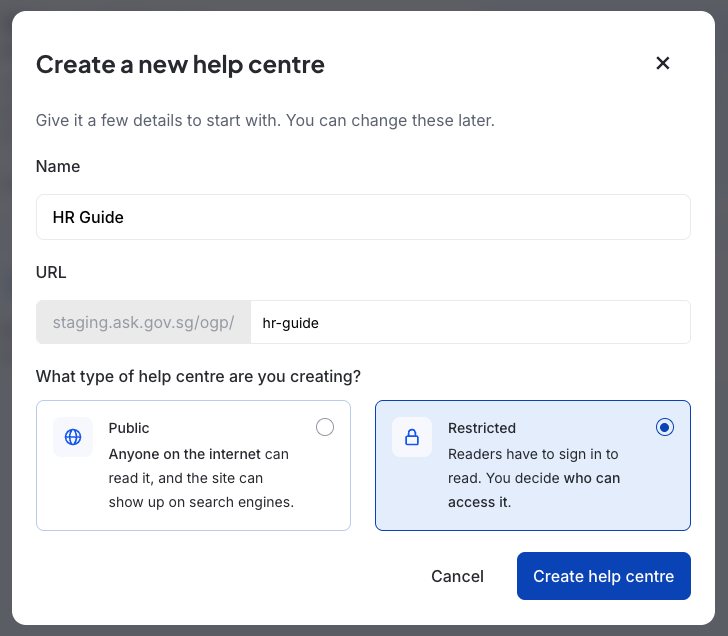
In Studio, open Help centres, then select Create a new help centre +. Follow the setup prompts to choose a name, URL and whether the centre is Public or Restricted.
A Public centre is open to anyone
A Restricted centre requires readers to sign in and meet the access rules you set
Step 2: Add articles
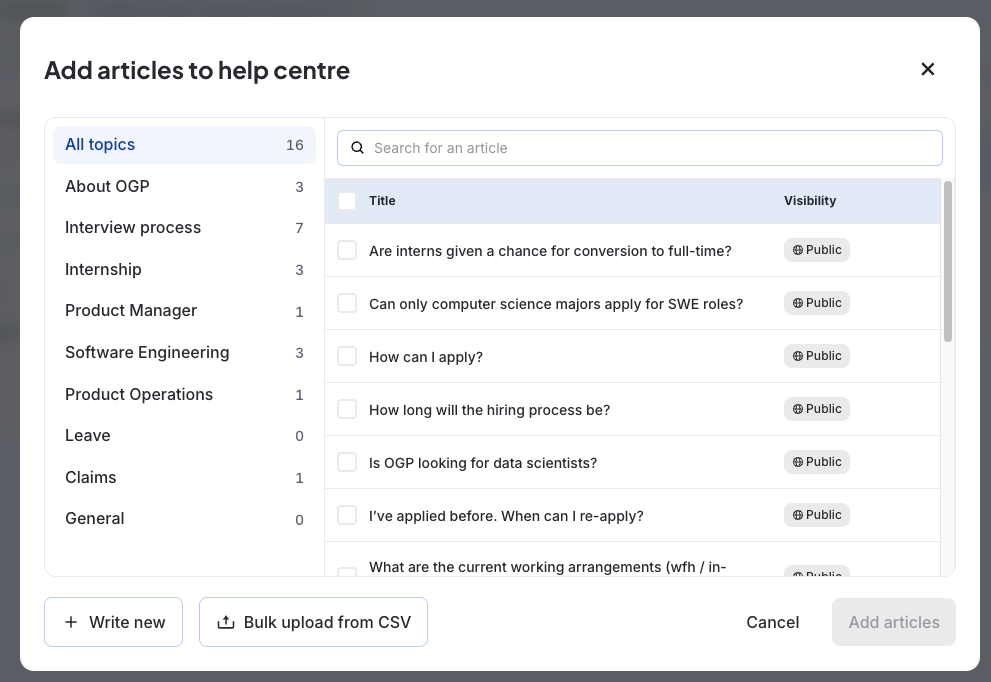
Choose from your full list of articles
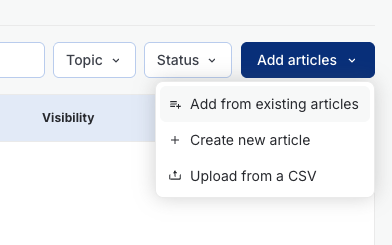
Open the centre’s Articles tab and use Add articles to create an article, upload a CSV or choose existing articles.
Public articles can be added to either kind of centre
Restricted articles can only be added to restricted centres
An article can belong to several centres, so you do not need separate copies for each audience.
You can save articles as Draft while preparing them
Publish the articles you want readers to see
Step 3: Set up reader access
For a restricted centre, open Settings → Access. Choose either Anyone with a .gov.sg email address or Specific domains or emails….
If you choose specific domains or emails, add the intended readers or agency domains.
Review the access list for this centre before releasing it
NOTE: Reader access is separate from Studio editing access. Allowing someone to read a centre does not make them an Editor or Site Owner.
Step 4: Customise the centre
Open Design to set its branding, quick links and pinned articles. Check the desktop and mobile previews, and save your changes.
Step 5: Go live and check
Complete the setup checklist. In Settings, use Make this help centre go live to make the centre available to its intended audience.
Maintain the centre
Use the Articles tab to manage its content and Settings to manage its name, URL and access. Removing an article from one centre leaves it in the library and any other centres using it.