
bright
3
A Singapore Government Agency Website
Back to home
Updated by BRIGHT
How do I update my client's biodata with the latest information from ICA?
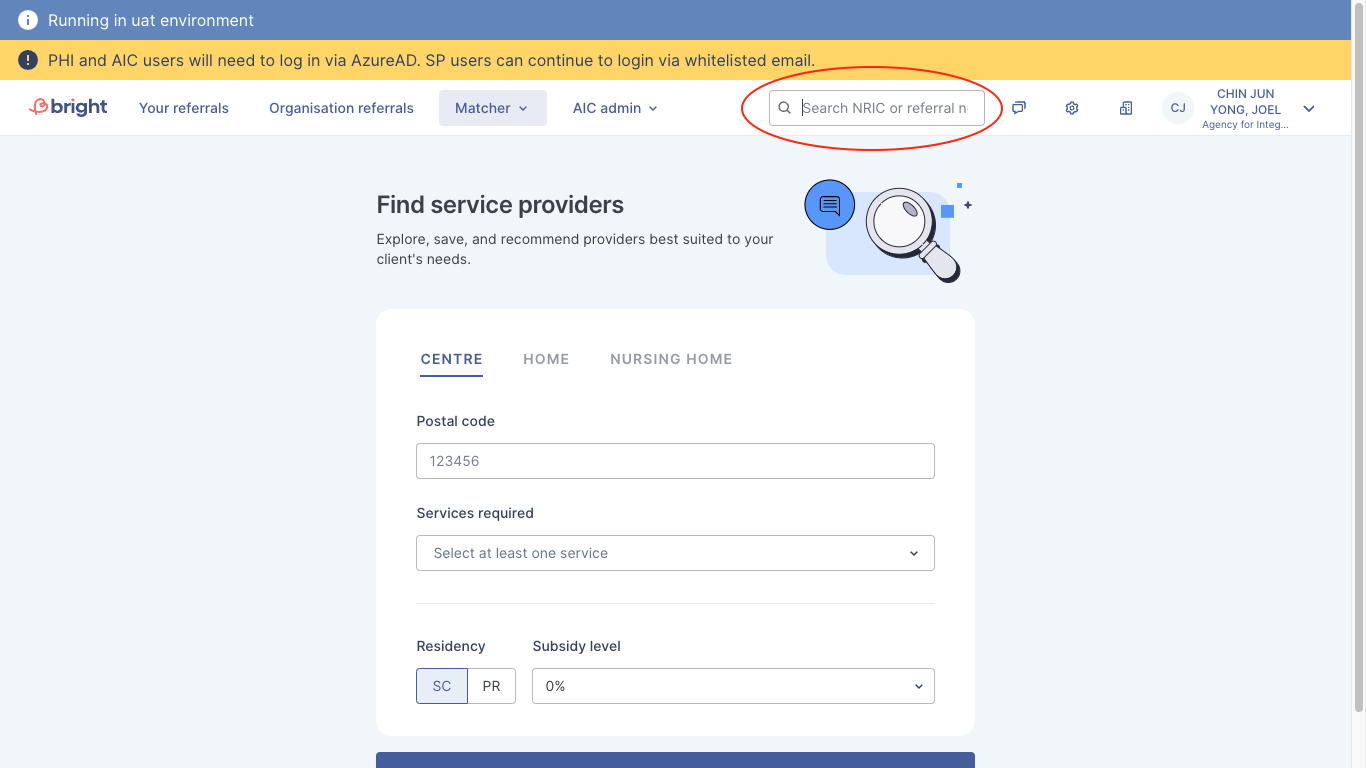
If you have the client's NRIC/FIN, you can search for the client through the global search feature:
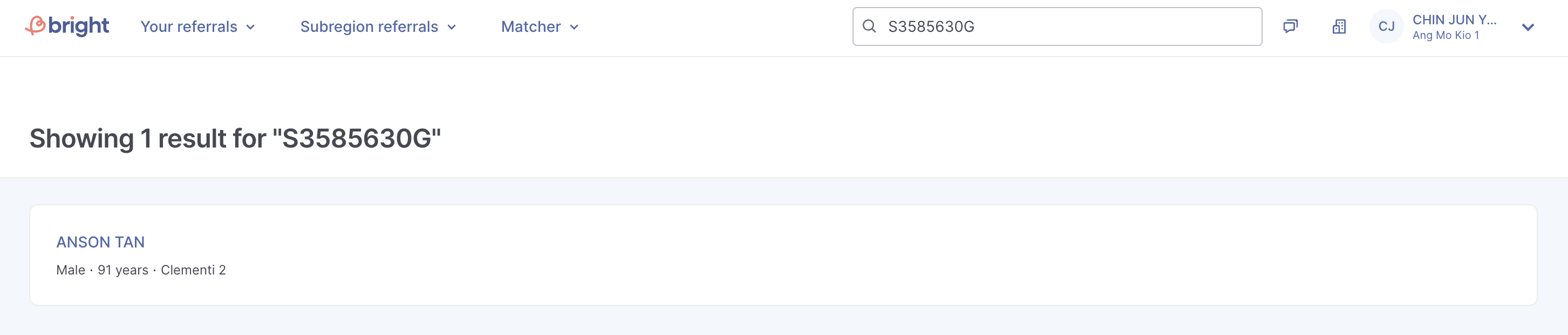
If the client exists in BRIGHT, BRIGHT will preview the client's profile as shown:
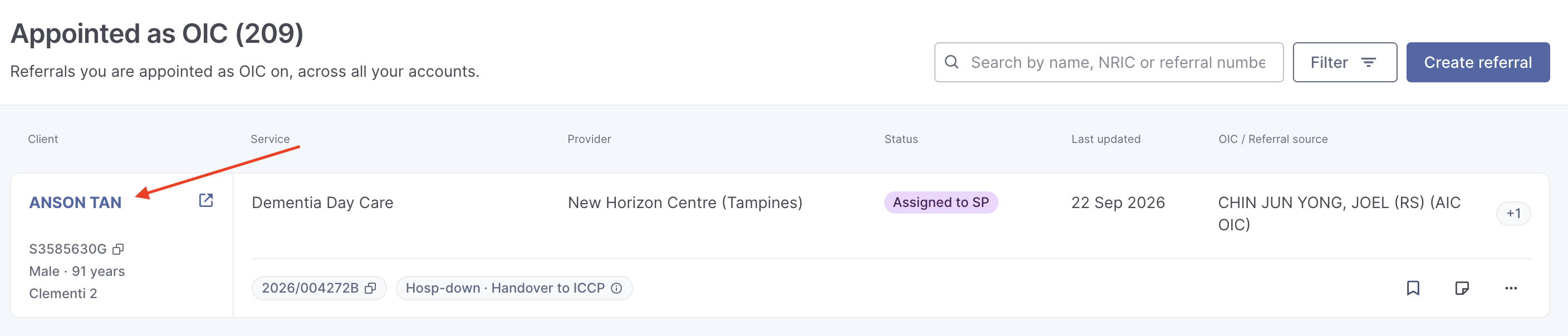
You can also click on the client's name on your dashboard to access the client's profile page:
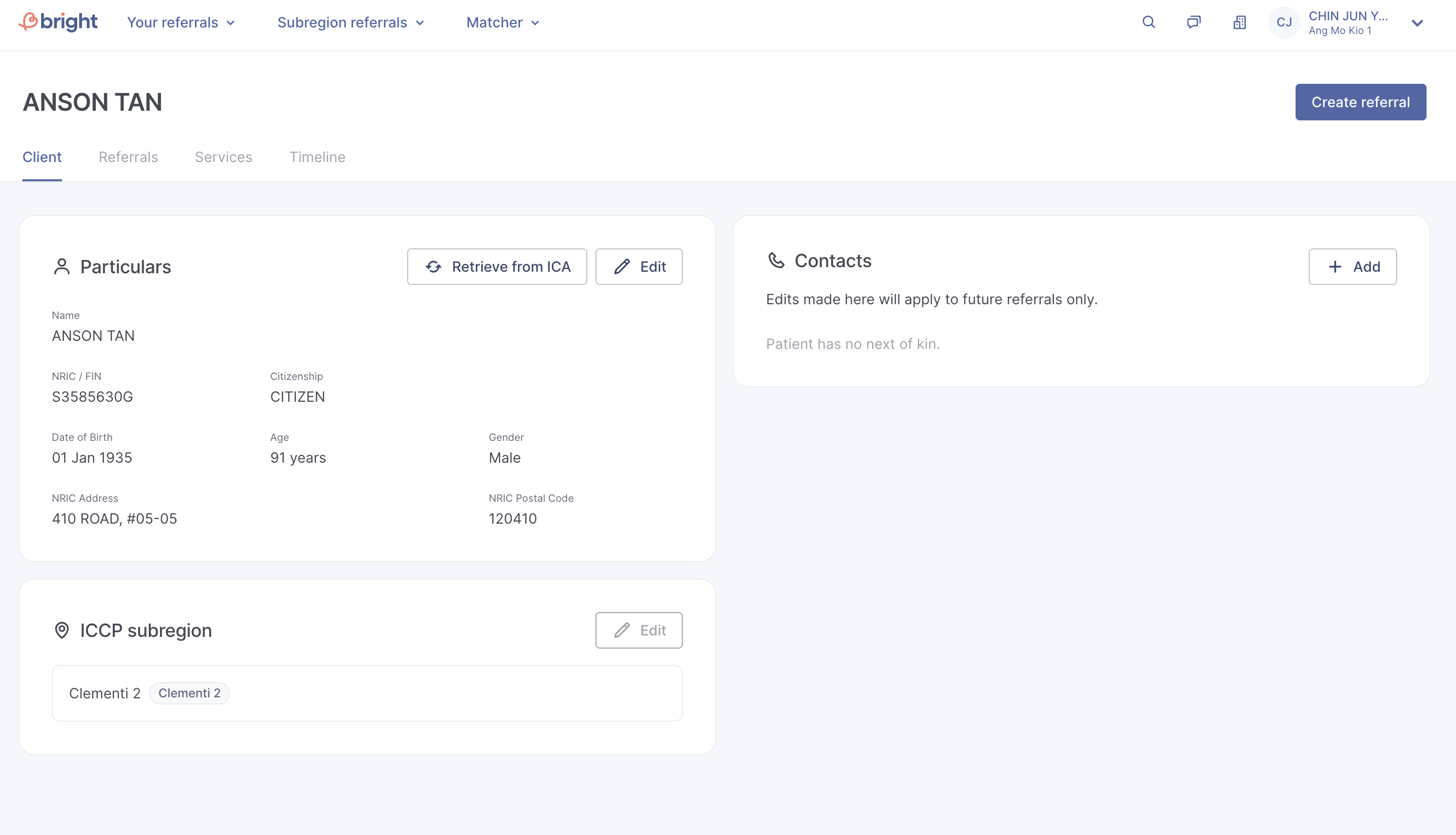
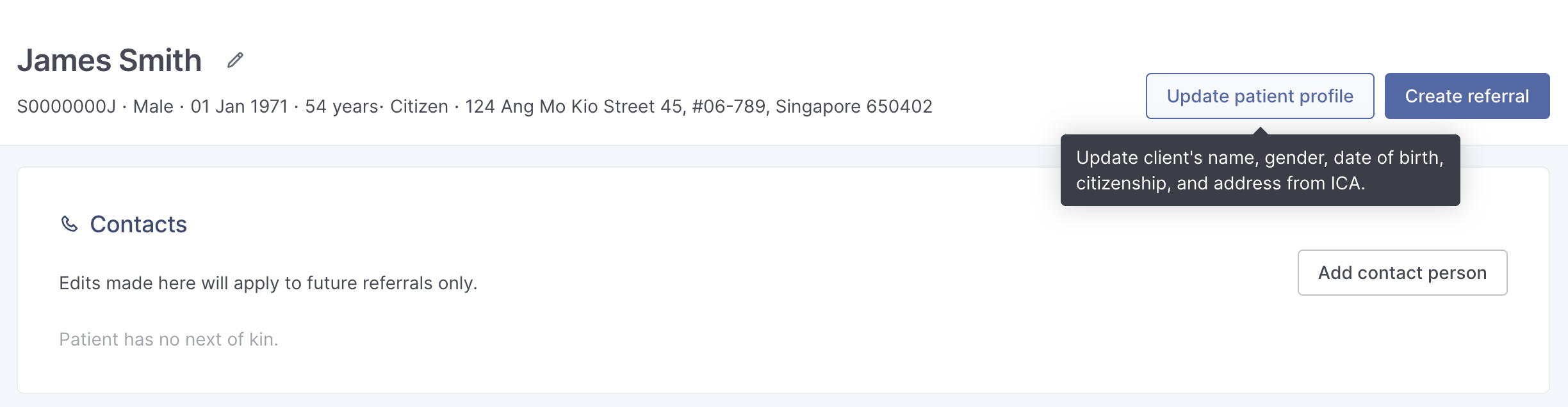
When accessing the client's profile page, users will be able to click on 'Retrieve from ICA' to retrieve the latest biodata from ICA.
Note:
Only the following will have the option to retrieve data from ICA or manually update the client's biodata:
All PHI and AIC users
For SP and ICCP users:
the client has to be known to your SP organisation or subregion respectively first (e.g. the client has been assigned to a location within your organisation, or if the client belongs to your subregion)
If a referral is raised from your organisation or subregion, you will also be able to retrieve data from ICA to update the client's biodata.
If successful, you will see a modal with the updated information.
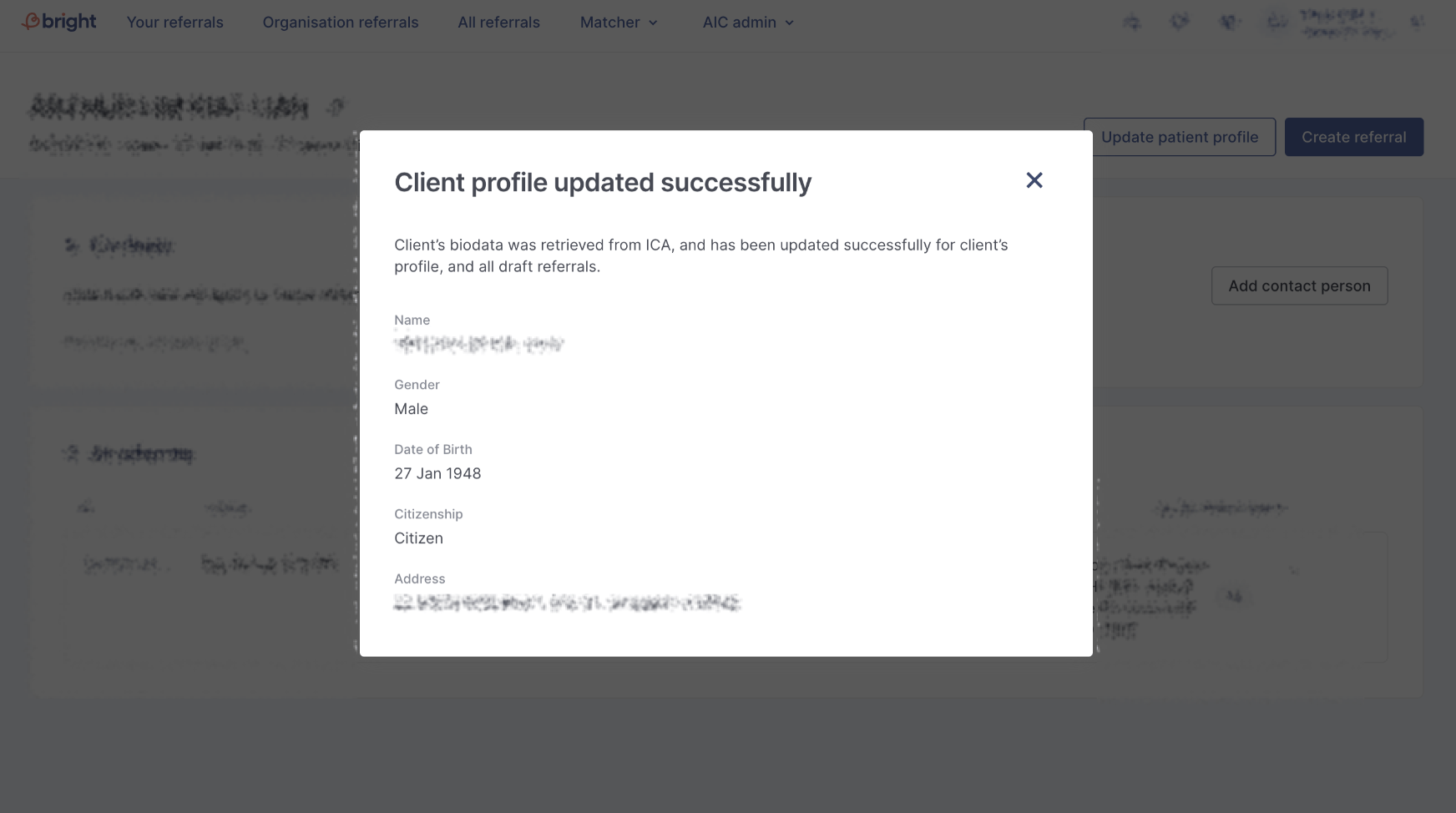
Take note that this will update all biodata in the client's profile, as well as any draft referrals (i.e. any referrals that have not been submitted).
Topics:
Client ProfileRelated questions
[Client's profile page] I would like to know what referrals (past and existing) have been raised for my patient/client. How do I do so?
If my existing clients do not have a subregion reflected on BRIGHT, how should I update their subregion?
bright
3
I am a community service provider and want to know more about a walk-in client and the services he is receiving but the client is not known to me. Can I search for this client on Bright?
bright
If a senior’s NRIC address changes, will BRIGHT update their address and ICCP subregion automatically?
bright
Need more help?
Describe your issues to us.