
bright
3
A Singapore Government Agency Website
Back to home
Updated by BRIGHT
I logged in via Corppass but I am receiving error messages from Corppass!
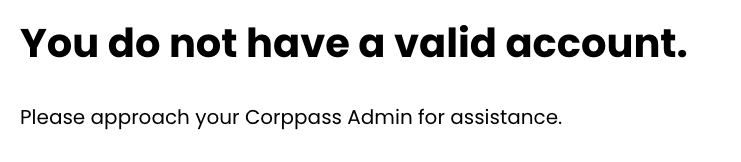 If you are receiving this message above, this means that your Corppass account has not been created. You will need to approach your organisation's Corppass administrator for assistance with creating an account.
You can search for your organisation's Corppass administrator here using your organisation's UEN number!
Please visit Corppass' user guide here on how to do so!
-----------------------------------------------------------------------------------------------------------
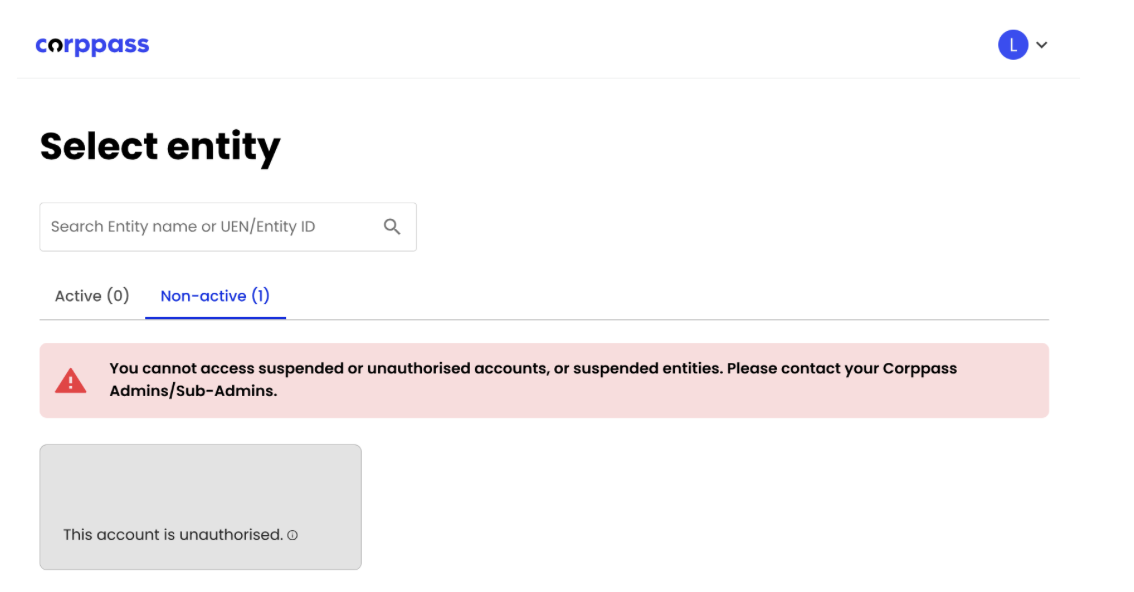 If you are receiving this message above, this means that your Corppass account has not been configured correctly to access BRIGHT. Please visit Corppass' user guide here on how your Corppass admin can grant you the necessary rights to BRIGHT! Your admin will need to enable BRIGHT e-Service named “AIC-BRIGHT" for you.
Please click here to access all of Corppass' user guides!
Related questions
I managed to login via Corppass but I received a message stating that “Corppass user does not exist in Bright. Contact your organisation’s administrators if this is an error.”
How do we enable Corppass access to Bright for my organisation?
bright
1
1
I have access to two organisations with different UEN. How do I select the organisation I wish to log in?
bright
I managed to log in but I am prompted to select an organisation but I am unable to do so and prompts me to "Please ask an admin to add you as a user".
bright
Need more help?
Describe your issues to us.